Free Online PDF Editor
Open a PDF, move through its pages and save the file again, all inside this page. The editor is PdfCraft, an open-source PDF workbench that runs in your browser.
Runs in your browser. No FreeAIGeneration account required.
Nothing heavy loads until you press launch.
Preview
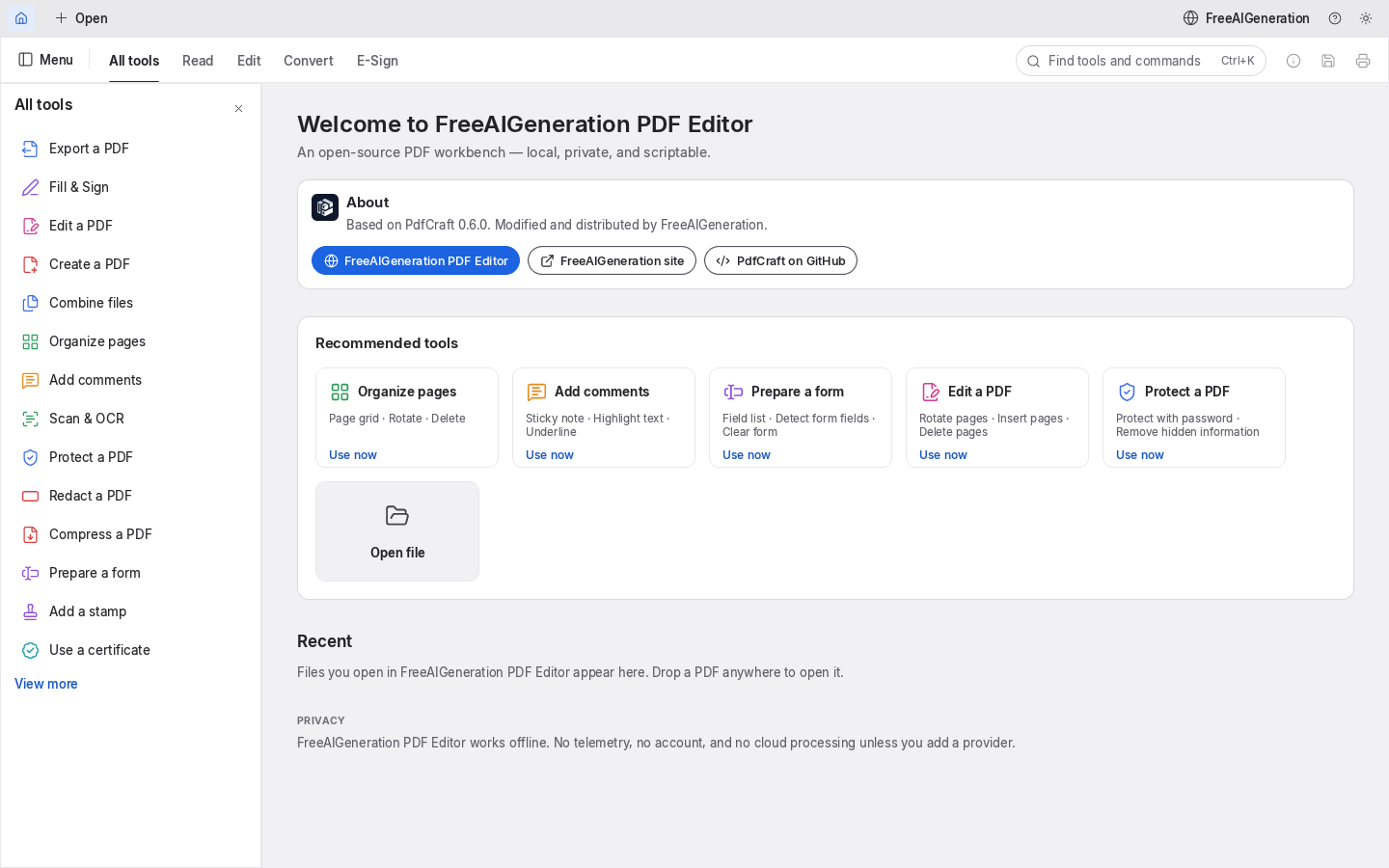
Editor workspace
The editor opens here, across the whole content width. Nothing is downloaded until you launch it.
Ready to launch
Loading the editor…
Editor running
The editor could not start
The editor bundle did not load. Check your connection, then try again.
The editor bundle for this version is not available on this server yet, so the app could not start.
The request never reached the server. You may be offline, or a network filter, firewall or browser extension blocked it.
The server answered with something other than the editor page, so the editor could not start.
The editor did not finish loading in time.
What you can try
- Check your connection and reload this page.
- Press “Try again” to request the editor a second time.
- Use a current version of Chrome, Edge, Firefox or Safari.
- Try a different launch option above, for example a fallback renderer.
This browser exposes neither WebGPU nor WebGL2, so the editor may not render. The compatibility option above selects the supported fallback where the engine offers one.
Fullscreen is not available in this browser, so the editor stays on this page.
Advanced options
Only options documented by the upstream application are listed.
Troubleshooting
- Check your connection and reload this page.
- Press “Try again” to request the editor a second time.
- Use a current version of Chrome, Edge, Firefox or Safari.
- Try a different launch option above, for example a fallback renderer.
Works in current Chrome, Edge, Firefox and Safari.
- No account and no FreeAIGeneration server: your PDF is opened by the editor running in this page. The editor is a 40.6 MB download the first time you launch it, so the first start takes a moment on a slow connection (over the wire it is smaller, because the file is compressed in transit).
- Verified on this version: opening a PDF, moving through its pages and saving the file. PdfCraft’s menus also list organising, commenting, form filling, protection, redaction and export to other formats — we have not verified those operations, so treat them as unreviewed rather than promised.
- The editor paints its interface into a single canvas, so on-screen text is not selectable and screen readers cannot read the toolbar. WebGPU and clipboard access need a secure connection (https or localhost); without them the editor falls back to WebGL2 and can still work on the document.
Compatibility
Works in current Chrome, Edge, Firefox and Safari. Rendering uses WebGPU where the browser offers it and falls back to WebGL2 on its own; both were verified on this build. Printing to a system printer is not available in the web editor, so save the PDF and print it from your PDF reader.
This tool needs a current version of Chrome, Edge, Firefox or Safari with JavaScript enabled.
- No account and no FreeAIGeneration server: your PDF is opened by the editor running in this page. The editor is a 40.6 MB download the first time you launch it, so the first start takes a moment on a slow connection (over the wire it is smaller, because the file is compressed in transit).
- Verified on this version: opening a PDF, moving through its pages and saving the file. PdfCraft’s menus also list organising, commenting, form filling, protection, redaction and export to other formats — we have not verified those operations, so treat them as unreviewed rather than promised.
- The editor paints its interface into a single canvas, so on-screen text is not selectable and screen readers cannot read the toolbar. WebGPU and clipboard access need a secure connection (https or localhost); without them the editor falls back to WebGL2 and can still work on the document.
Open the PDF editor
Open a PDF, move through its pages and save the file again, all inside this page. The editor is PdfCraft, an open-source PDF workbench that runs in your browser.
Open-source attribution
This page embeds an upstream open-source application distributed under the MIT or Apache-2.0 licence. Licence files and notices ship with the bundle.
- Upstream engine: pdfcraft v0.6.0
- Licence: MIT OR Apache-2.0 (LICENSE-MIT, LICENSE-APACHE, NOTICE, FONT-LICENCE-Hack-MIT-and-Bitstream-Vera.txt, FONT-LICENCE-Ubuntu-Font-Licence-1.0.txt, OFL-DancingScript.txt, OFL-Inter.txt)
- NOTICE / ATTRIBUTION.md
- Source code: storytold/pdfcraft
- Version: 0.6.0-faig.4 sha256 a957a75e35390fa8…
Independent project. Not affiliated with, endorsed by or sponsored by any software vendor.
Related tools
Privacy
The editor runs in your browser. FreeAIGeneration has no account system and stores no documents; see the privacy page for browser storage and third-party details.