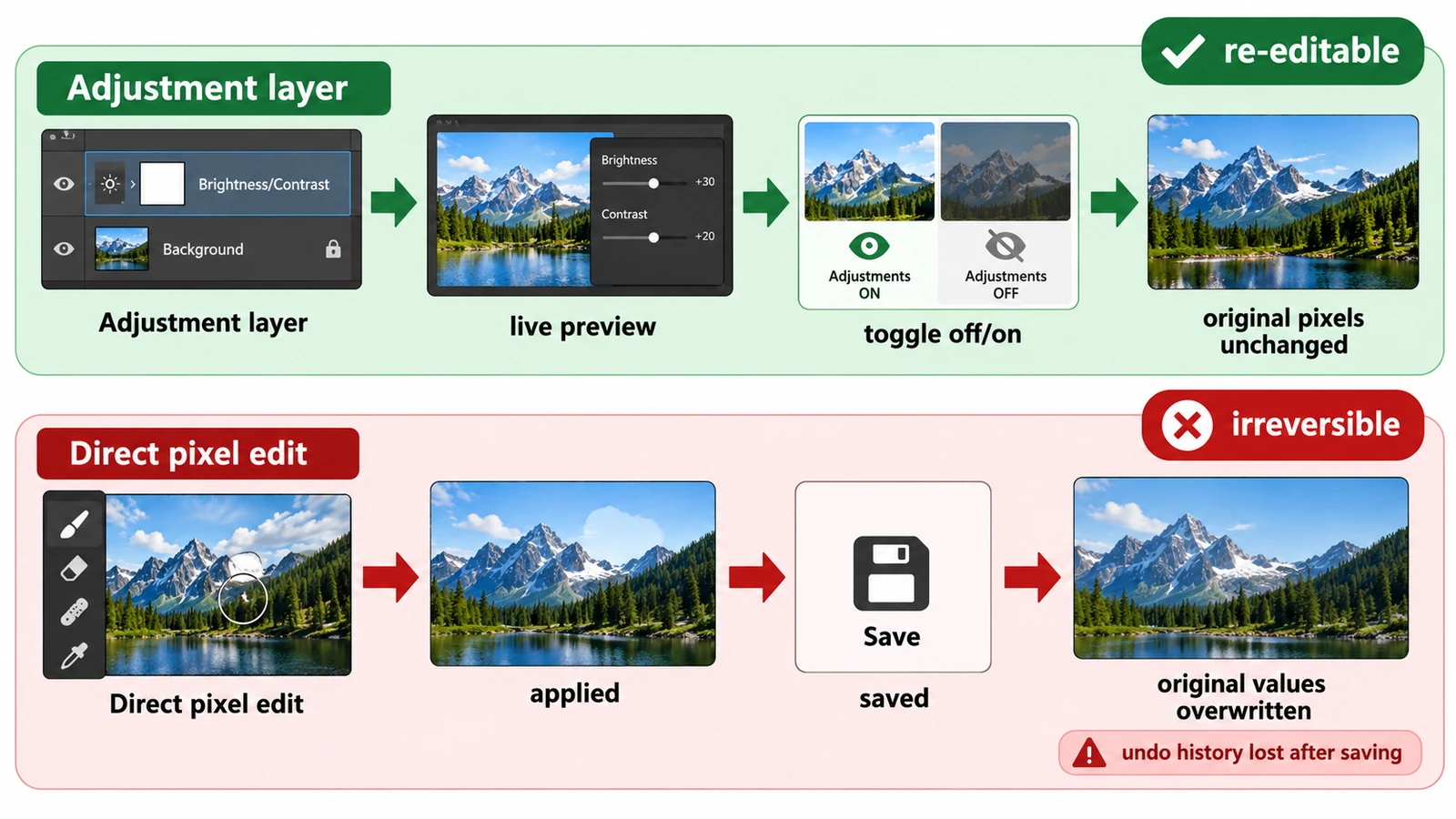
Both methods can produce identical pixels; the difference is what the file can still change later. What each costs, and how to choose when the brief is hazy.
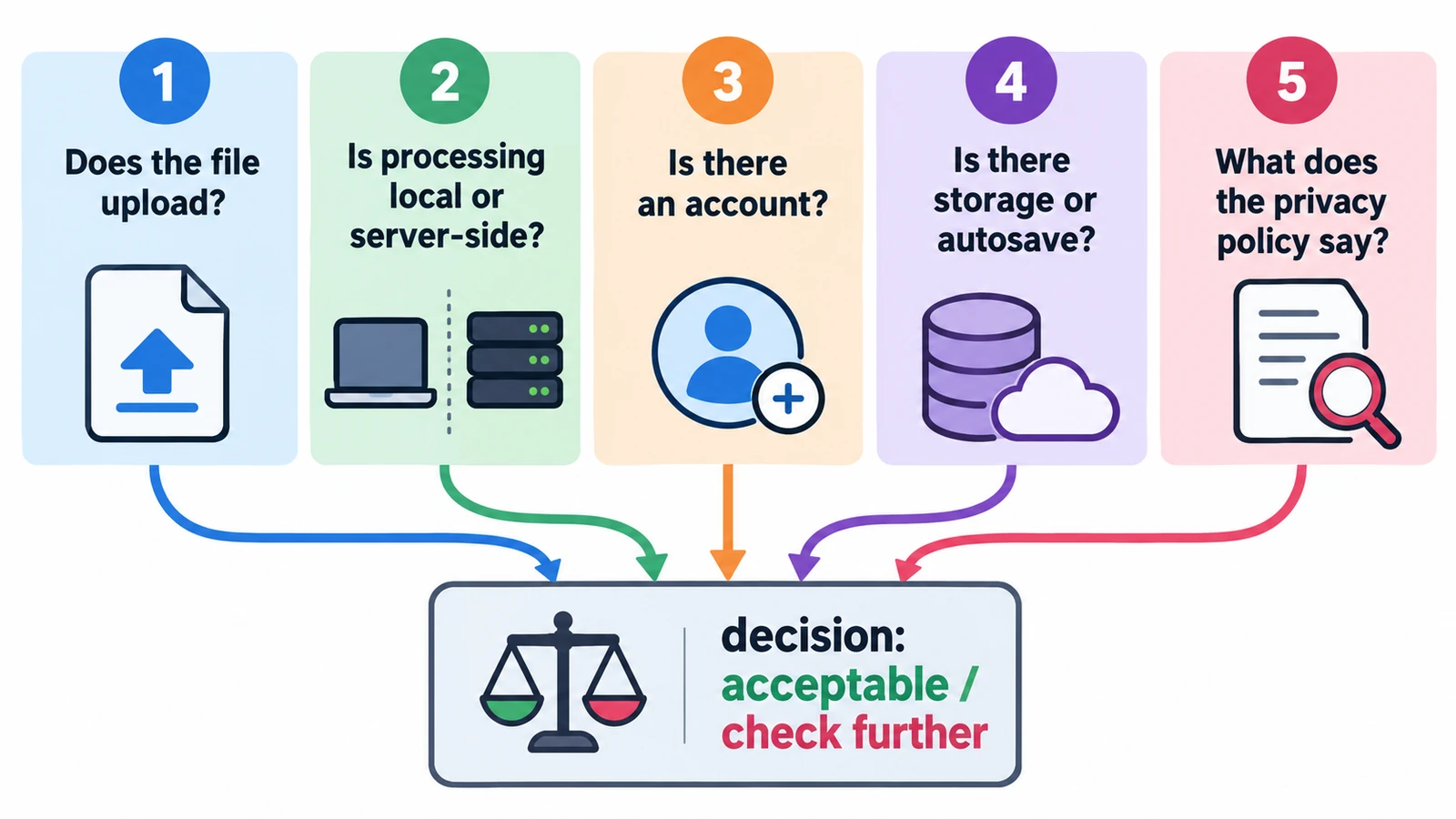
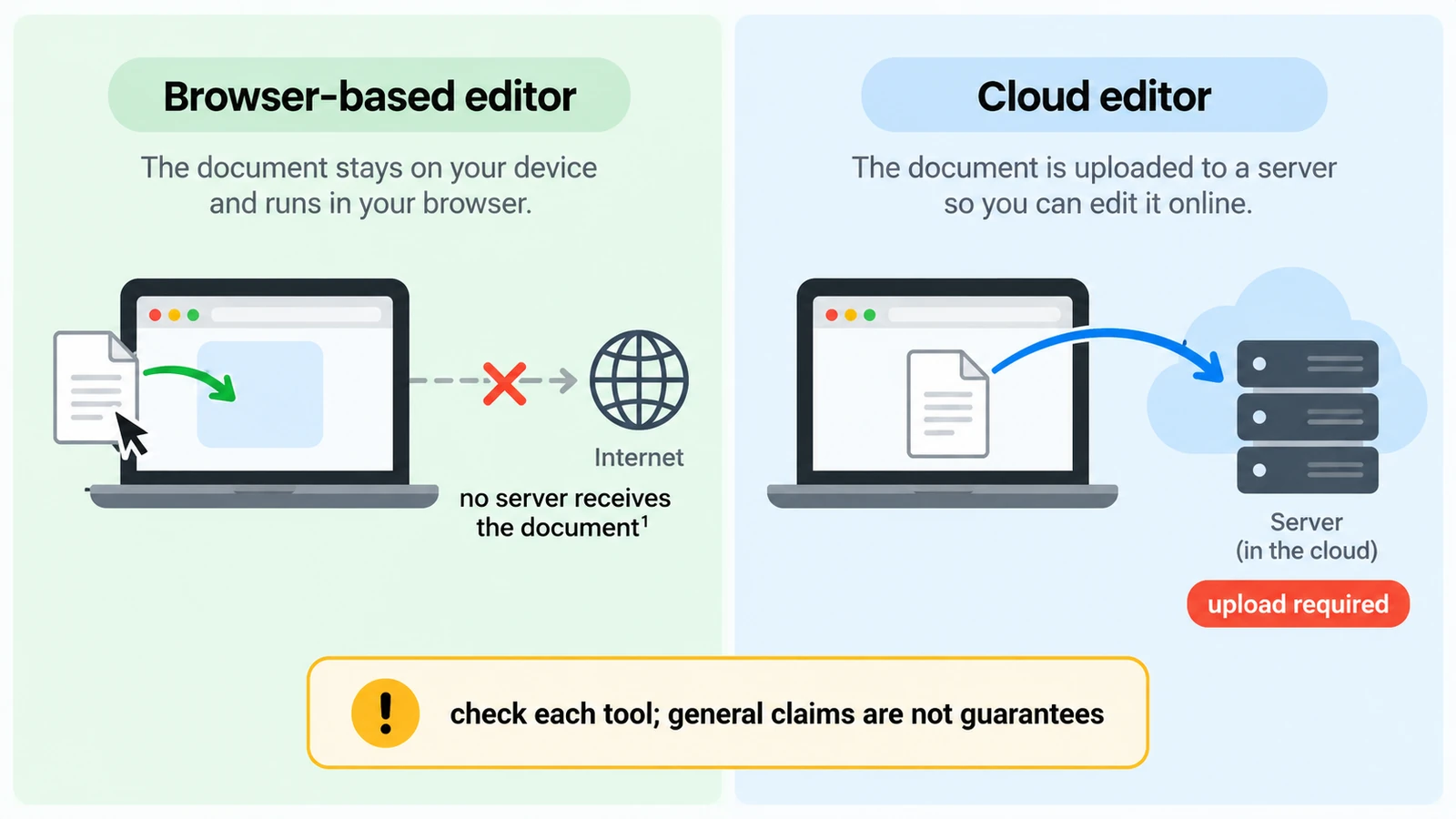
"Online editor" describes a delivery method, not a data policy. Five questions about local processing, uploads and stored files, and where that promise stops.
Creative workflows Browser tools Local processing No upload Privacy 5 min read
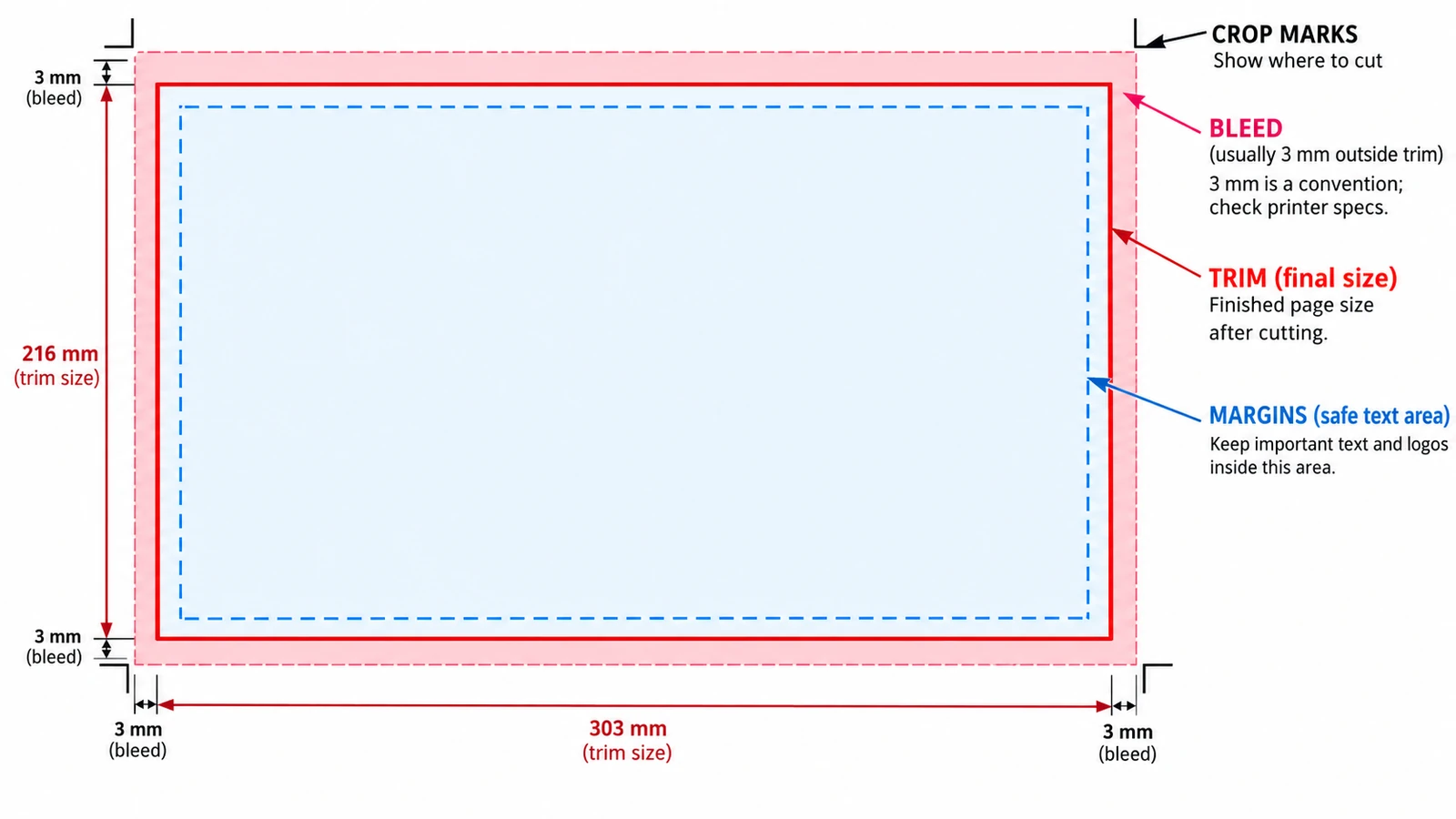
Trim, bleed and margins are three rectangles pushing opposite ways. Where each value belongs, why crop marks sit outside the trim, and what the browser tool cannot do.
Documents & PDF Page layout Browser tools No signup Image optimization 5 min read
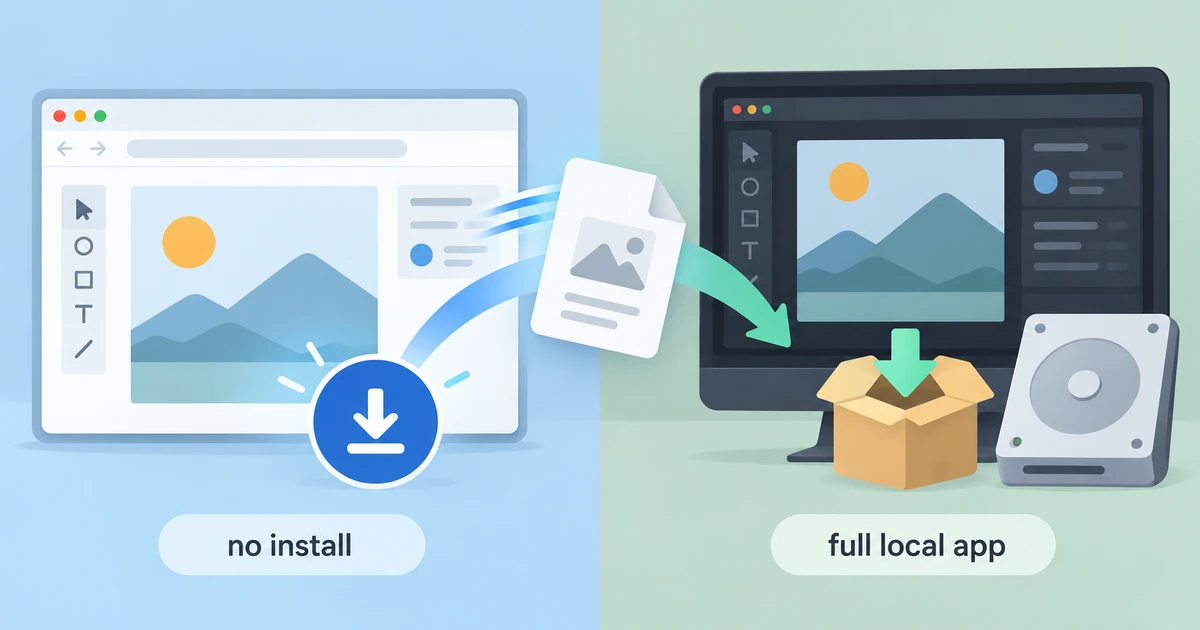
Installing nothing is not the same as downloading nothing. What a browser editor gains, where it gives ground to desktop software, and a decision rule beyond loyalty.
Creative workflows Browser tools Workflow comparison Local processing No signup 5 min read
Two editors that look identical can put your file in opposite places. How to tell local from cloud, what "no upload" does not cover, and what a round trip costs.
Creative workflows Browser tools Local processing No upload Privacy 5 min read
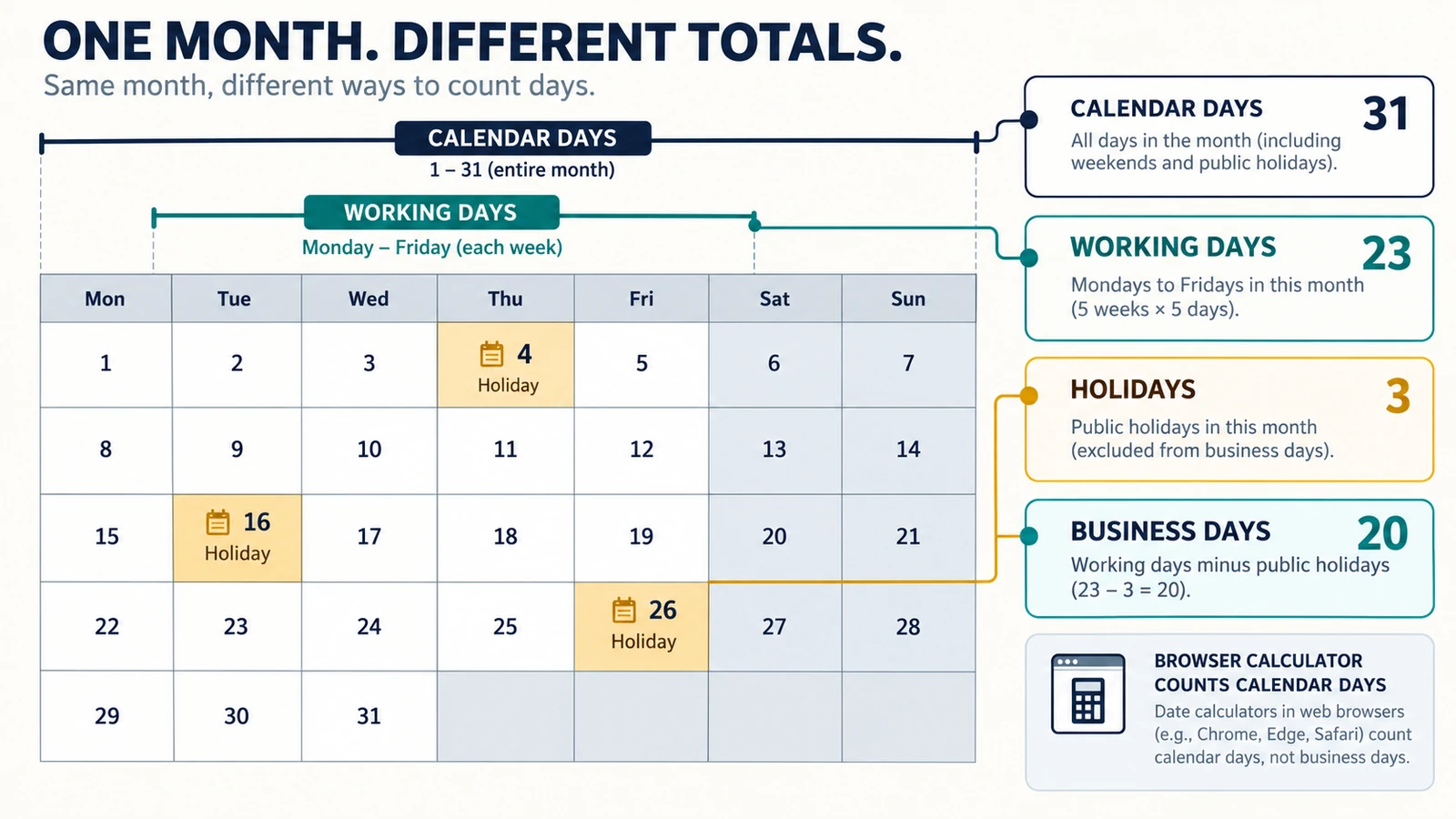
Understand the difference between calendar days, working days and business days, with simple examples and guidance on choosing the right date calculation.
Utilities & productivity Date & time Calculators Converters 4 min read
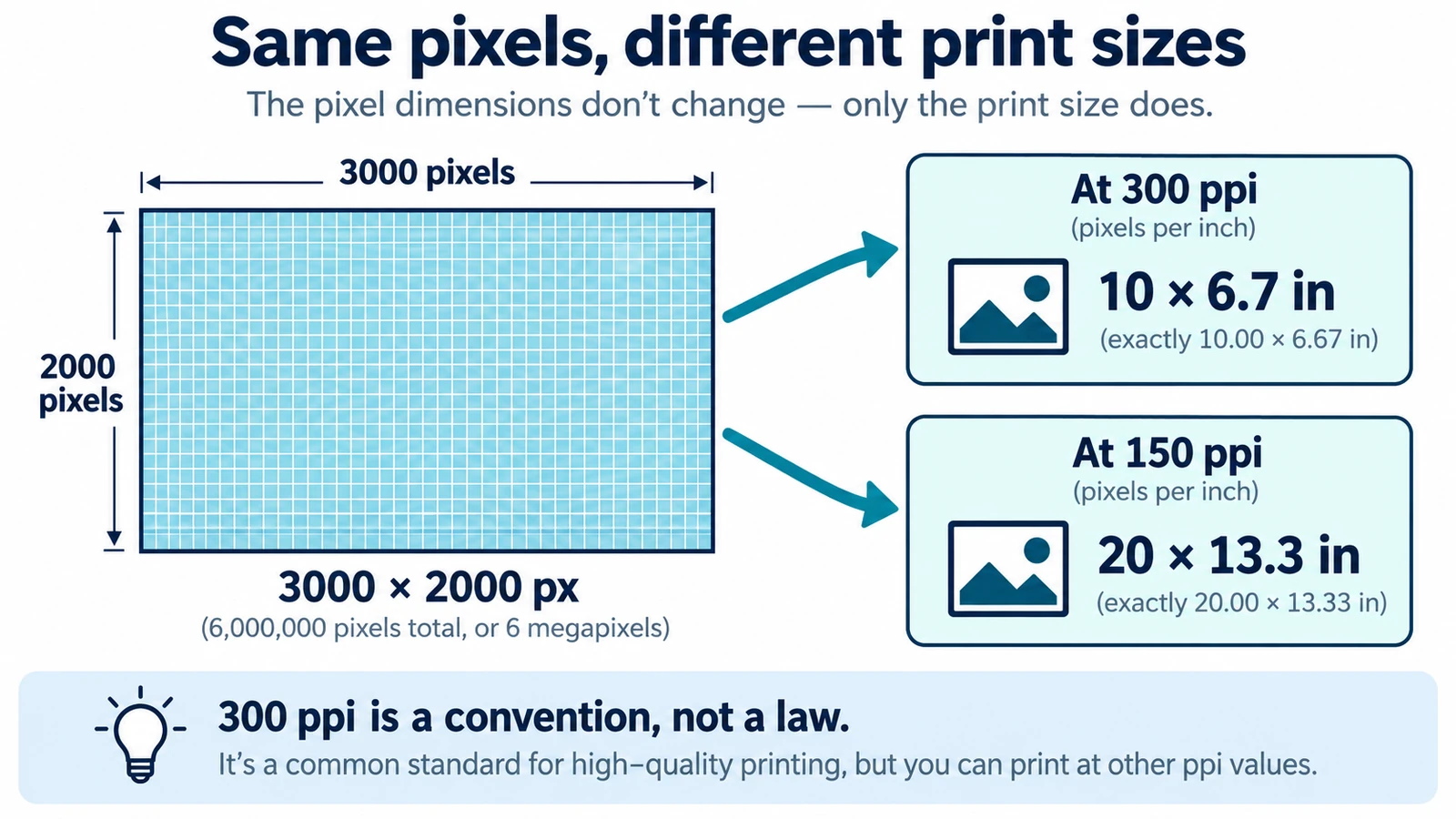
DPI and PPI describe different machines, and neither means much without a physical print size. The formula, why 300 is a habit, and what to note before placing an image.
Documents & PDF Page layout Browser tools No signup Image optimization 5 min read
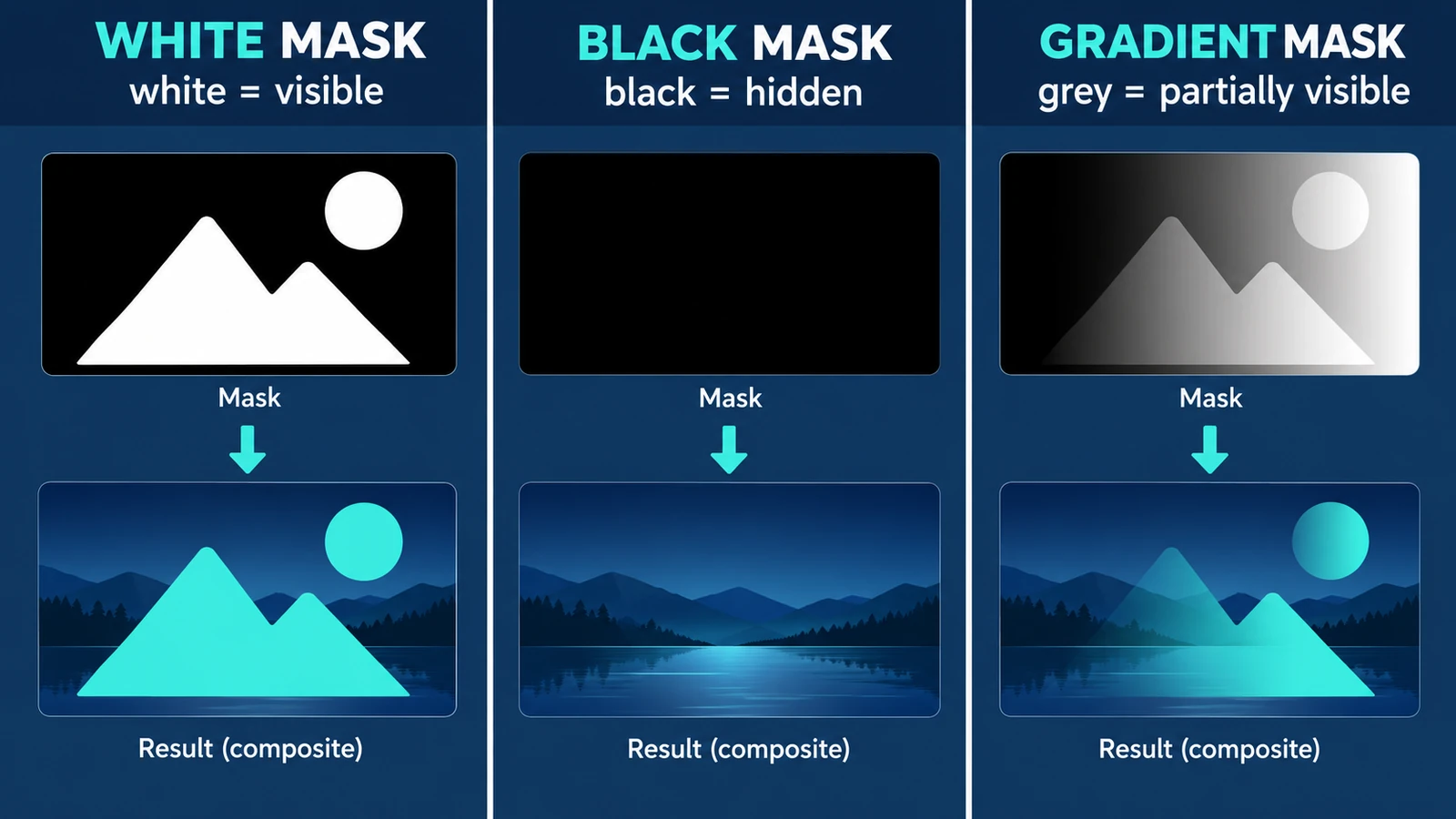
A mask is a coverage map beside the pixels: white reveals, black hides, grey blends. What the values mean, why the direction feels backwards, and what a mask cannot do.
Creative workflows Photo editing Browser tools No signup Layers 4 min read
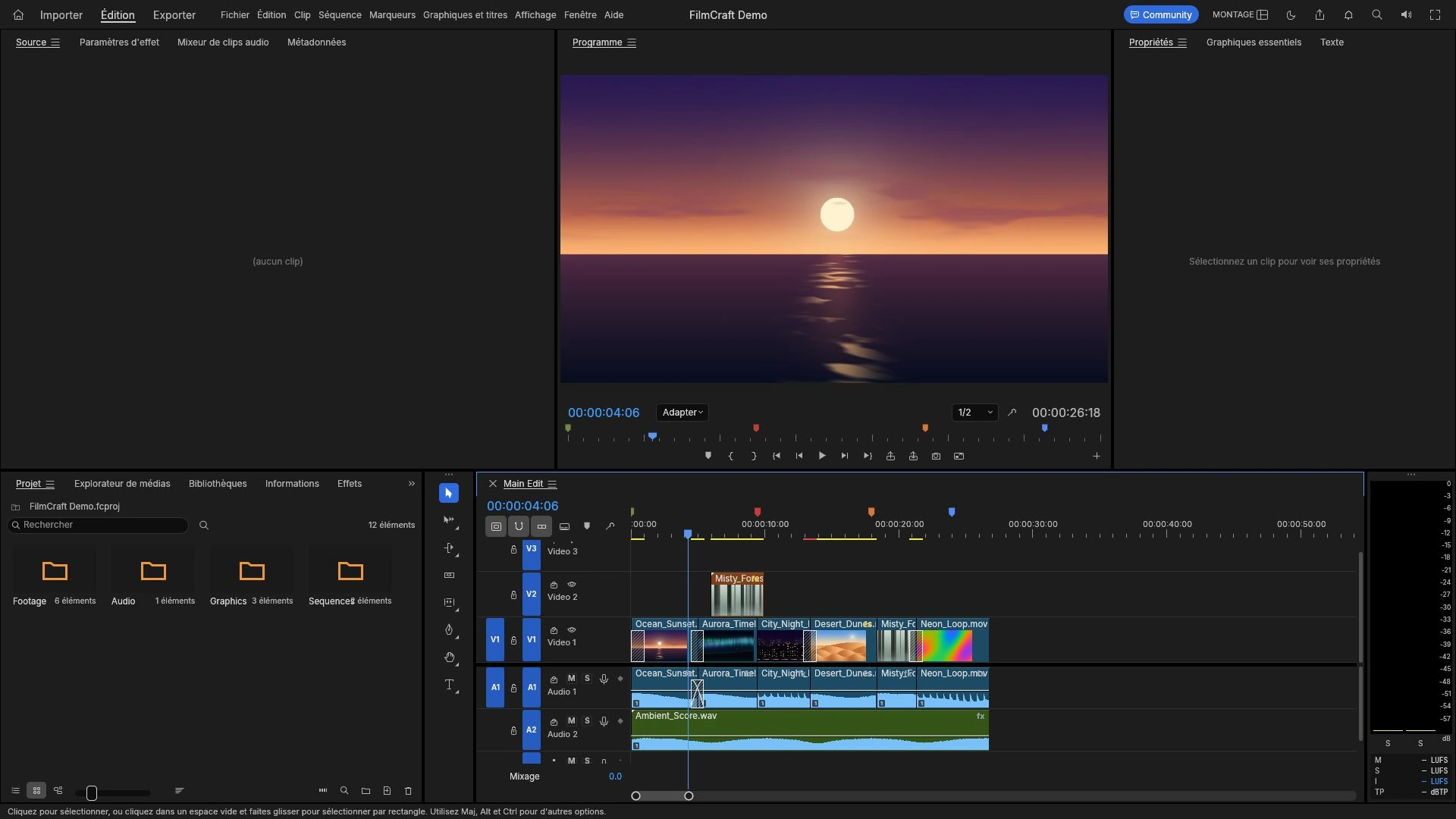
Import a recorded voice-over, place it against the picture on the timeline, set a level that survives a laptop speaker, and listen to the exported MP4.
Creative workflows Video editing Browser tools No signup 4 min read
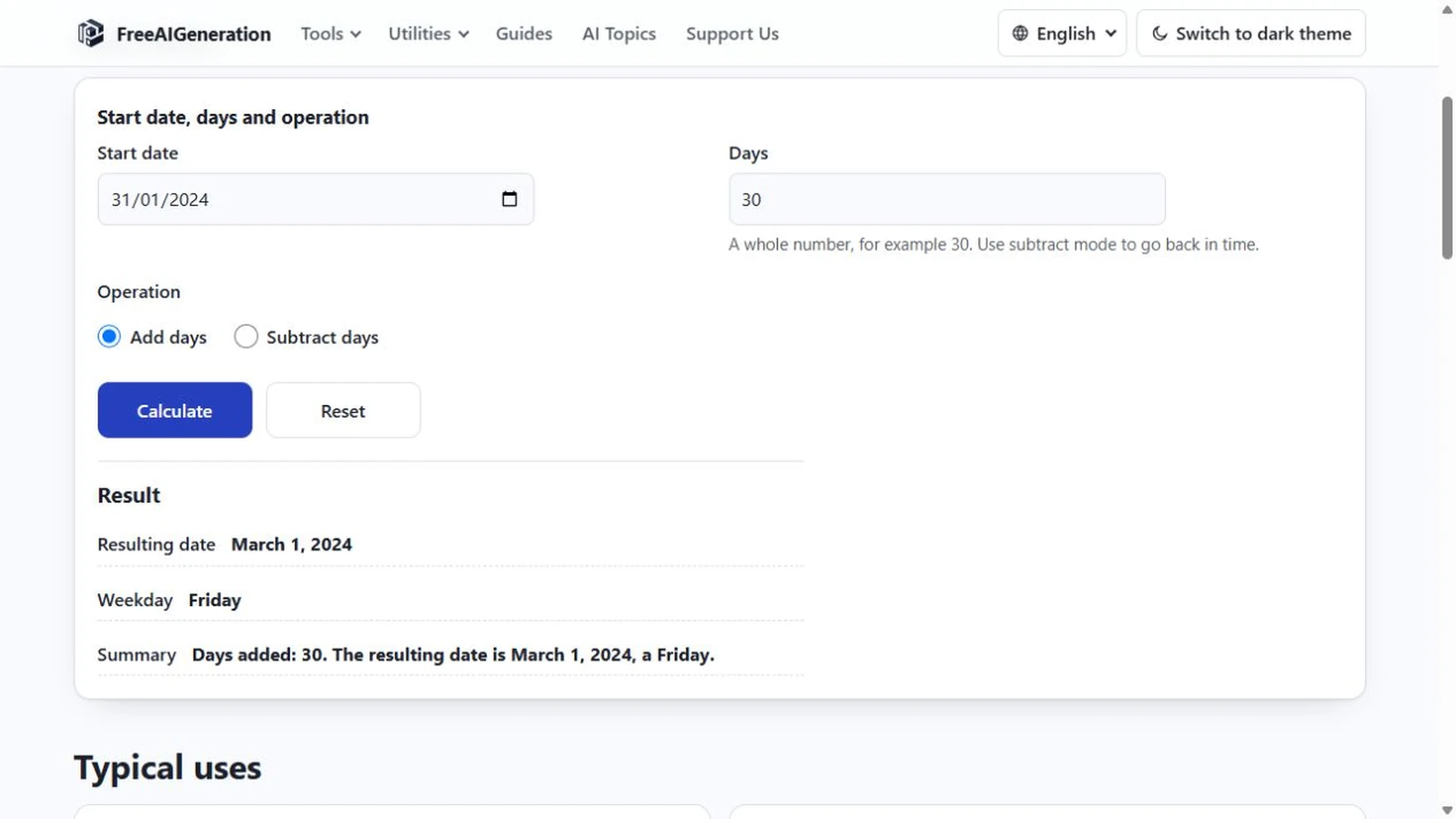
Days and months are different units, and only the day count is fixed. Month ends, leap days, year turns, rejected input, plus the weekday of the answer.
Utilities & productivity Date & time Calculators Converters 4 min read
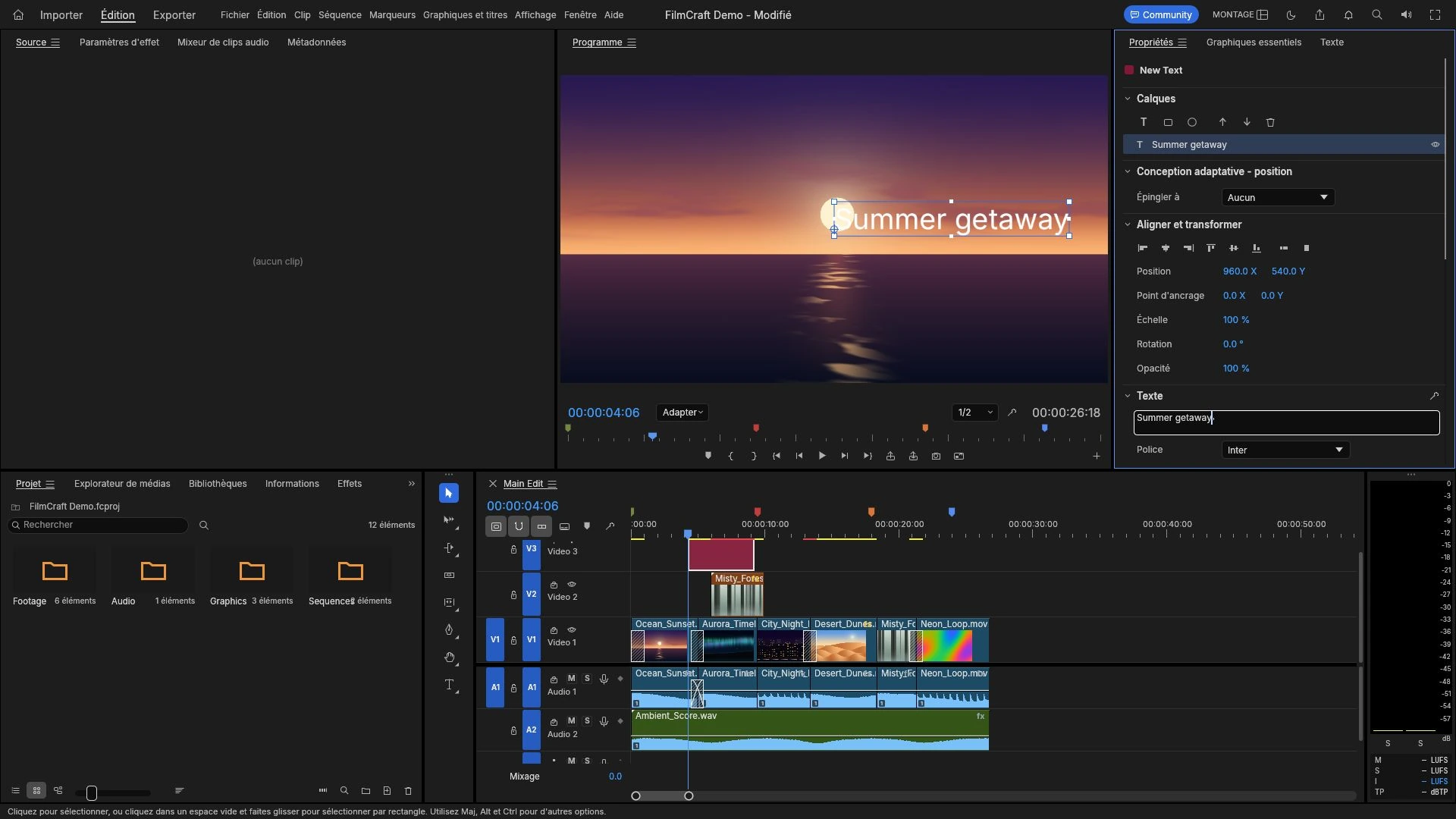
A title layer sits where every viewer looks and cannot be fixed after export. Where to place it, how to time it in frames, sizing, and mistakes worth catching early.
Creative workflows Video editing Browser tools No signup 4 min read