How to Deduct Break Time from Work Hours
Gross time is what the clock shows; net time is what remains after a break. One break entry in minutes means several breaks have to be added before you subtract.
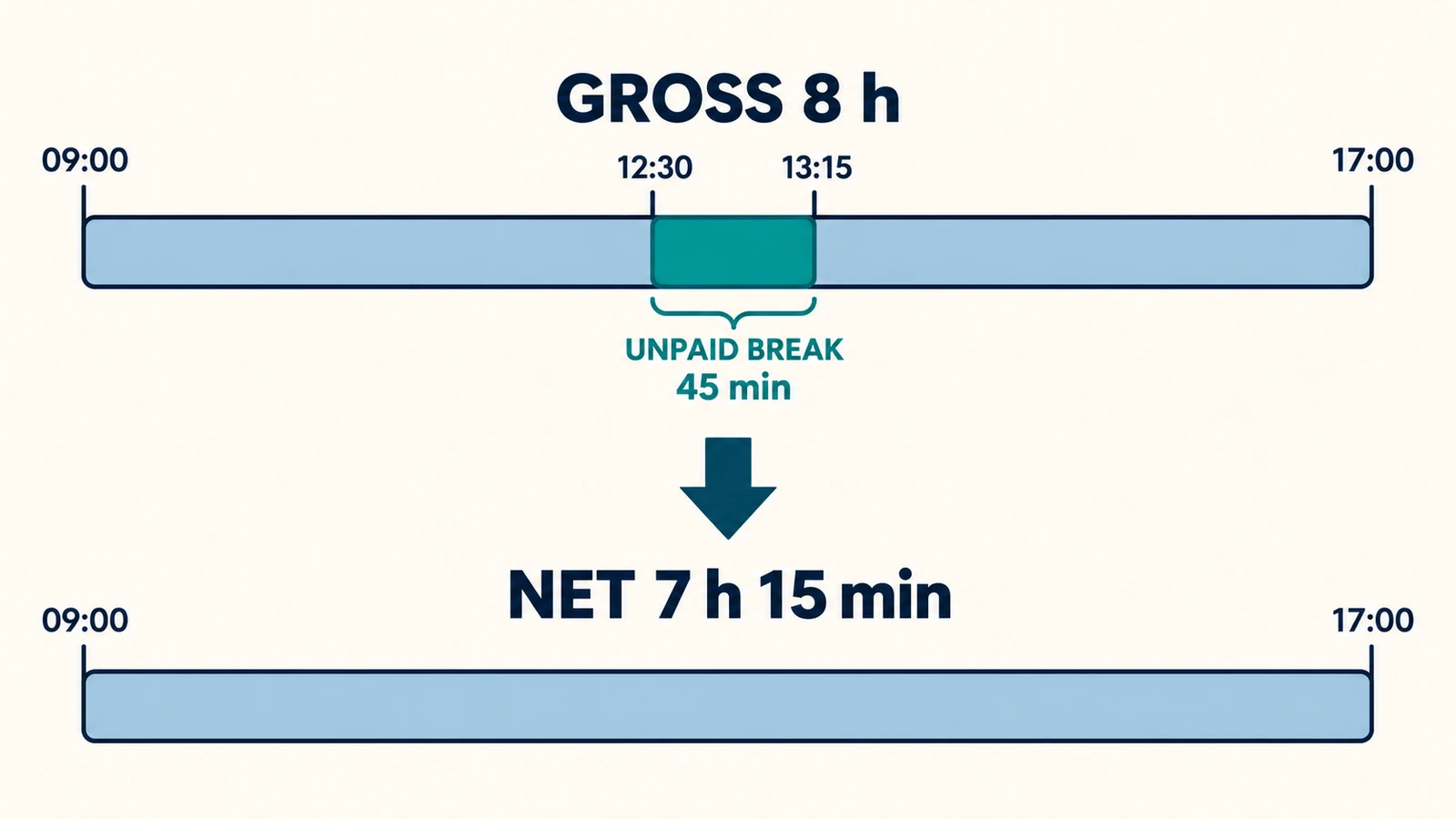
Gross time is what the clock says between starting and stopping. Net time is what remains once a break is taken out, and net is usually the figure a record actually wants. To deduct break time from work hours you subtract the break in minutes from the gross span, and the span itself never changes.
Gross, break, net
Write the span down first: end time minus start time, converted to minutes. Then subtract the break. The procedure is short because a break does not move either clock time — it removes time from the middle of a span that stays exactly where it was. A 09:00 to 17:00 day is eight hours of gross time whether the lunch was thirty minutes or ninety.
The work hours calculator keeps the pieces in separate fields. Start and end give the gross span, and the field labelled “Unpaid break” takes the deduction in whole minutes. Blank means zero, so a day with no break needs nothing in that field at all.
Three deductions worked out
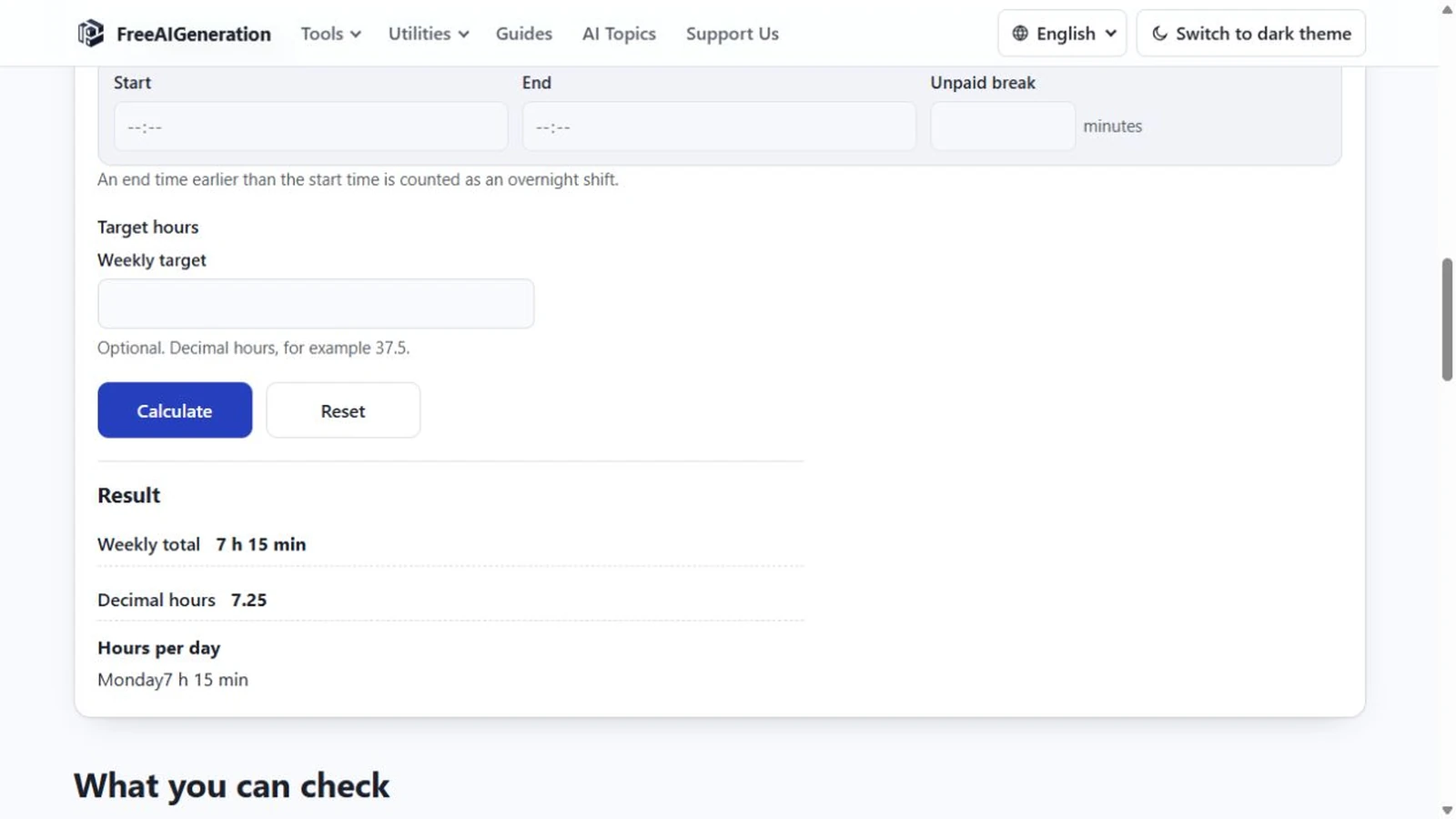
Gross 8 hours with a 45-minute break: 480 − 45 = 435 minutes = 7:15, or 7.25 decimal hours.
Gross 9 hours with a 60-minute break: 540 − 60 = 480 minutes = 8:00, or 8 decimal hours exactly. A generous span and an ordinary lunch can still produce a round number.
Gross 1 hour with a 90-minute break: not a total of minus 30 minutes, but an error. The deduction is larger than the thing it deducts from, and the page says so.
That third case is where the calculator separates itself from a hand-built formula. A negative day has no meaning in a time record, so the arithmetic is refused rather than performed.
The exact-zero case
A break equal in length to the whole span is valid. 09:00 to 10:00 with a 60-minute break gives 0 minutes, displayed as 0:00, and it is a truthful answer: the time between those clock times was entirely break.
The boundary is therefore exact rather than approximate. Equal is accepted, larger is refused. If you meet the error message, check the unit first — a break of one hour is 60 in that field, not 1 and not 0.5 — and check the clock times second, since a mistyped end time is the other common cause of a deduction that suddenly looks impossible.
One break field, so add them yourself
Each row carries a single break field. A day with a 15-minute morning pause and a 30-minute lunch has to be entered as 45 minutes. There is no second break column and no way to record when either break fell, because the calculation only needs the total minutes deducted.
Splitting the day into two rows does not create a second field per day — a row is a day, and two half-days reported separately would still sum to the same weekly figure. Add the breaks, enter the sum, and keep the detail wherever the rest of your notes live.
What the deduction does not decide
Whether a break should be paid, how long it must be and whether it can be waived are workplace policy and legal questions rather than arithmetic ones. The calculator subtracts whatever minutes you enter, always as unpaid time, and it makes no attempt to detect a break from the two clock times.
The lunch-break scenario end to end, including overnight shifts, is in how to calculate work hours with a lunch break; the full day formula around the same field is in how to calculate work hours in a day.
To run the deduction on your own span, the Work Hours Calculator wants both clock times and the minutes you were off. It runs in your browser, no FreeAIGeneration account required.
Frequently asked questions
Can I enter a break of zero minutes?
Yes. Zero and an empty field both mean no deduction. A negative value is not accepted, and a break equal to the whole span is valid but produces 0:00.
What happens if I enter a break longer than the shift?
The row is rejected with an error saying the break is longer than the time between start and end, and it adds nothing to the total.
Can I record two breaks separately in one day?
No. Each row has one break field, so the breaks have to be added together and entered as a single number of minutes.
Related articles
-
7h30 vs 7.5 Hours: How Decimal Time Really Works
Understand why 7 hours 30 minutes equals 7.5 decimal hours, not 7.30, and learn the simple formula for converting minutes.
Utilities & productivity Date & time Calculators Converters 3 min read
Published By Julia M. Gil
-
How to Calculate Work Hours in a Day
Calculate total worked time from a start time and end time, then subtract breaks accurately with simple examples and a free calculator.
Utilities & productivity Date & time Calculators Converters 3 min read
Published By Julia M. Gil
-
How to Calculate Work Hours with a Lunch Break
Take the shift span, then subtract the minutes you were not working; the traps are units and the size of the break. Overnight shifts work the same way.
Utilities & productivity Date & time Calculators Converters 3 min read
Published By Julia M. Gil
Keep exploring
FreeAIGeneration is more than this article. The editors and calculators below are real, free and run in your browser.