How to Calculate the Number of Days Between Two Dates
Two dates return four numbers: elapsed, inclusive, weeks and days, and calendar difference. Why they disagree, and which one a quoted figure was probably counting.
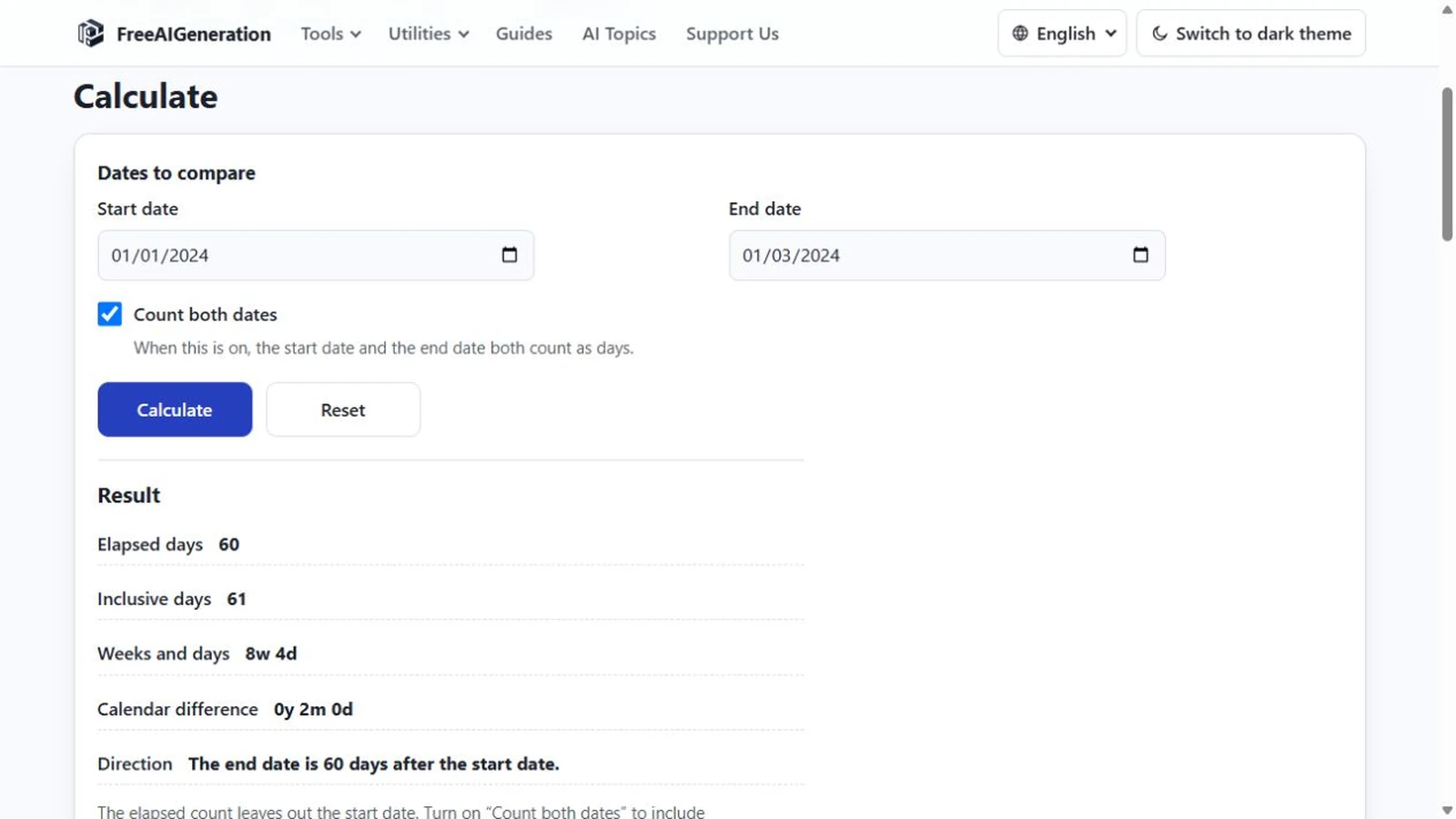
Two dates, four numbers. Ask for the days between two dates and the page returns an elapsed count, an inclusive count, a weeks-and-days breakdown and a calendar difference. The four are related, though they answer different questions, and much of the confusion around dates comes from quoting one while meaning another.
The input side is deliberately plain. Both dates are typed, both must fall between 1 January of year 1 and 31 December of year 9999, and neither accepts a time. No preset is offered and no clock is read. Everything that follows is calendar arithmetic on whole days.
Four numbers from one pair of dates
The elapsed row is end minus start. It excludes the start date and includes the end date, which is why 1 January to 2 January comes back as one day.
The inclusive row is that figure plus one, so both endpoints count. It is computed on every calculation; the “Count both dates” checkbox only decides whether the row is shown. Switching it off never changes the elapsed number.
Weeks and days divides the elapsed total into whole weeks plus a remainder between zero and six. Sixty days is eight weeks and four days, because eight weeks is 56 days and four are left over.
Calendar difference counts real years, months and days. It is not the day total divided by 365, and it is the reason two rows can look inconsistent with each other while both are correct.
Elapsed versus inclusive, without the philosophy
One sentence settles it: elapsed leaves out the start and counts the end; inclusive adds one so that both endpoints count. Enter the same date twice and you get zero elapsed days and one inclusive day.
A worked example, 1 January to 1 March 2024
January has 31 days, so 1 January to 1 February is 31 days. February 2024 is a leap February with 29 days, so 1 February to 1 March adds 29. The elapsed total is 60 days.
Every other row follows from 60: inclusive is 61, weeks and days is 8w 4d, and the calendar difference is 0 years, 2 months, 0 days. Run the same two month names through 2023 and the elapsed count drops to 59, because that February had 28 days.
A year-long span shows the leap rule without any arithmetic on your side. 1 January 2023 to 1 January 2024 is 365 days. 1 January 2024 to 1 January 2025 is 366, because 29 February 2024 sits inside the period.
Reversed dates and other situations that are not errors
Typing the later date first is allowed. The inputs keep the order you typed, the magnitudes stay positive, and a direction row states that the end date is N days before the start date. That is the useful reading when a deadline has already passed.
Two identical dates stay valid as well: zero elapsed, one inclusive, and a sentence saying the dates are the same day. The zero describes calendar dates, not elapsed time.
The limits that matter before you quote a number
Every day counts as one unit. Weekends, public holidays and business-day conventions have no effect, and there is no option that would make them matter. If the figure you need is working days, this page cannot produce it.
Times of day are outside the input format, so the tool cannot express “less than 24 hours to go” or a deadline at a particular hour. Time zones are irrelevant for the same reason: a date carries no offset, and the count is identical wherever it is read.
Month arithmetic is a different operation from day arithmetic, and the page performs only the second. Whole days are the only unit here, and moving to the same day next month is not one of the operations.
Checking a count in the browser
Type both dates into the Days Between Dates Calculator and read the row that matches the convention your document uses. With “Count both dates” ticked, the elapsed and inclusive figures sit next to each other, which is usually enough to reconcile a quoted number.
The whole calculation happens in the browser tab, with no FreeAIGeneration account involved. It keeps no history of what you entered, so copy the figure before closing the tab if you need it later.
Two guides go deeper on the decisions around this count. The explanation of calendar days, working days and business days covers why one span can be quoted as different numbers, and the piece on whether the start and end date should count takes the endpoint question on its own.
Frequently asked questions
Does the calculator include the start date?
By default no. The elapsed count subtracts the start date from the end date, so 1 January to 2 January is one day; ticking "Count both dates" adds an inclusive row in which both endpoints count.
What does the calendar difference row report?
Real years, months and days counted on the calendar, not the elapsed day total divided by 365.
Can it count working days or skip weekends?
No. Every calendar day counts as one unit and there is no weekend, holiday or business-day option.
Related articles
-
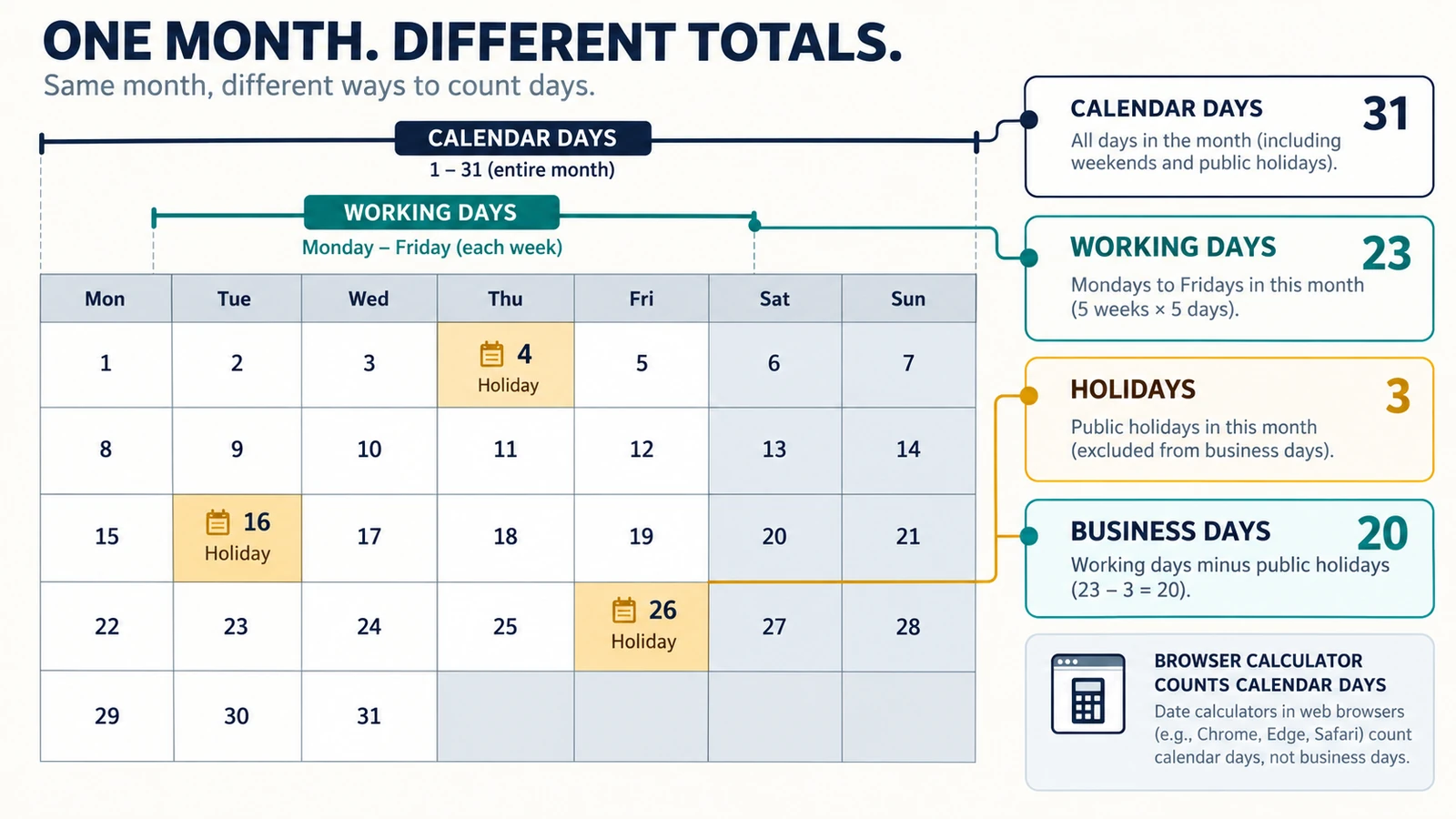
Calendar Days, Working Days and Business Days: What’s the Difference?
Understand the difference between calendar days, working days and business days, with simple examples and guidance on choosing the right date calculation.
Utilities & productivity Date & time Calculators Converters 4 min read
Published By Julia M. Gil
-
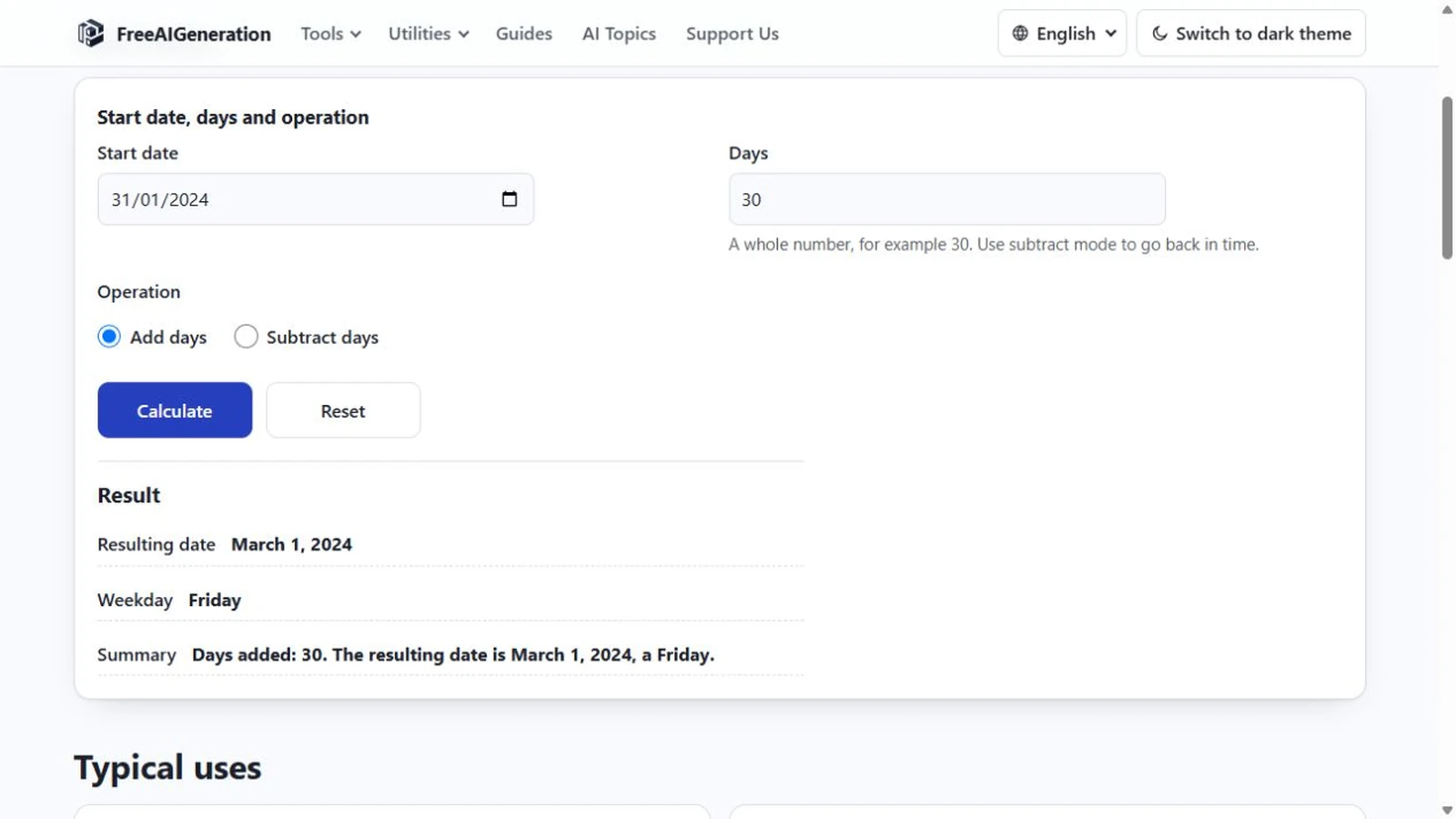
How to Add Days to a Date
Days and months are different units, and only the day count is fixed. Month ends, leap days, year turns, rejected input, plus the weekday of the answer.
Utilities & productivity Date & time Calculators Converters 4 min read
Published By Julia M. Gil
-
How to Calculate a Duration in Days, Weeks and Months
Calculate the duration between two dates in days, weeks and calendar months without treating every month as the same length.
Utilities & productivity Date & time Calculators Converters 4 min read
Published By Julia M. Gil
Keep exploring
FreeAIGeneration is more than this article. The editors and calculators below are real, free and run in your browser.