How to Add Days to a Date
Days and months are different units, and only the day count is fixed. Month ends, leap days, year turns, rejected input, plus the weekday of the answer.
Adding days to a date is the plainest operation in any date tool, and it still catches people out at month ends. The reason is that a count of days and a count of months are different units, and only the day count is fixed.
To add days to a date is to move the calendar forward by a whole number of days, whatever the month lengths happen to be. The calculator does exactly that, and it returns the weekday along with the date.
What the page accepts
There is one start-date field, one count field and an operation choice between adding and subtracting. Add is the default, so a plain addition needs no extra decision.
The count field takes digits only, from one to nine of them. No sign, no decimal point and no unit: typing 30.5, -30 or “30 days” produces the “Please enter a whole number of days” message instead of a result.
The other limit is the calendar itself. Results earlier than 1 January of year 1 or later than 31 December of year 9999 are rejected as out of range, and the page does not wrap around to a different date.
Days move the calendar, months do not
Thirty days is thirty days. A month is a container that holds between 28 and 31 of them, which is why “plus one month” and “plus 30 days” part company by a day or two depending on where you start.
This is not a flaw in the arithmetic. It is the reason the page asks for a day count: the operation is well defined for days and ambiguous for months, and only the well-defined one is offered.
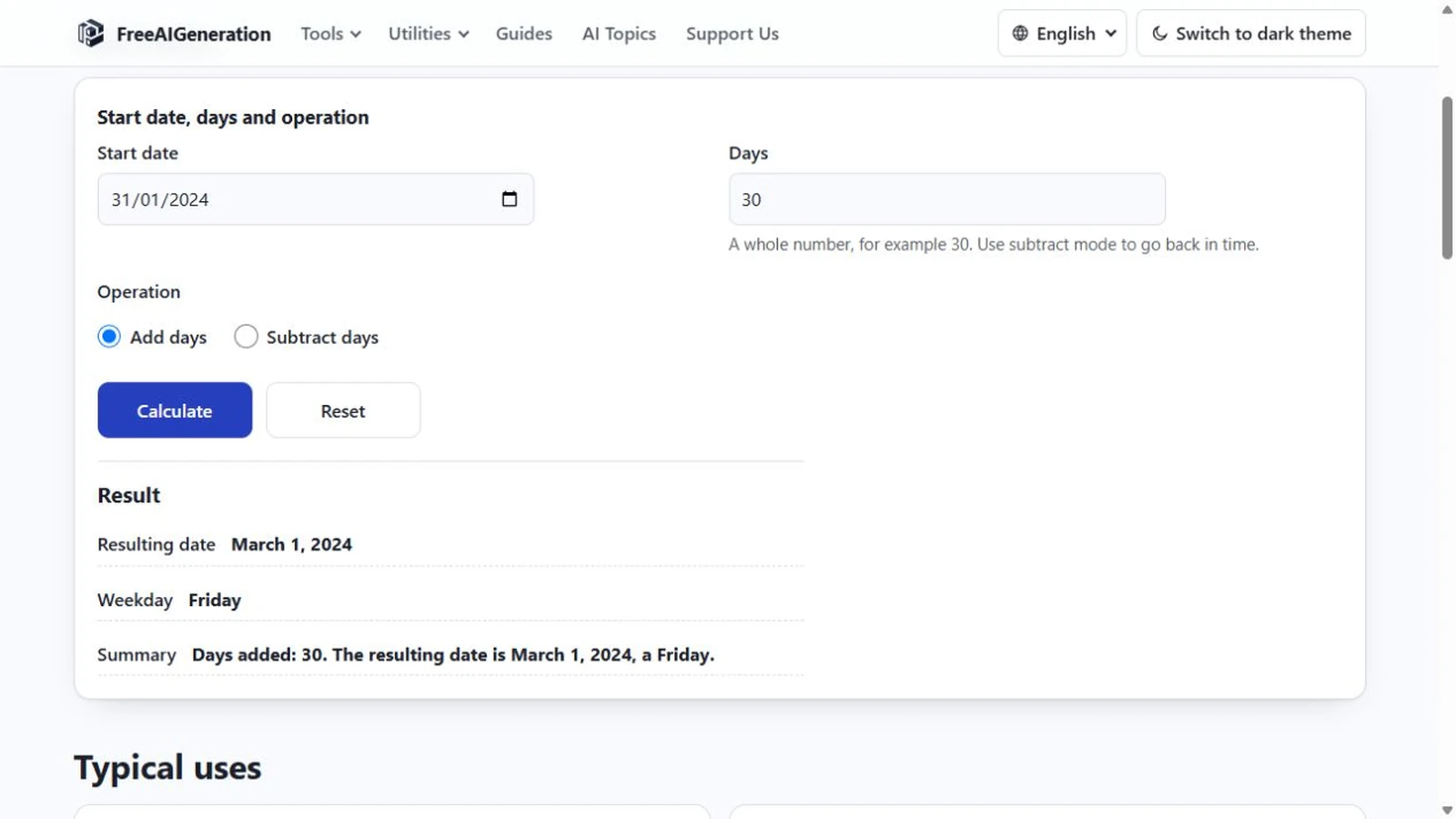
A useful pair of examples shows it. Start on 1 January 2024, add 30 days, and the result is 31 January 2024, a Wednesday, because January has 31 days. Start on 31 January 2024, add the same 30 days, and the result is 1 March 2024, a Friday, because the count has to pass through a 29-day February.
Crossing a month end, including a leap day
The 31 January case is worth working through slowly. One day after 31 January is 1 February. February 2024 has 29 days, so 29 days after 31 January is 29 February. The thirtieth day is 1 March, and the weekday moves from Wednesday to Friday.
In a common year the same starting date runs differently. 31 January 2023 plus 30 days is 2 March 2023, a Thursday, because February 2023 had 28 days and the count needed one more date to run out.
A single added day can carry the leap day too. 28 February 2024 plus one day is 29 February 2024, a Thursday. In 2023, 28 February plus one day is 1 March, because there is no 29 February that year.
Crossing a year end
31 December 2024 plus one day is 1 January 2025, a Wednesday. The month rolls over, the year rolls over, and nothing about the arithmetic changes: the count is still days.
Longer counts cross the boundary the same way. 22 October 2026 plus 45 days is 6 December 2026, a Sunday. The route is 9 days to 31 October, 30 more to 30 November, and 6 more to 6 December, which adds to 45.
Zero days, large counts and rejected input
Zero is a valid count, and it returns the starting date with a sentence saying the date is unchanged. That makes the page a weekday lookup: type a date, enter zero, read the weekday.
Large counts work until they leave the supported range. A five-digit count lands far from where you started, and when it crosses the boundary of the supported years the page reports an out-of-range result rather than producing a silently wrong date.
Nothing here skips weekends, holidays or non-working days. The operation is calendar arithmetic, and every day is one day. A count of seven from a Monday lands on the next Monday, not on the seventh business day.
The resulting date and its weekday
Enter the start date and the count in the Add or Subtract Days Calculator and the result appears as a full date, a weekday and a summary sentence.
The weekday is derived from the same date arithmetic rather than from your device’s clock, so the answer does not depend on when you run it. There is nothing to install: the page runs in the browser tab and no FreeAIGeneration account is required.
The reverse operation, and what happens at month ends when you go backwards, is covered in the guide to subtracting days from a date. If the count is a term that ends in a deadline, calculating a due date from a start date frames it that way.
Frequently asked questions
Can I add hours or a half day?
No. The count accepts a whole number of days only, from one to nine digits, with no decimal point.
What happens if the result is outside the supported years?
The page reports an out-of-range result instead of a wrapped date; supported results must fall between 1 January of year 1 and 31 December of year 9999.
Why does 31 January plus 30 days land in March?
February 2024 has 29 days, so counting 30 days from 31 January passes the end of February and stops on 1 March 2024, a Friday.
Related articles
-
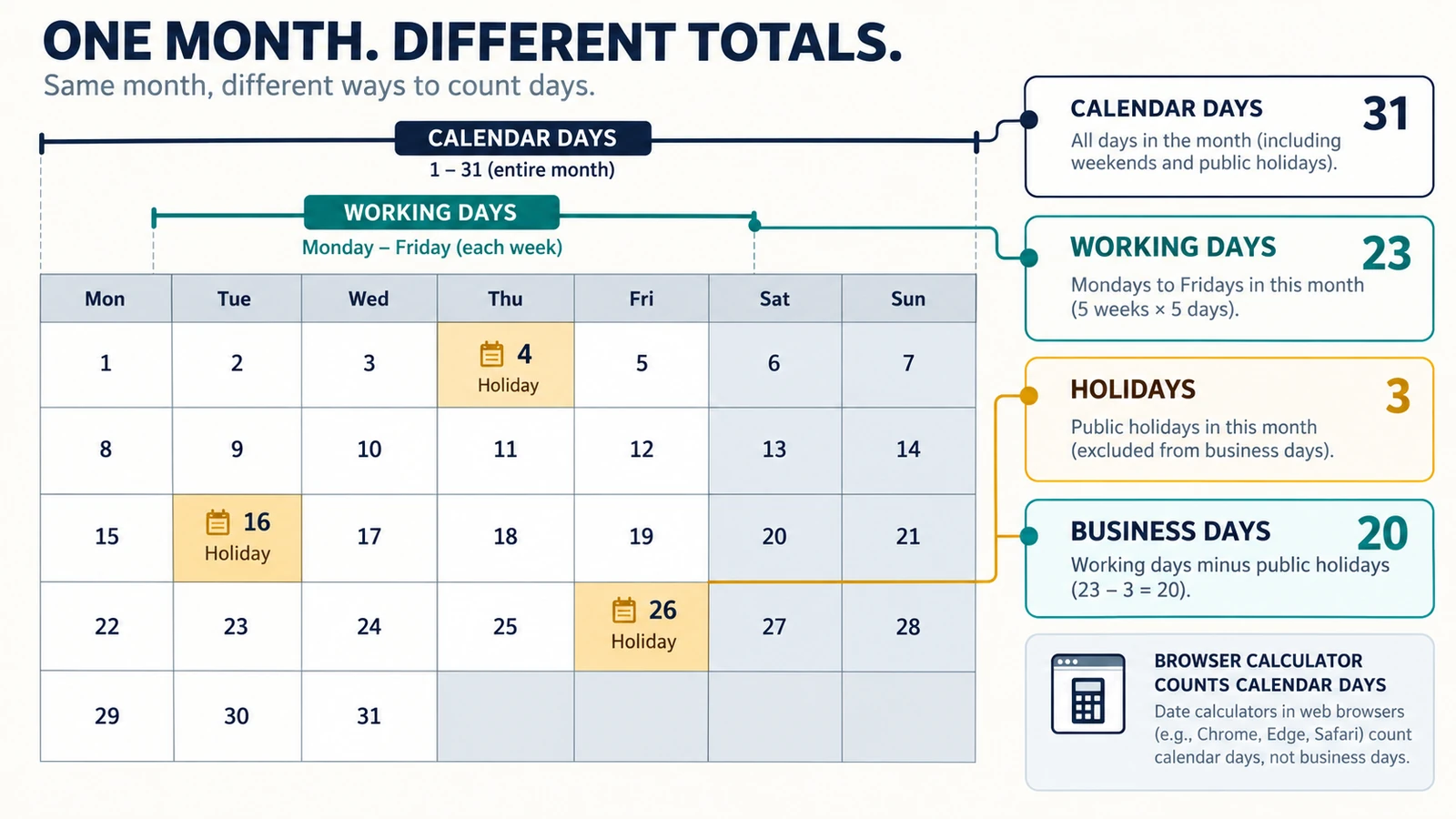
Calendar Days, Working Days and Business Days: What’s the Difference?
Understand the difference between calendar days, working days and business days, with simple examples and guidance on choosing the right date calculation.
Utilities & productivity Date & time Calculators Converters 4 min read
Published By Julia M. Gil
-
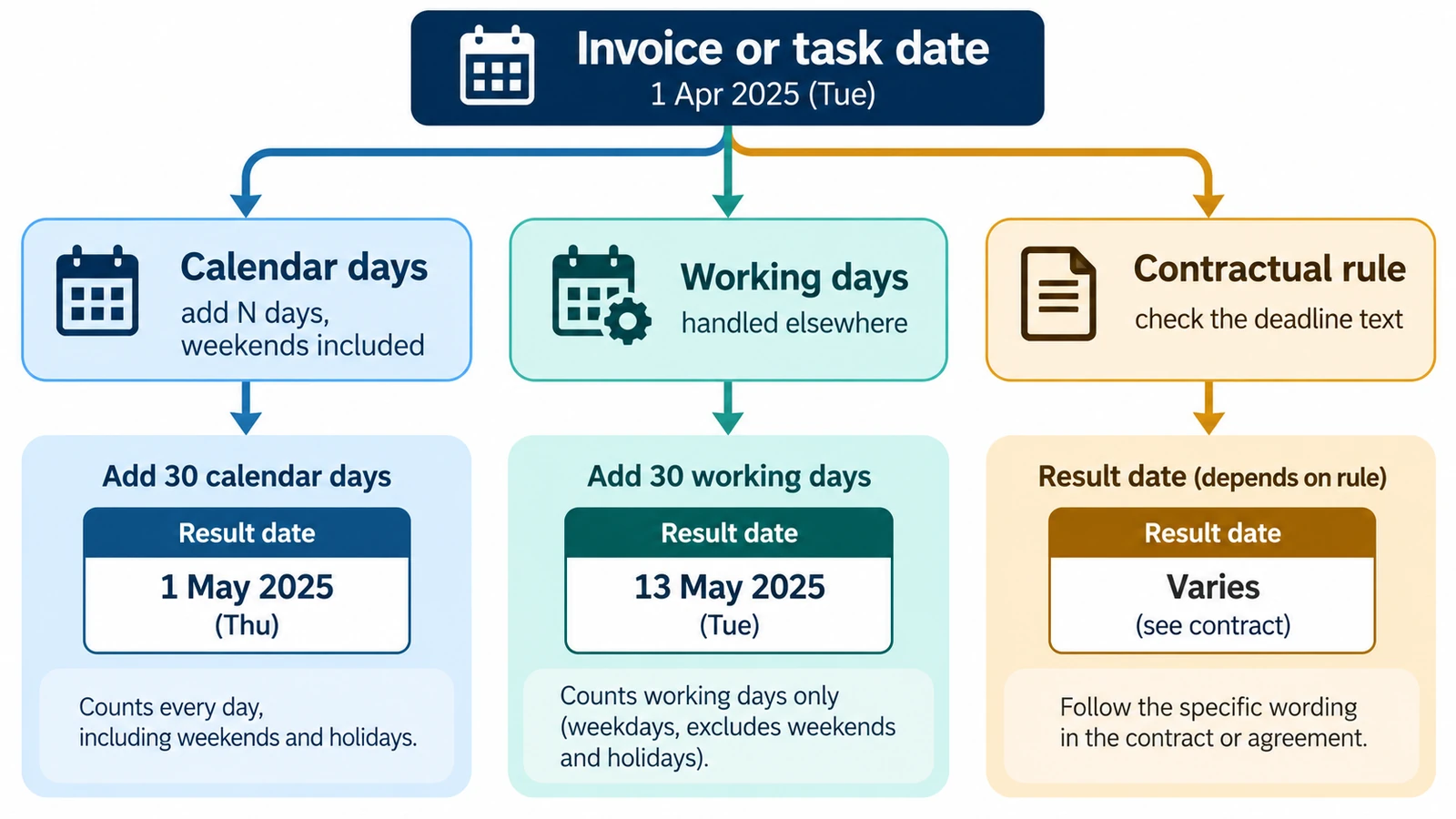
How to Calculate a Due Date from a Start Date
Calculate a future due date by adding a defined number of calendar days to a start date, with examples and common counting pitfalls.
Utilities & productivity Date & time Calculators Converters 3 min read
Published By Julia M. Gil
-
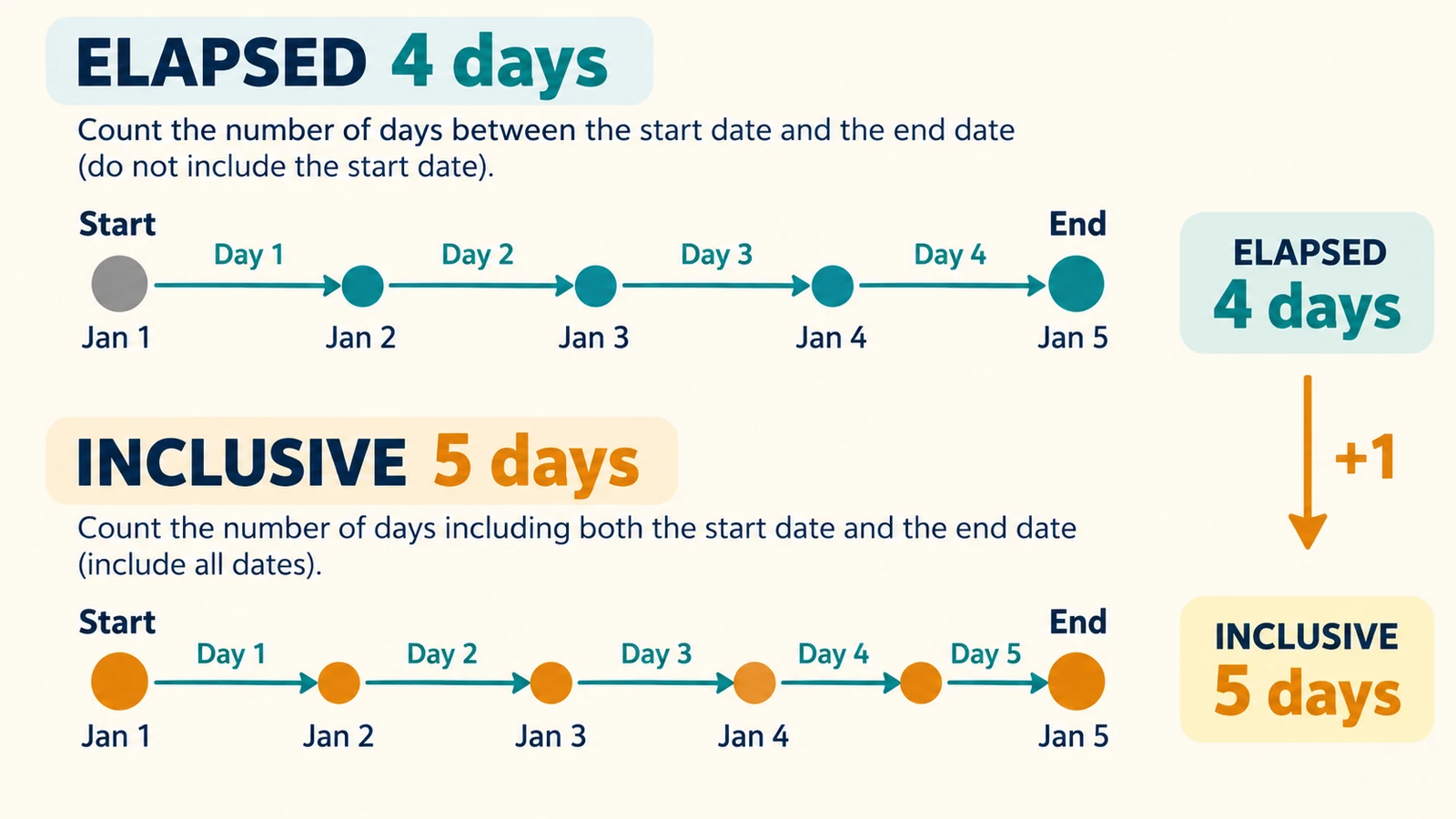
How to Calculate How Many Days Are Left Until a Date
Find how many days remain before a future date, event or deadline and verify the result with our date difference calculator.
Utilities & productivity Date & time Calculators Converters 3 min read
Published By Julia M. Gil
Keep exploring
FreeAIGeneration is more than this article. The editors and calculators below are real, free and run in your browser.