How to Find a Past Date from a Number of Days
Start from a known date and subtract a number of days to find an earlier calendar date, with examples across months and years.
Ninety days is not three months, and it is not a round number of weeks either: it is 12 weeks and 6 days. That leftover matters when someone asks what date was 90 days ago, because a past date calculator can only be as good as the date you count back from. Fix the reference date first, then do the arithmetic.
The reference date is the decision
Every “N days ago” question hides a second question: ago from when? If the answer should be relative to today, type today’s date in the start field. If the question is about an event — the date a document was issued, the date a meter was read, the date a payment should already have arrived — use that event’s date instead. The result moves by exactly as many days as the two reference dates differ, which is where most wrong answers come from.
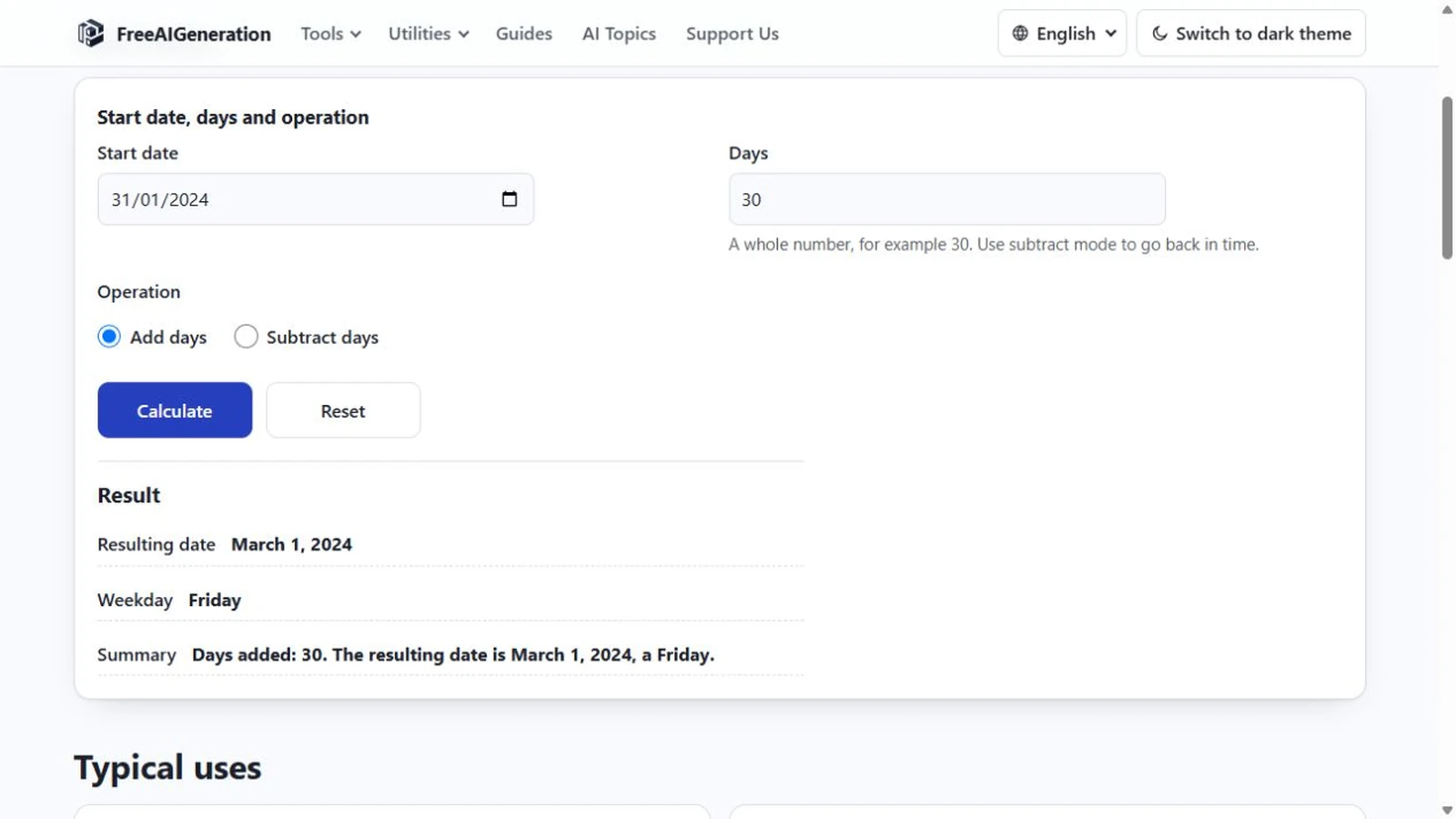
There is no separate “days ago” mode in the calculator. The page asks for a date, a whole-day count and a direction, and Subtract days is one of the two direction options.
What the count does to the calendar
The count is a whole number of calendar days, written with digits only. Fractions, hours and minutes are not accepted, because the calculation never leaves the date scale: a result is a date, not a moment. Enter zero and the date comes back unchanged, which turns the page into a quick weekday lookup for whatever date you typed.
Results beyond the calendar’s range are rejected rather than wrapped. If a subtraction would produce a year before 0001, the calculator shows an out-of-range message instead of a plausible-looking date, so a rejection is a signal that either the count or the reference date is wrong.
Where the date lands: three examples
Start with 22 October 2026 and subtract 90 days. The result is 24 July 2026, a Friday. Subtracting 30 days from the same reference date gives 22 September 2026, a Tuesday — the day number shifted from 22 to 24 in the first case and came back to 22 in the second, because 30 days happens to be the length of September.
Month lengths do the rest. 31 March 2024 minus 31 days is 29 February 2024, a Thursday, because March has 31 days and 2024 is a leap year. 1 January 2024 minus one day is 31 December 2023, a Sunday. Neither result comes out right if you subtract in blocks of 30.
The mechanics are the same whatever the starting point, which is what the walkthrough on how to subtract days from a date covers. This page is about choosing the date to count back from; that one is about the operation itself.
A weekday check that catches most mistakes
Divide the day count by seven and keep the remainder. Subtracting 90 days moves the weekday back by six days, which is the same as moving it forward by one: Thursday becomes Friday, exactly as the result says. Subtracting 30 days moves the weekday back two days, so Thursday becomes Tuesday.
If your reference date is a Monday and the answer claims a Monday, the remainder was a multiple of seven and the two dates share a weekday. That check will not catch a wrong reference date, but it catches a mistyped count almost every time.
Reading the result and knowing its limits
The answer line names the count, the resulting date and its weekday. The weekday is derived from the calendar, not read from your device’s clock, so it does not change with your time zone or with daylight saving.
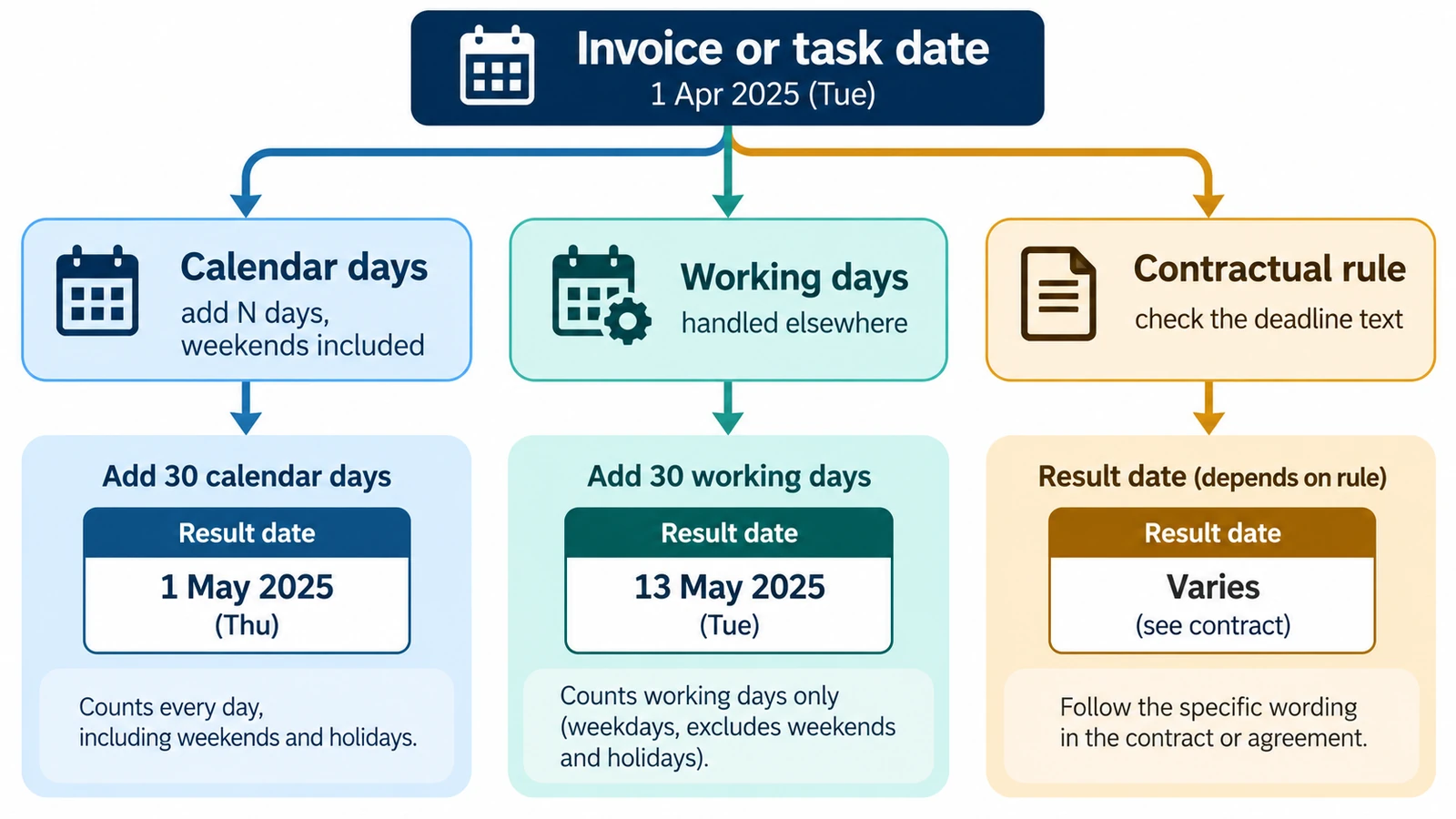
Two limits are worth stating plainly. The calculator counts calendar days only, so “90 days ago” is not “90 business days ago”: weekends and public holidays are not skipped, and a working-day version needs the holiday calendar for the relevant jurisdiction. And a date has no time of day attached, so the result cannot say whether something happened at the start or the end of that day.
For the forward direction — a start date plus a term, ending in a deadline — the same arithmetic runs the other way, as calculating a due date from a start date shows. When you are ready to run the numbers, the Add or Subtract Days Calculator takes the reference date and the count and returns the date with its weekday. It runs in your browser, no FreeAIGeneration account required, and it stores nothing between visits. Neighbouring walkthroughs are grouped in the guides hub.
Frequently asked questions
Does the calculator assume today's date as the starting point?
No. The reference date is an input, so the answer is only as current as the date you type into the start field.
Is 90 calendar days ago the same as 90 business days ago?
No. The tool counts calendar days and skips neither weekends nor public holidays, so a business-day figure needs a separate holiday calendar.
Can I subtract half a day or a few hours?
No. The count accepts whole days only and the result is a date rather than a time, so there is no hour or minute field.
Related articles
-
How to Add Days to a Date
Days and months are different units, and only the day count is fixed. Month ends, leap days, year turns, rejected input, plus the weekday of the answer.
Utilities & productivity Date & time Calculators Converters 4 min read
Published By Julia M. Gil
-
How to Calculate a Due Date from a Start Date
Calculate a future due date by adding a defined number of calendar days to a start date, with examples and common counting pitfalls.
Utilities & productivity Date & time Calculators Converters 3 min read
Published By Julia M. Gil
-
How to Calculate How Many Days Are Left Until a Date
Find how many days remain before a future date, event or deadline and verify the result with our date difference calculator.
Utilities & productivity Date & time Calculators Converters 3 min read
Published By Julia M. Gil
Keep exploring
FreeAIGeneration is more than this article. The editors and calculators below are real, free and run in your browser.