How to Calculate How Many Days Are Left Until a Date
Find how many days remain before a future date, event or deadline and verify the result with our date difference calculator.
Every “days until” question needs a today, and this calculator will not invent one. Both dates are typed by hand; the page reads no clock and fills nothing in.
Counting the days until a date is therefore a two-input operation: you supply the present, you supply the target, and the subtraction does the rest. That single design choice explains both what the page does well and where a reader is likely to misread it.
Supply today yourself
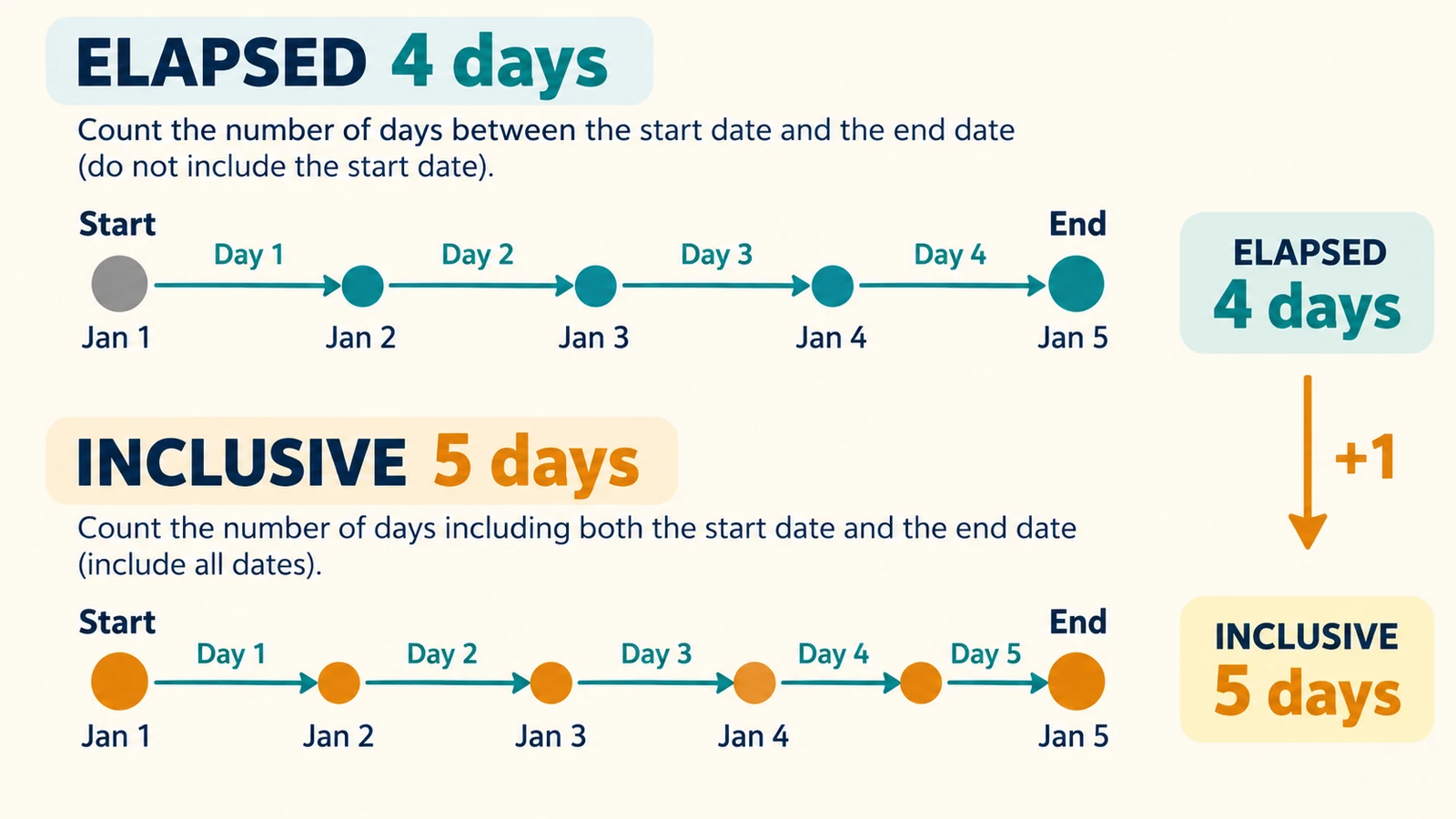
Enter today’s date as the start and the target as the end. The elapsed figure is the number of days left. If today is 22 October 2026 and the target is 1 January 2027, the count is 71 days, which the weeks-and-days row reports as 10w 1d.
The inclusive row adds one for the same calculation: 72. It counts today as day one, which is sometimes what a “day 1 of 72” plan needs and sometimes an off-by-one.
The page reads no clock. Today is whatever you typed, which matters when the tab has been open overnight or when the date is being entered for someone in another time zone.
Reading the two rows as a countdown
The elapsed row is the one usually wanted for a countdown, because it measures the gap between today and the target rather than the number of dates involved.
The weeks-and-days row is a sanity check on the size of the number. Seventy-one days is ten weeks and a day, and a ten-week lead time is easier to plan around than a count in the seventies.
The calendar difference row answers the same question in the unit people usually speak in. For 22 October 2026 to 1 January 2027 that is 0 years, 2 months and 10 days, which is the phrasing most planning conversations actually use.
When the target has already passed
Entering the dates in the wrong order is not an error. The magnitude stays positive, and a direction row states that the end date is that many days before the start date.
That is the right behaviour for an audit question. “How long ago was 1 September?” is a valid calculation, not a mistake to be corrected, and the number of days a deadline has slipped is often more useful than a negative figure.
Why a date-only count cannot say “hours left”
Dates carry no time of day, so the tool cannot tell you that 12 hours remain or that something is due at 17:00. It counts whole calendar dates, and that is the limit of the answer.
The same limit applies to time zones. A date is not a moment, so today is not one date everywhere at once; the calculator takes your typed date as given and does not consult an offset.
Zero elapsed days is the edge case worth understanding. It means the two typed dates are the same calendar date, not that the event starts this minute. If the event has a start time, the date count and the clock are separate questions.
Hard-coding a “today” into notes you plan to reuse is the practical trap. A count is only valid for the date you typed, so a note that reads “71 days away” is wrong the next morning unless it also records the date the figure was calculated from.
Working out your own deadline
Type today and the target into the Days Between Dates Calculator and read the elapsed row, with “Count both dates” on if you need the inclusive figure as well.
The calculator runs in the browser tab and asks for no FreeAIGeneration account. It keeps no history, which is another reason to write the date pair next to any figure you keep.
If the question is instead how two past dates differ, the guide to calculating the days between two dates covers that count; if you need the answer in months rather than days, see durations in days, weeks and months.
Frequently asked questions
Does the page know today's date?
No. Both dates are typed by hand and no clock is read, so the start date is whatever you enter.
Should the day count include today?
The elapsed row starts counting on the day after the start date. If you enter today as the start, the elapsed figure is the number of days remaining, and the inclusive row adds today as day one.
What happens if I swap the two dates?
The result stays valid: the magnitude is shown as a positive number and a direction row states that the end date is that many days before the start date.
Related articles
-
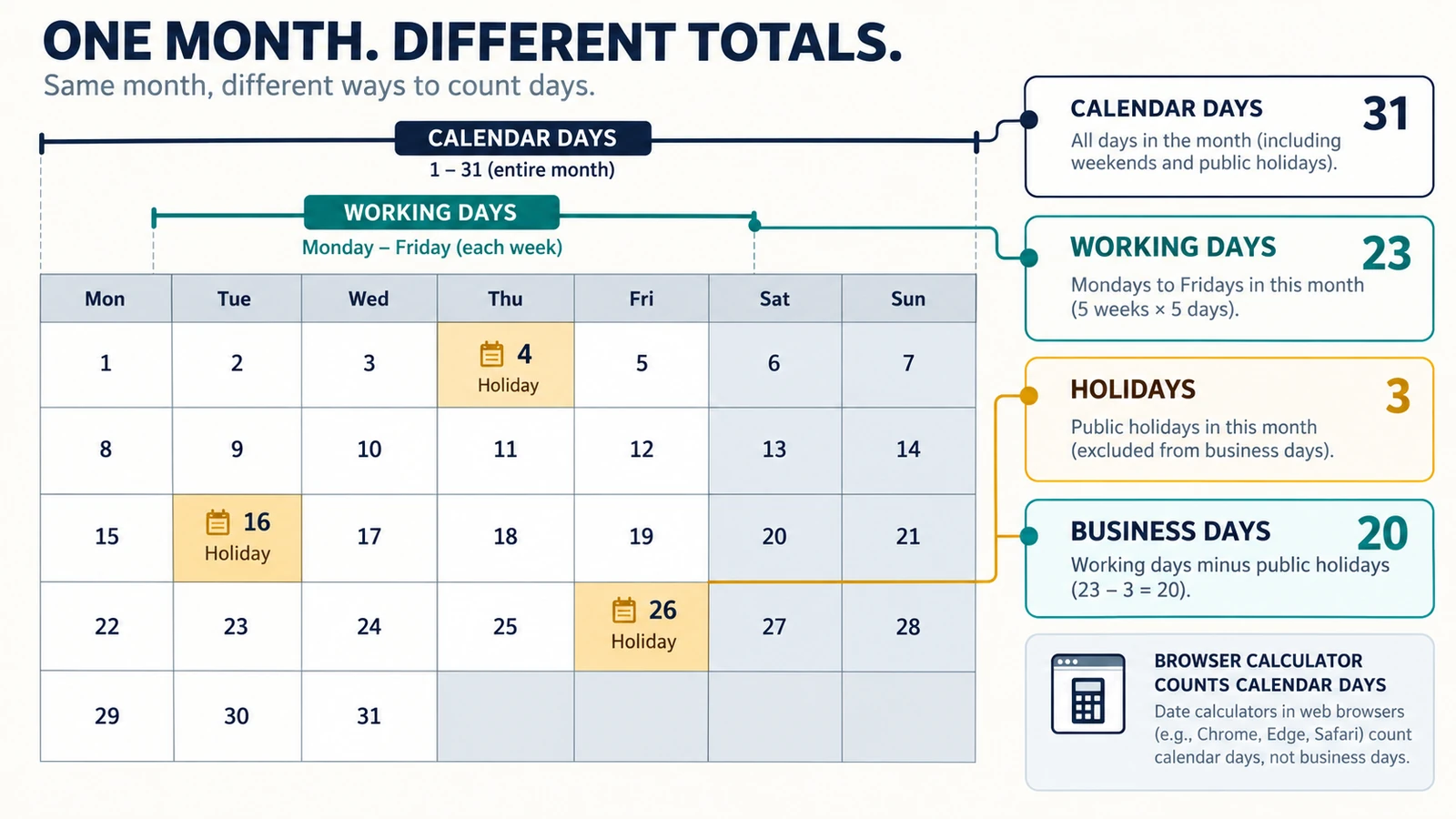
Calendar Days, Working Days and Business Days: What’s the Difference?
Understand the difference between calendar days, working days and business days, with simple examples and guidance on choosing the right date calculation.
Utilities & productivity Date & time Calculators Converters 4 min read
Published By Julia M. Gil
-
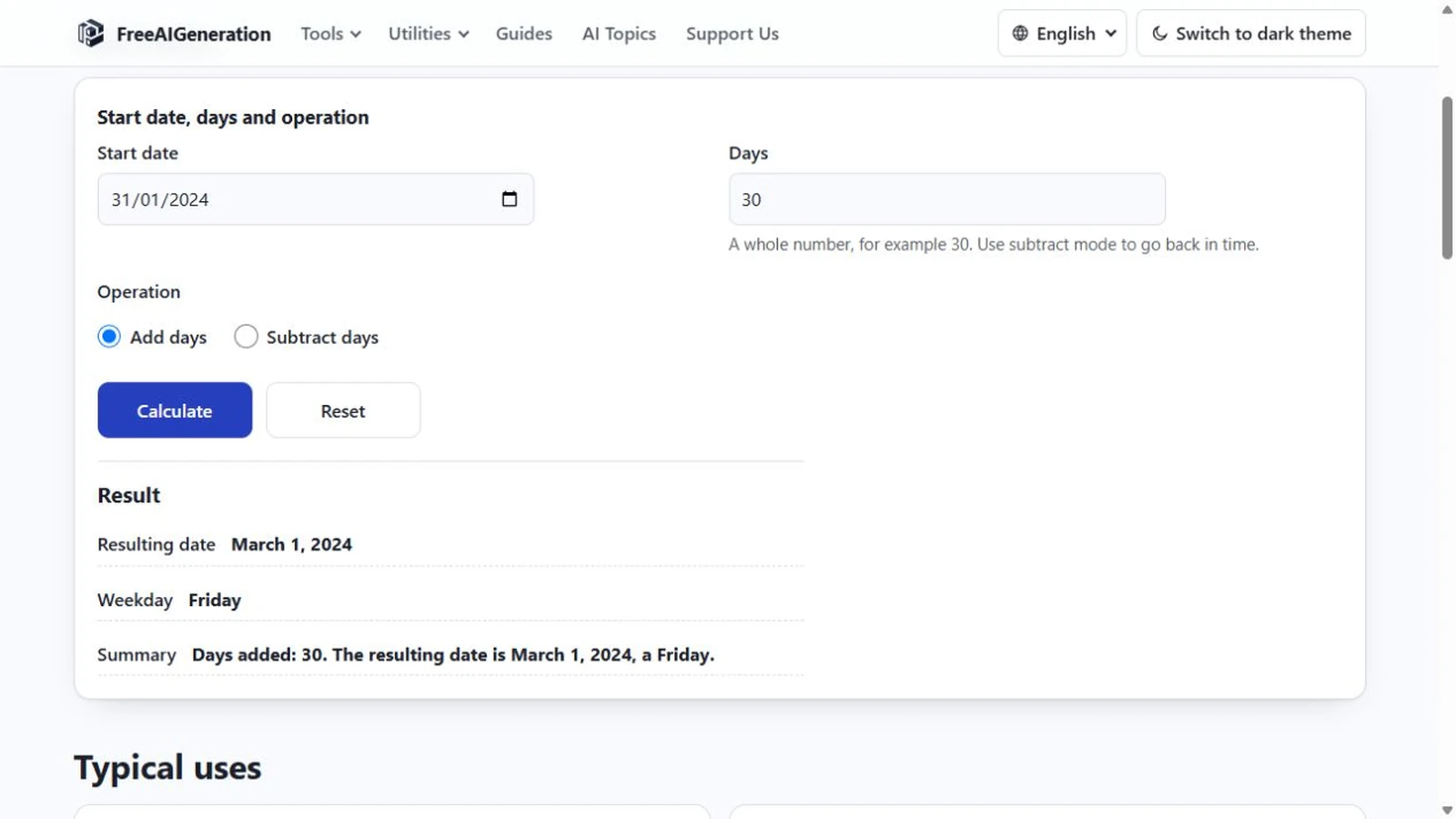
How to Add Days to a Date
Days and months are different units, and only the day count is fixed. Month ends, leap days, year turns, rejected input, plus the weekday of the answer.
Utilities & productivity Date & time Calculators Converters 4 min read
Published By Julia M. Gil
-
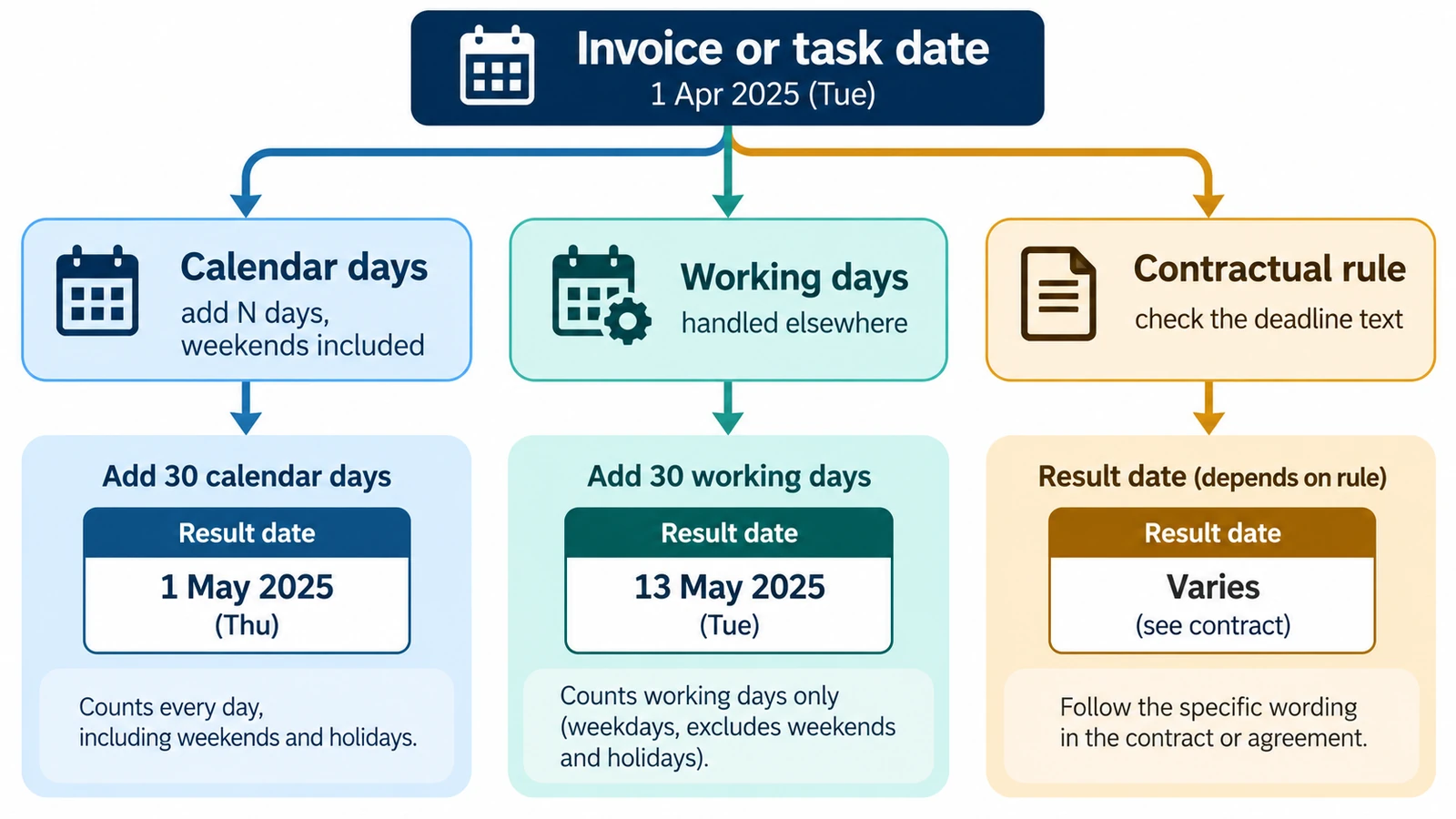
How to Calculate a Due Date from a Start Date
Calculate a future due date by adding a defined number of calendar days to a start date, with examples and common counting pitfalls.
Utilities & productivity Date & time Calculators Converters 3 min read
Published By Julia M. Gil
Keep exploring
FreeAIGeneration is more than this article. The editors and calculators below are real, free and run in your browser.