How to Change SVG Colors, Text and Paths Online
Recolouring an SVG can leave a ring of the old colour behind: fill and stroke are different properties. Covers paint values, type, path geometry and export checks.
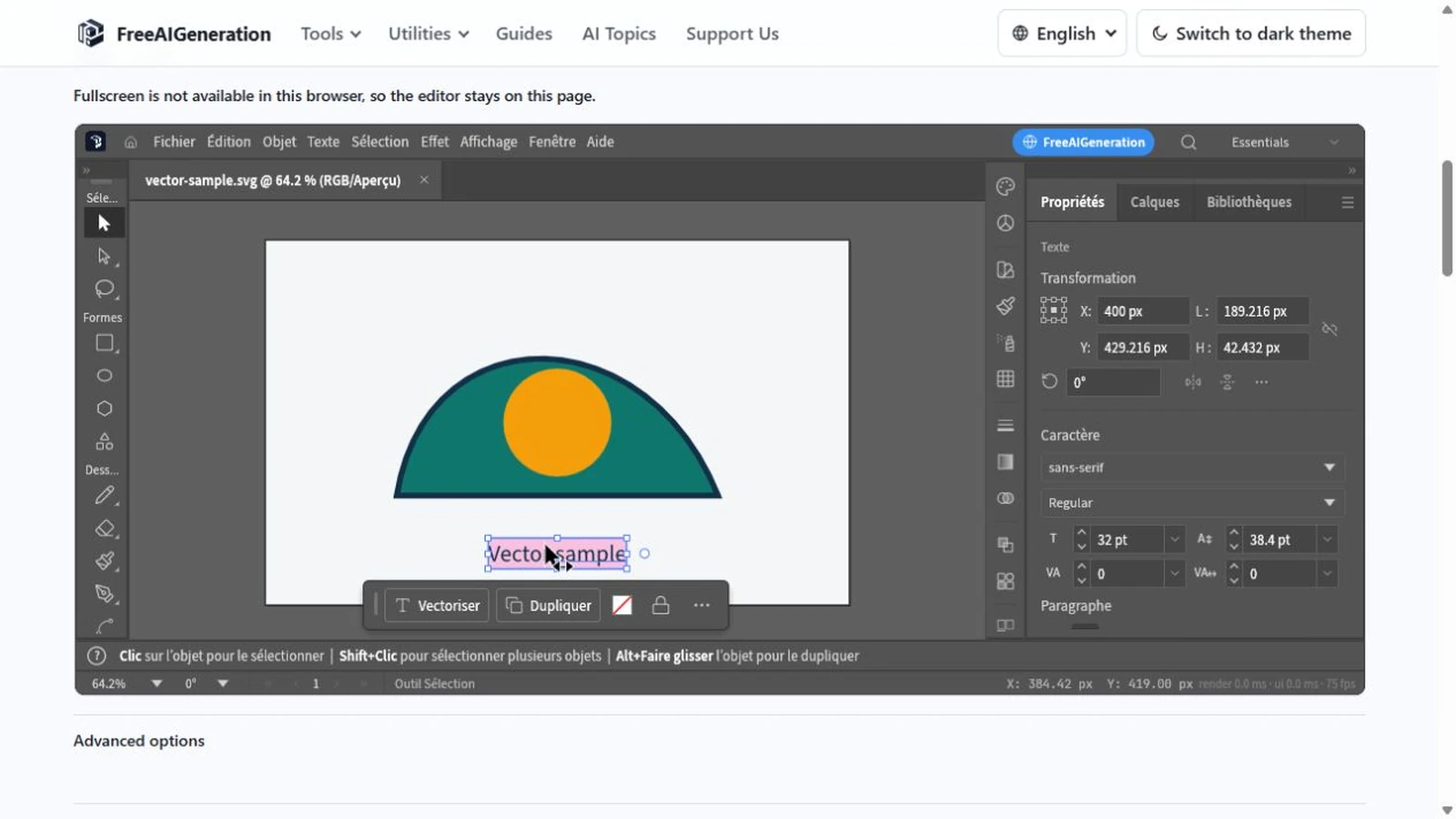
The outline did not change. That is the most common surprise in SVG editing: you recolor a shape, the fill flips, and a ring of the old color survives because it was never fill at all. To change SVG colors, text and paths online is to know which property produces which visual result before you touch a value.
Fill, stroke and opacity are separate paint properties. Every visible difference you want comes from one of them, from the geometry, or from the type.
Three properties, three different results
A fill paints the inside of a shape. A stroke paints its outline and carries its own width, caps and joins. Opacity controls how much of what sits behind shows through. Recoloring a red square green changes one paint value; the four corners are untouched.
The distinction matters most when a shape looks like a single object. A logo built as an outline with a hollow center is usually a stroke plus a fill, and changing one leaves the other exactly where it was.
Stroke width is expressed in user units, so it scales with the drawing. A 2-unit stroke rendered at 10× displays 20 px wide, because the number did not change and the scale did.
Reading and writing paint values
Hex notation packs three channel values into six digits. #FF0000 is rgb(255, 0, 0); #336699 is rgb(51, 102, 153), because 0x33 is 51, 0x66 is 102 and 0x99 is 153. Once you read hex as three byte pairs, matching a brand palette stops being guesswork.
Recoloring #FF0000 to #00FF00 changes one paint value, not the geometry, and not the stroke if the stroke has its own color.
Opacity is not a lighter color. A 30% tint of a red and a red at 30% opacity look similar over white and part company over anything else, because opacity lowers alpha — 50% opacity is alpha 128 — and lets the backdrop through. Alpha is a separate channel, not a paler ink.
Gradients behave differently again. A gradient is an editable fill rather than a baked texture, so a stop you change updates every shape that references it.
Type is a different problem
Live text keeps the characters: they stay selectable, editable and searchable, and the file stays small. What it does not keep is the font. SVG text is set at render time from fonts available where the file is opened, so a document that looks right on your machine can reflow elsewhere.
Converting text to paths keeps the look but loses the selectable characters — a trade worth making for a handoff file and a poor one for a working master.
One limit is specific to this build: there is no Arabic-capable font, so Arabic characters draw as empty boxes while Latin, CJK and emoji text render normally. Plan Arabic typography in another application.
Geometry: nodes, booleans, clipping
Moving a node changes the curve, and the handles on either side decide its tangent. Moving two adjoining handles asymmetrically is what turns a smooth arc into a corner, which is usually the intent when a shape stops looking like the original.
Boolean and Pathfinder operations combine shapes into new geometry. Their result is genuinely new: the inputs are consumed, so keep a copy before combining if you may need the originals again.
A clipping mask is the reversible option. A path limits what is visible without deleting the content underneath, so the shape can be reworked or removed later. Where a mask varies how much of a layer shows, a clipping path cuts it to a shape; both leave the pixels in place.
Before you export
Export to SVG when the structure has to survive, and to PNG or JPEG when a flat image is enough — remembering that flat formats drop the layers, the masks and the distinction between fill and stroke.
Values like these only become editable when the file is opened as geometry rather than as a picture, which is what the Vector Editor does with an SVG. The edited file then comes back to you as a browser download; if nothing appears after an export, check that the browser is not blocking downloads from the site.
Two related pieces of the same subject: resizing an SVG covers how the same property values behave at a new display size, and the browser editing walkthrough covers getting the file open in the first place.
Frequently asked questions
Why does changing the fill leave a colored outline?
Fill and stroke are separate paint properties with separate values; recoloring the fill leaves the stroke exactly as it was, so it needs its own value.
Is a lighter color the same as lower opacity?
No. A tint replaces the paint value with a paler color, while opacity lowers the alpha channel — around 50% opacity is alpha 128 — so the backdrop shows through.
Does recoloring text break it into shapes?
Color is a paint property, so the characters stay live text; text stops being selectable only when it is converted to paths.
Try these FreeAIGeneration tools
Related articles
-
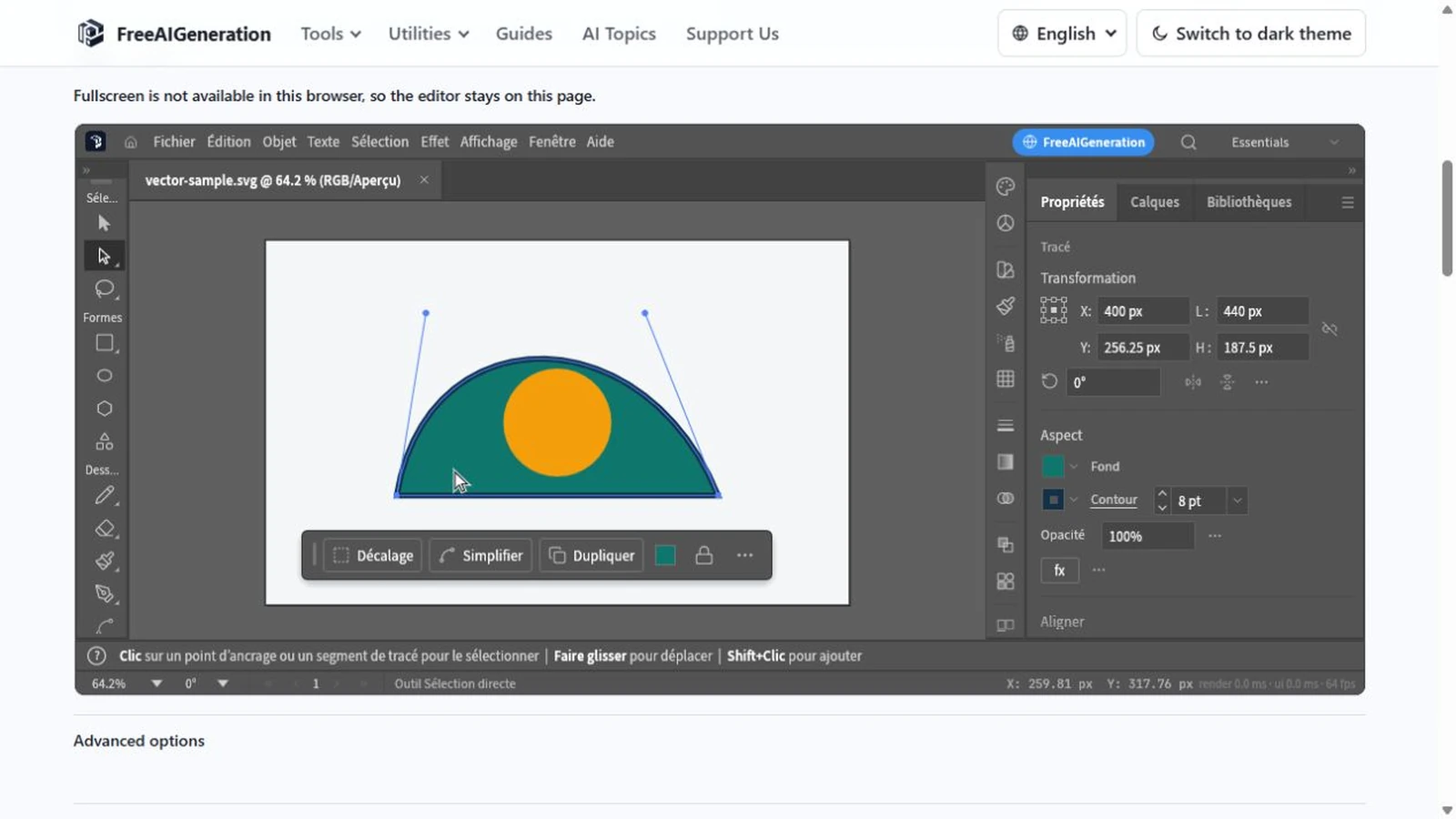
How to Edit SVG Files Online in Your Browser
An SVG is geometry written as text. What opening one in the browser exposes, the order to work in, where the browser boundary sits, and the mistakes that cost time.
Creative workflows Vector editing Browser tools No signup SVG editing 4 min read
Published By Julia M. Gil
-
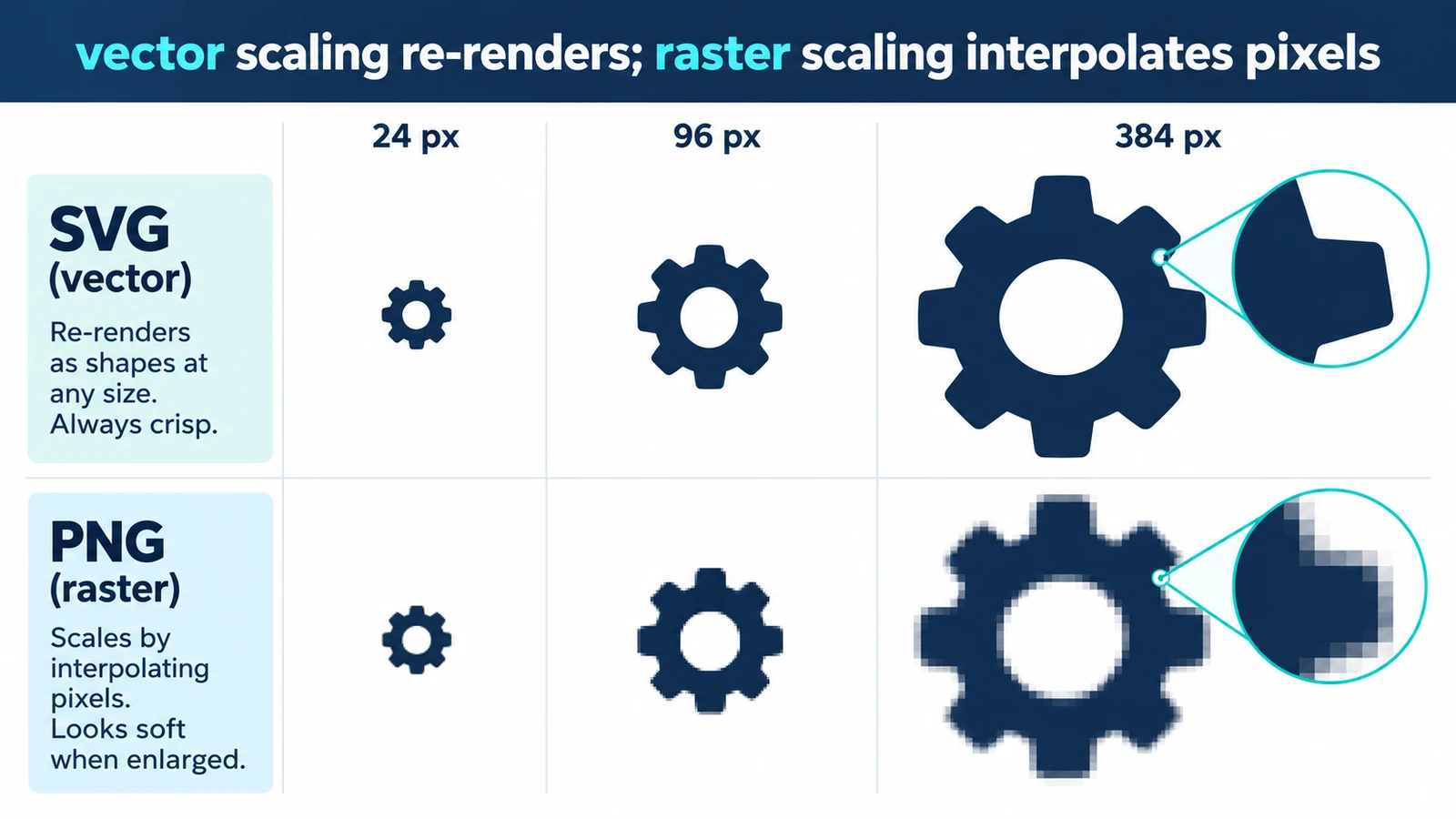
How to Resize an SVG Without Losing Quality
Resizing a vector usually changes nothing in the drawing, because display size is set outside it. Where quality can still disappear, and a short check before you ship.
Creative workflows Vector editing Browser tools No signup SVG editing 3 min read
Published By Julia M. Gil
-
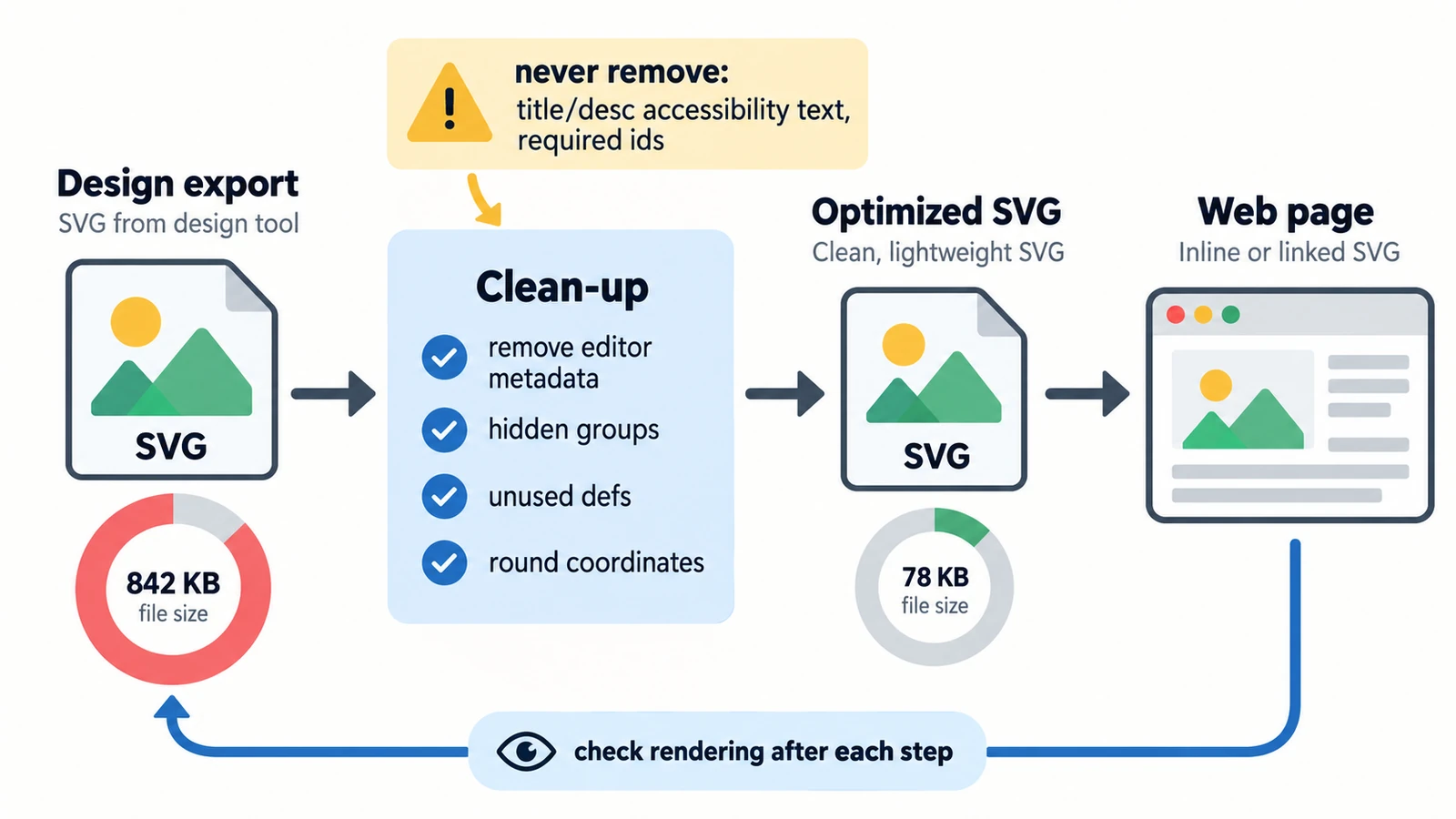
How to Prepare and Optimize SVG Files for the Web
Six kilobytes of nothing is usually excess precision. Separating what the file says from what the network carries, plus embedded rasters, serving and a visual check.
Creative workflows Vector editing SVG editing Image optimization Import & export 3 min read
Published By Julia M. Gil
Keep exploring
FreeAIGeneration is more than this article. The editors and calculators below are real, free and run in your browser.