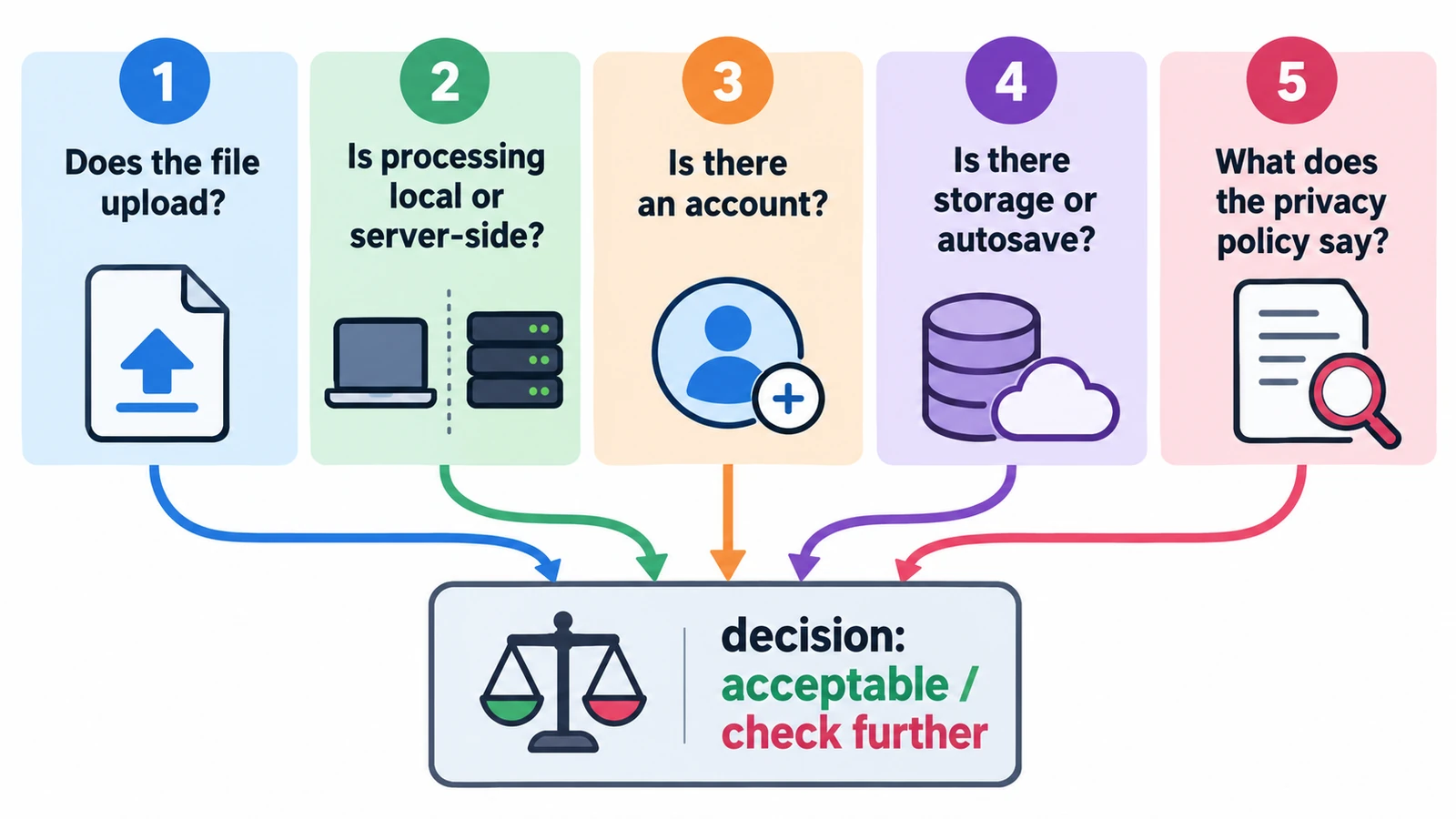
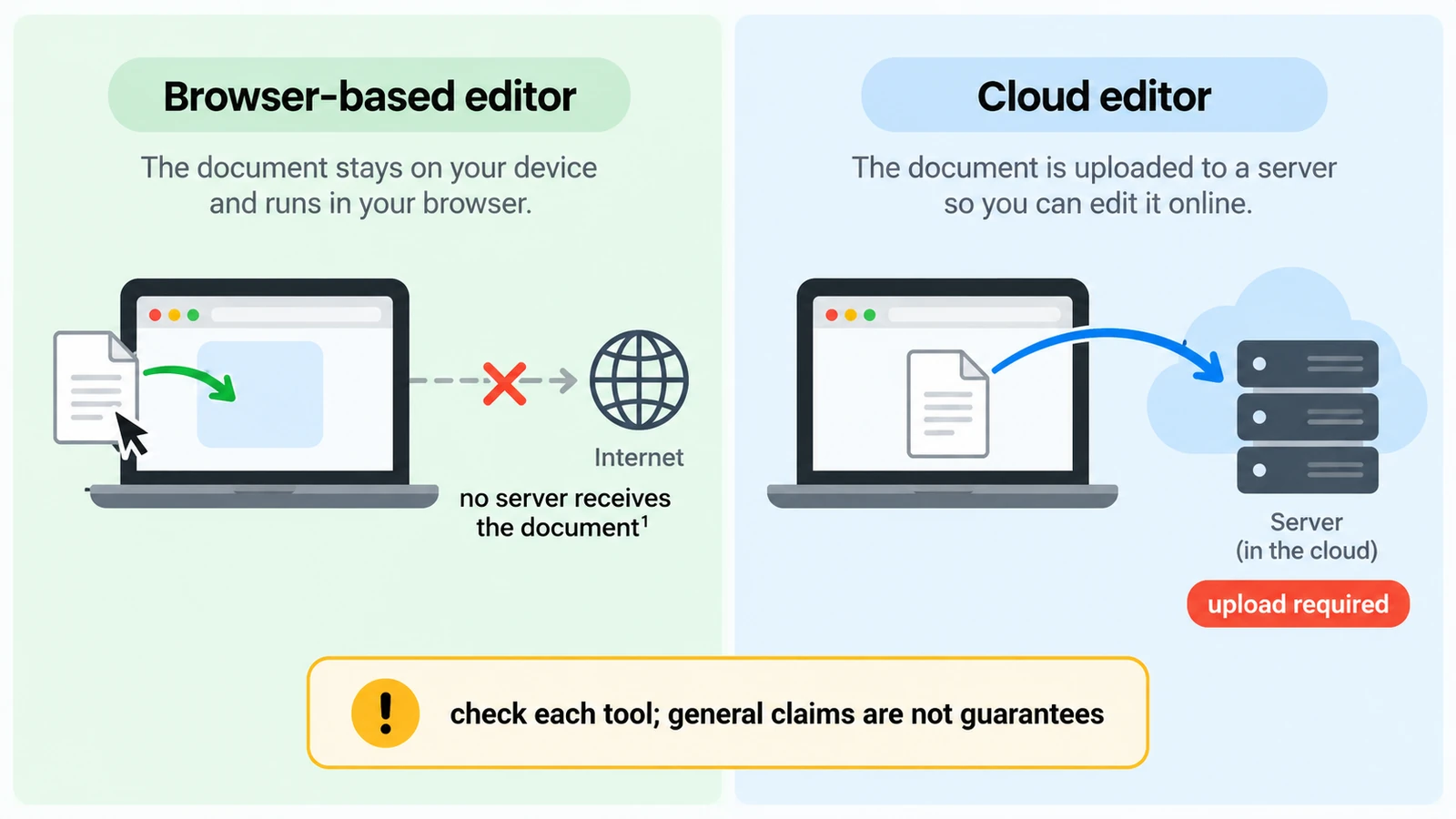
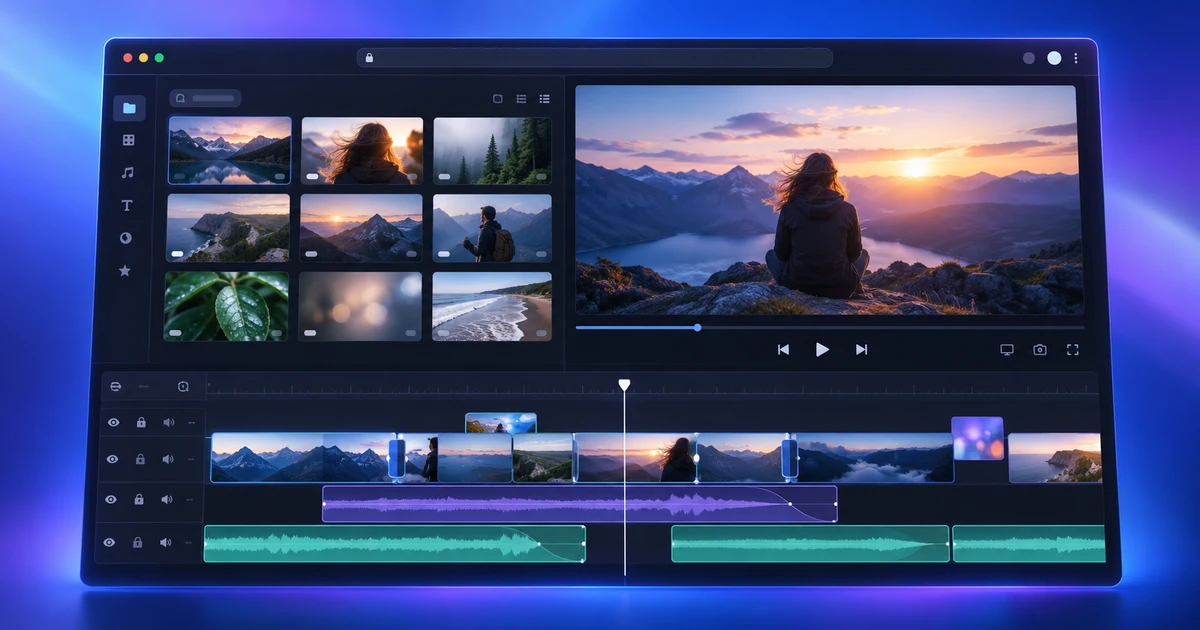
"Online editor" describes a delivery method, not a data policy. Five questions about local processing, uploads and stored files, and where that promise stops.
Creative workflows Browser tools Local processing No upload Privacy 5 min read
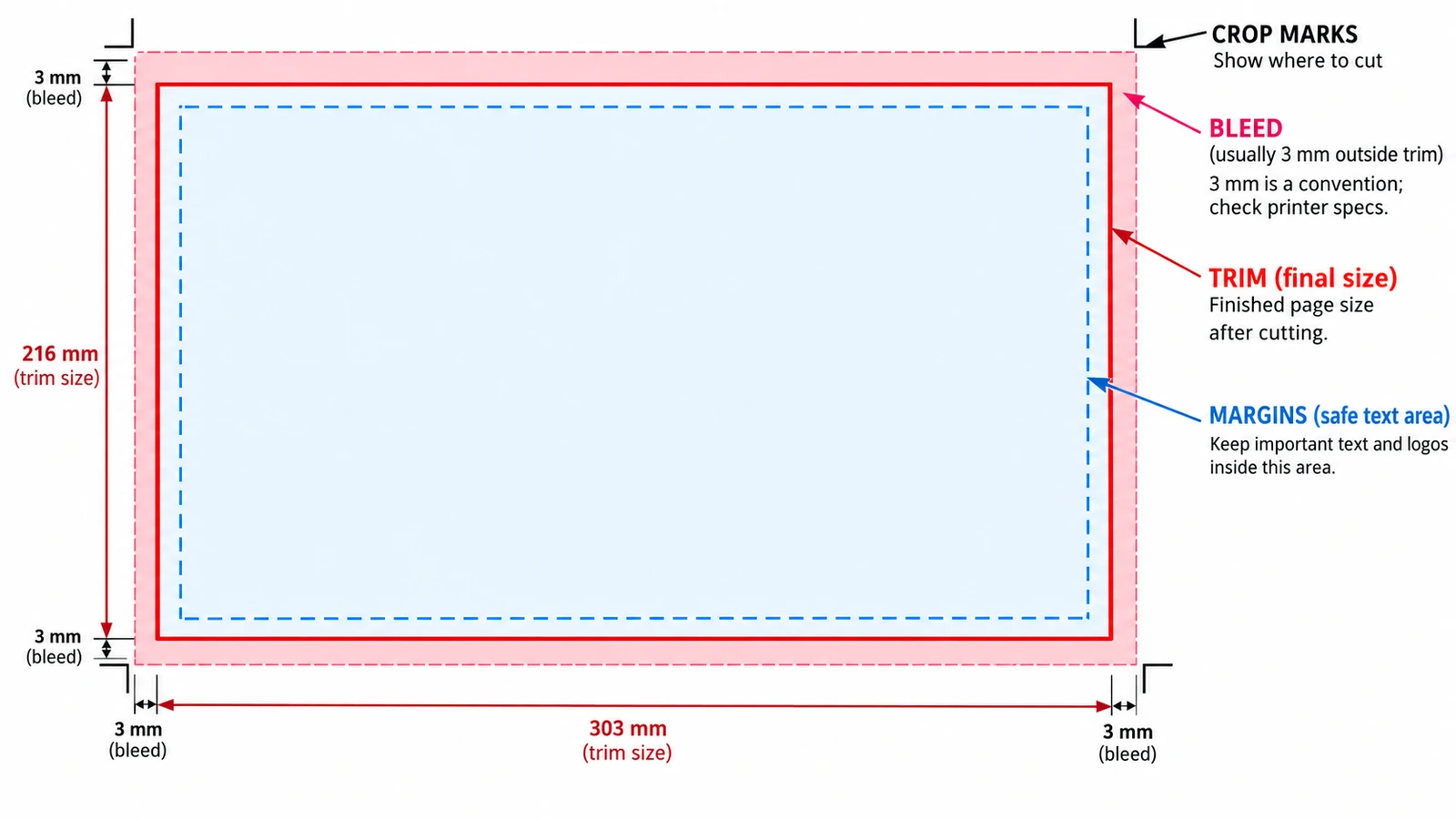
Trim, bleed and margins are three rectangles pushing opposite ways. Where each value belongs, why crop marks sit outside the trim, and what the browser tool cannot do.
Documents & PDF Page layout Browser tools No signup Image optimization 5 min read
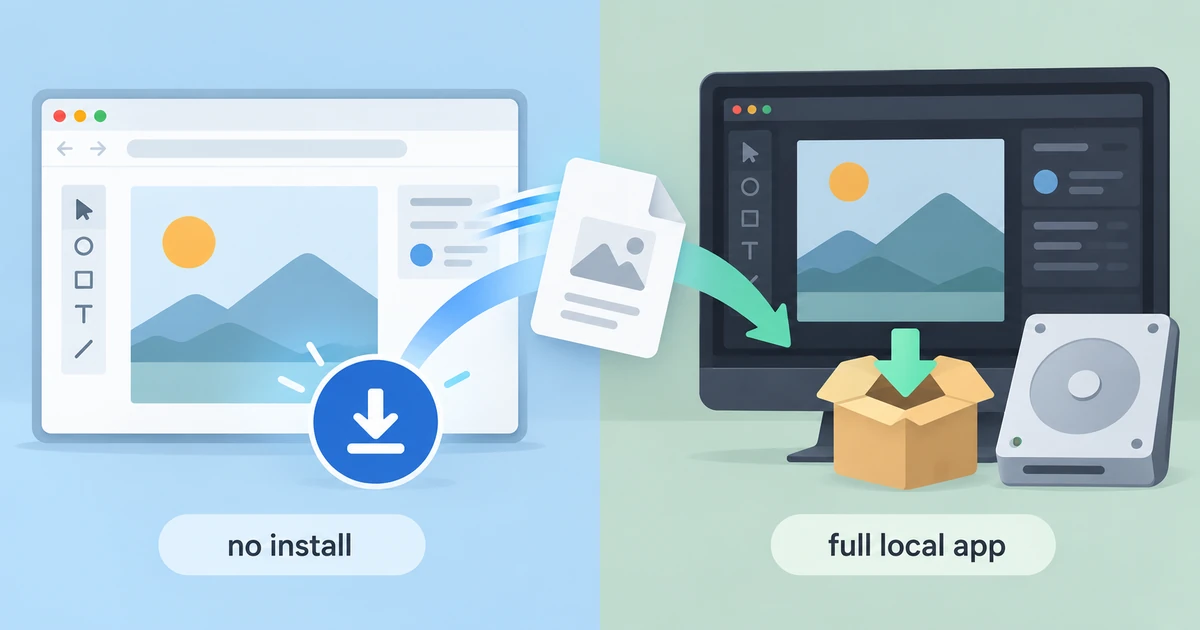
Installing nothing is not the same as downloading nothing. What a browser editor gains, where it gives ground to desktop software, and a decision rule beyond loyalty.
Creative workflows Browser tools Workflow comparison Local processing No signup 5 min read
Two editors that look identical can put your file in opposite places. How to tell local from cloud, what "no upload" does not cover, and what a round trip costs.
Creative workflows Browser tools Local processing No upload Privacy 5 min read
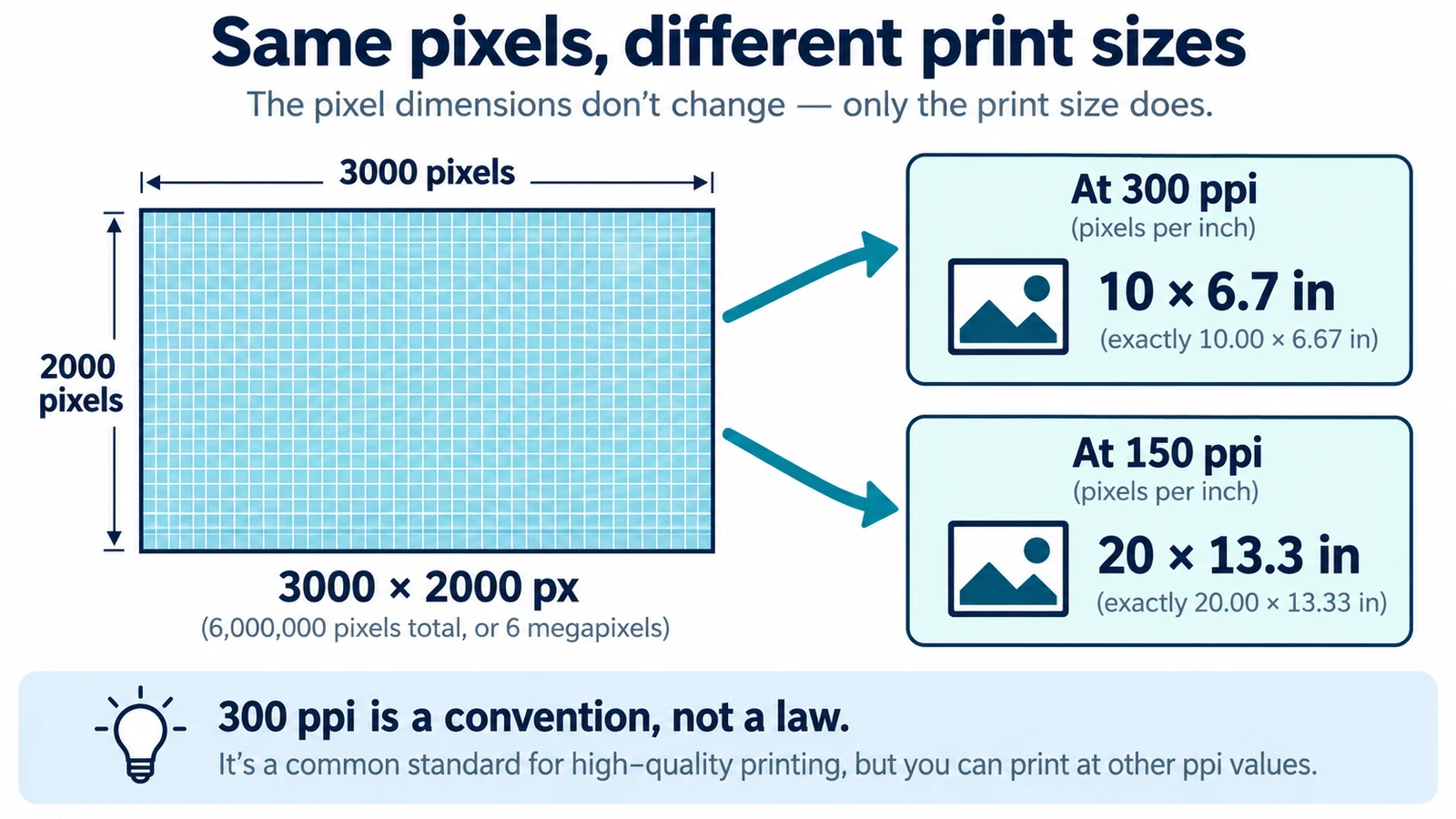
DPI and PPI describe different machines, and neither means much without a physical print size. The formula, why 300 is a habit, and what to note before placing an image.
Documents & PDF Page layout Browser tools No signup Image optimization 5 min read
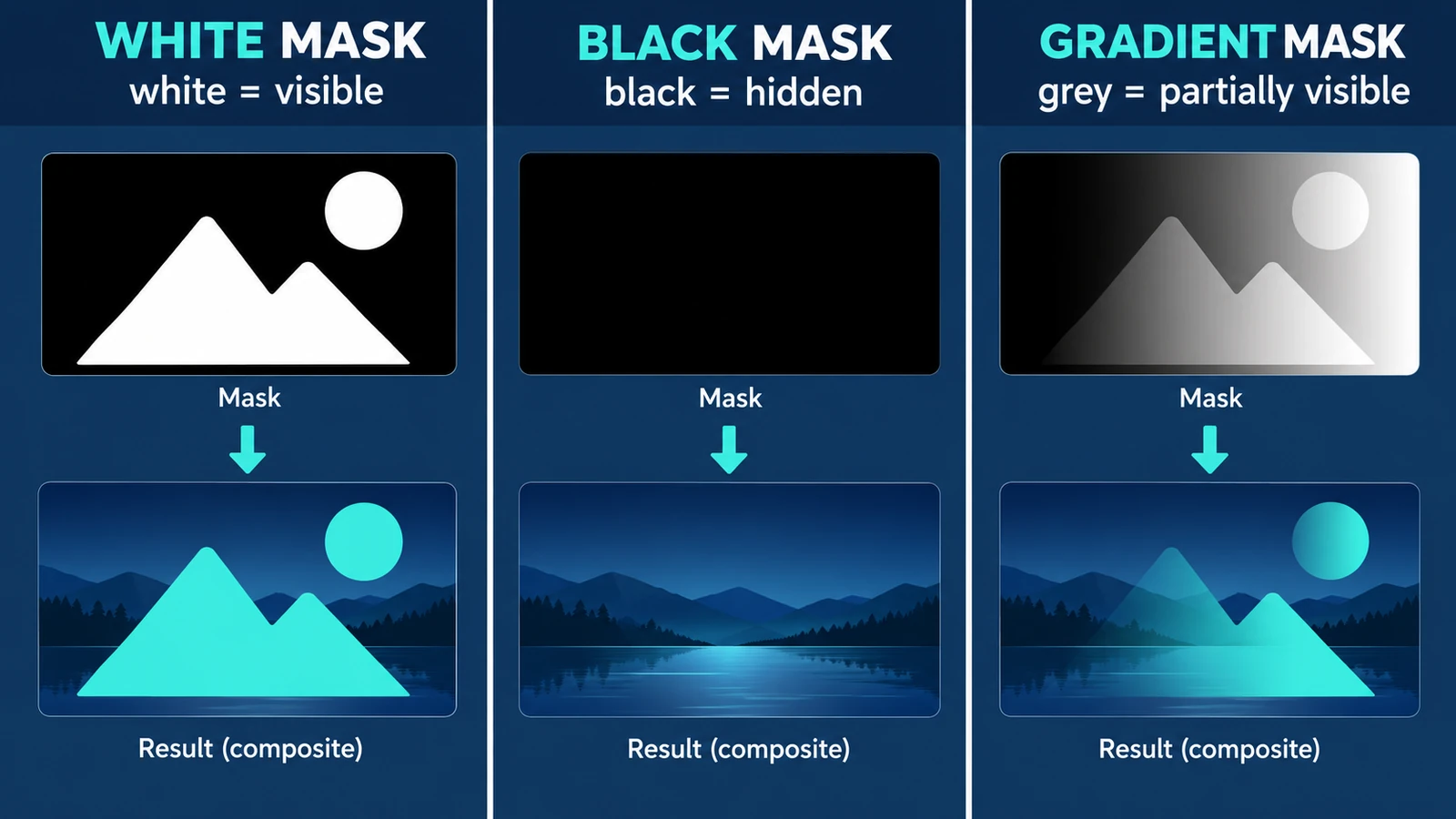
A mask is a coverage map beside the pixels: white reveals, black hides, grey blends. What the values mean, why the direction feels backwards, and what a mask cannot do.
Creative workflows Photo editing Browser tools No signup Layers 4 min read
Import a recorded voice-over, place it against the picture on the timeline, set a level that survives a laptop speaker, and listen to the exported MP4.
Creative workflows Video editing Browser tools No signup 4 min read
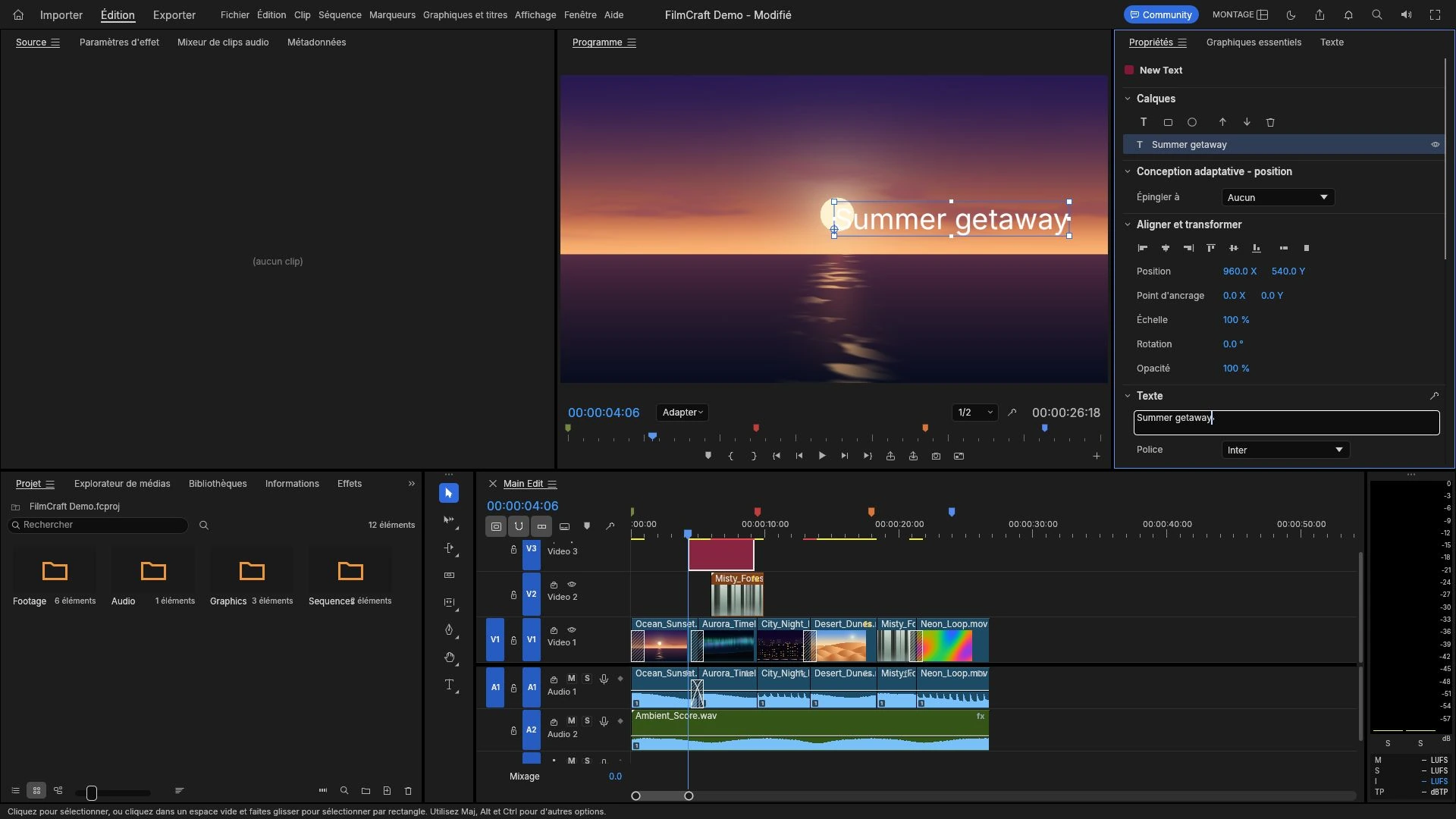
A title layer sits where every viewer looks and cannot be fixed after export. Where to place it, how to time it in frames, sizing, and mistakes worth catching early.
Creative workflows Video editing Browser tools No signup 4 min read
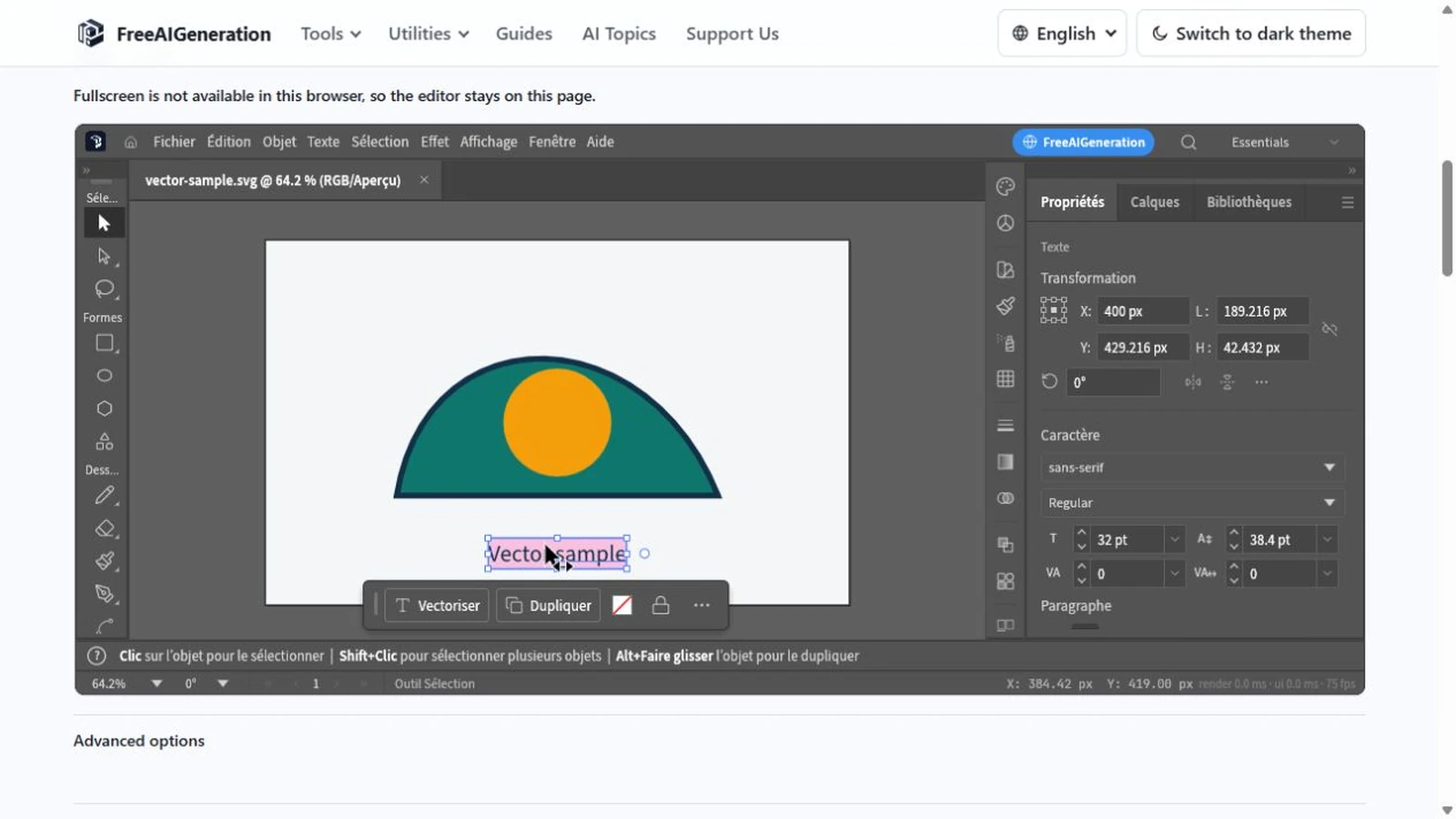
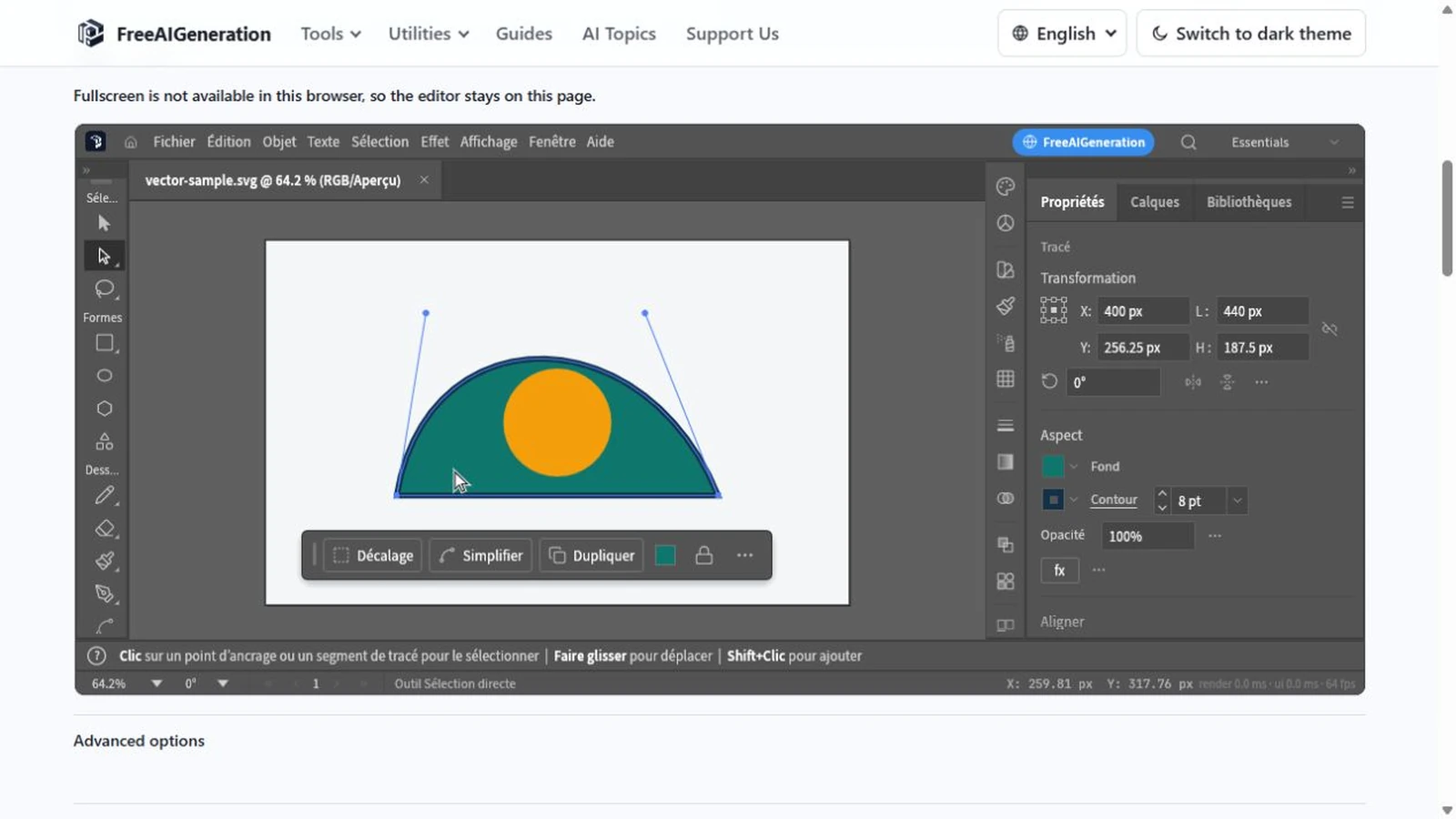
Recolouring an SVG can leave a ring of the old colour behind: fill and stroke are different properties. Covers paint values, type, path geometry and export checks.
Creative workflows Vector editing Browser tools No signup SVG editing 4 min read
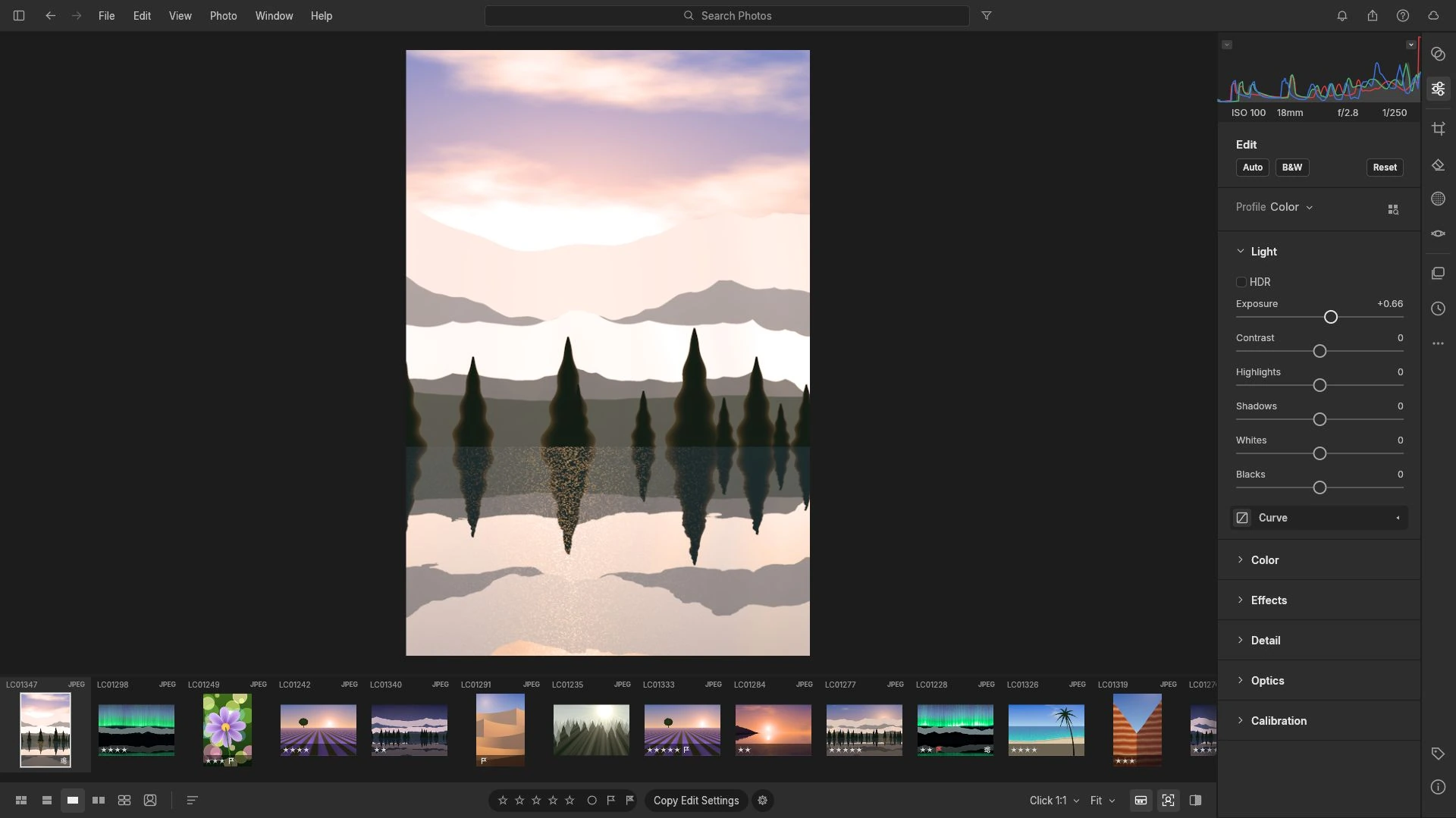
Exposure is multiplicative in a raw file: one stop doubles the signal. Read the histogram first, work in an order that protects highlights, and avoid a dark export.
Creative workflows RAW editing Browser tools No signup Non-destructive editing 4 min read
Set a property at two moments, then decide how the software travels between them. Timing before values, the graph editor, holds, and two exits: render or Lottie.
Creative workflows Motion graphics Browser tools No signup 4 min read
An SVG is geometry written as text. What opening one in the browser exposes, the order to work in, where the browser boundary sits, and the mistakes that cost time.
Creative workflows Vector editing Browser tools No signup SVG editing 4 min read
Every platform decodes and re-encodes what you send, so the file is a master, not a final artefact. Aspect ratio, duration, audio, and sizing a file that survives.
Creative workflows Video editing Browser tools No signup Import & export 4 min read
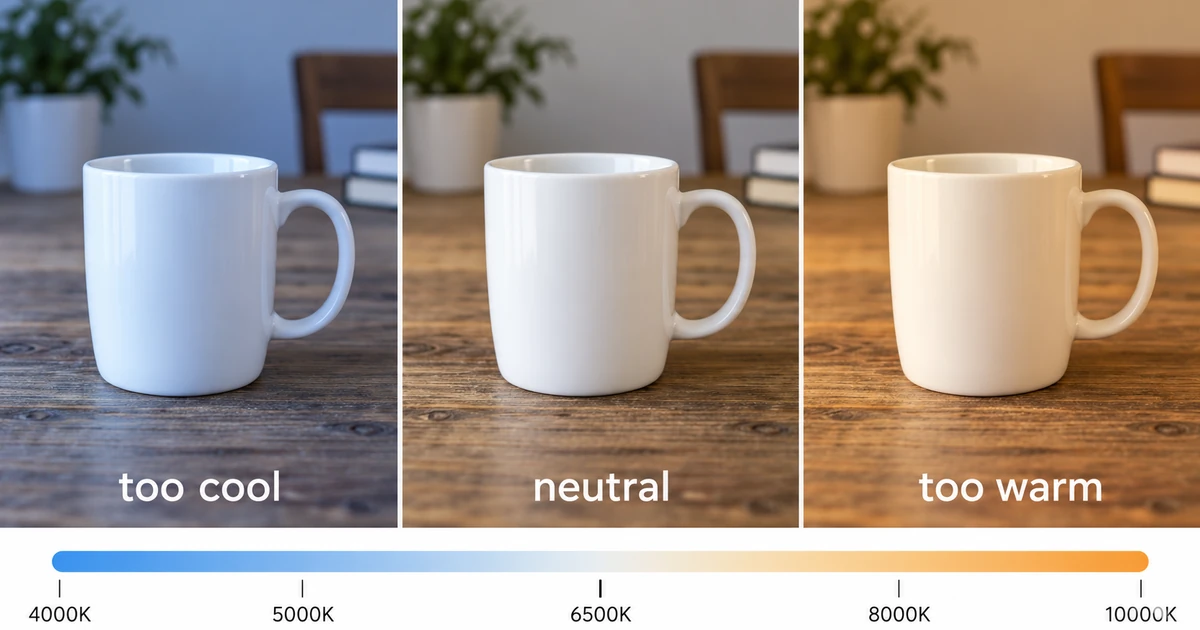
Find the neutral a frame should have had, follow the channel ratios behind the cast, and use curves or the colour mixer where this browser build stops short.
Creative workflows RAW editing Browser tools No signup Non-destructive editing 4 min read
CR2, CR3, NEF and ARW are four vendor containers, and having the file is only half the question. Test one frame for a real decode before importing a whole shoot.
Creative workflows RAW editing Browser tools No signup File formats 4 min read
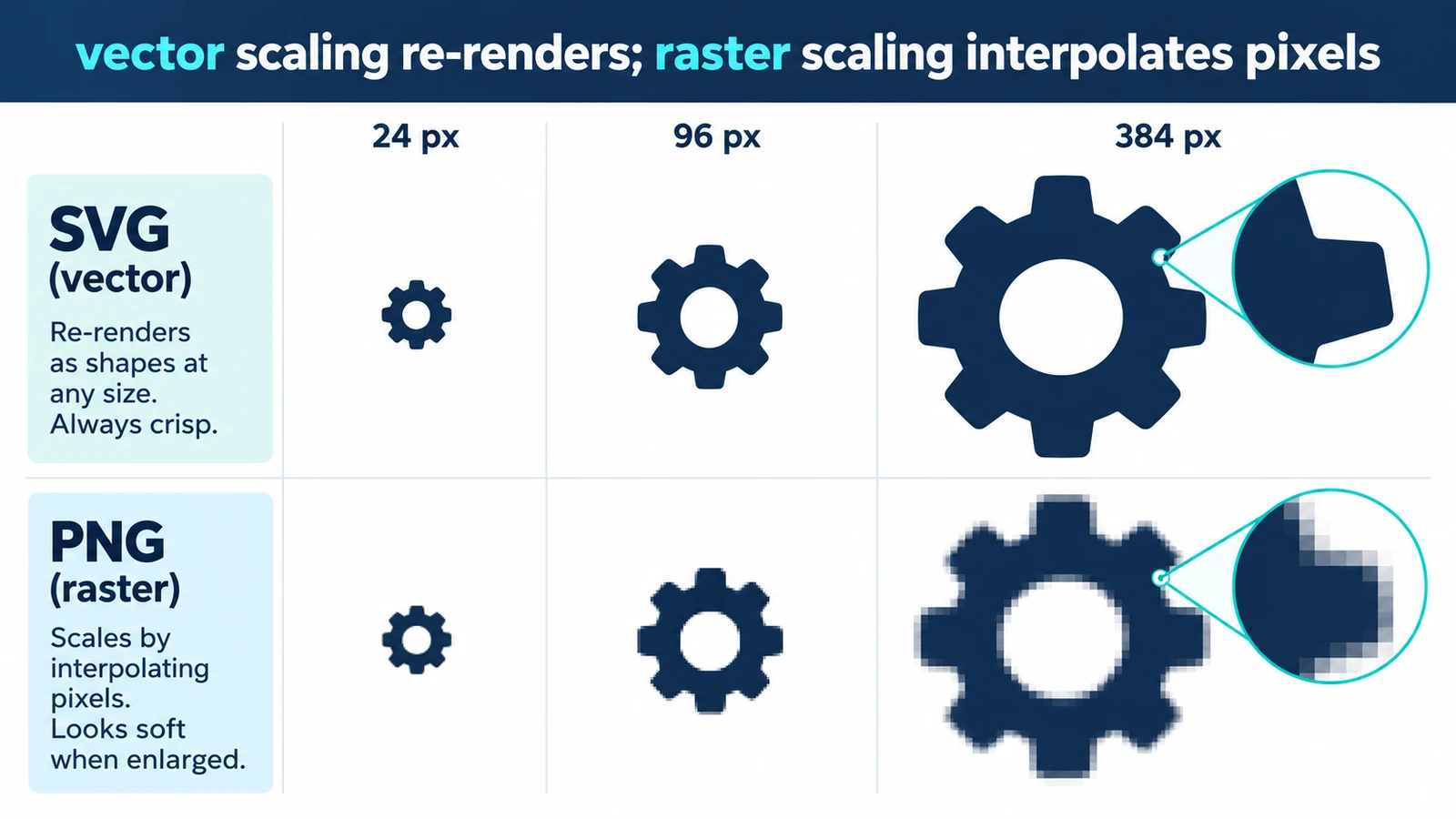
Resizing a vector usually changes nothing in the drawing, because display size is set outside it. Where quality can still disappear, and a short check before you ship.
Creative workflows Vector editing Browser tools No signup SVG editing 3 min read
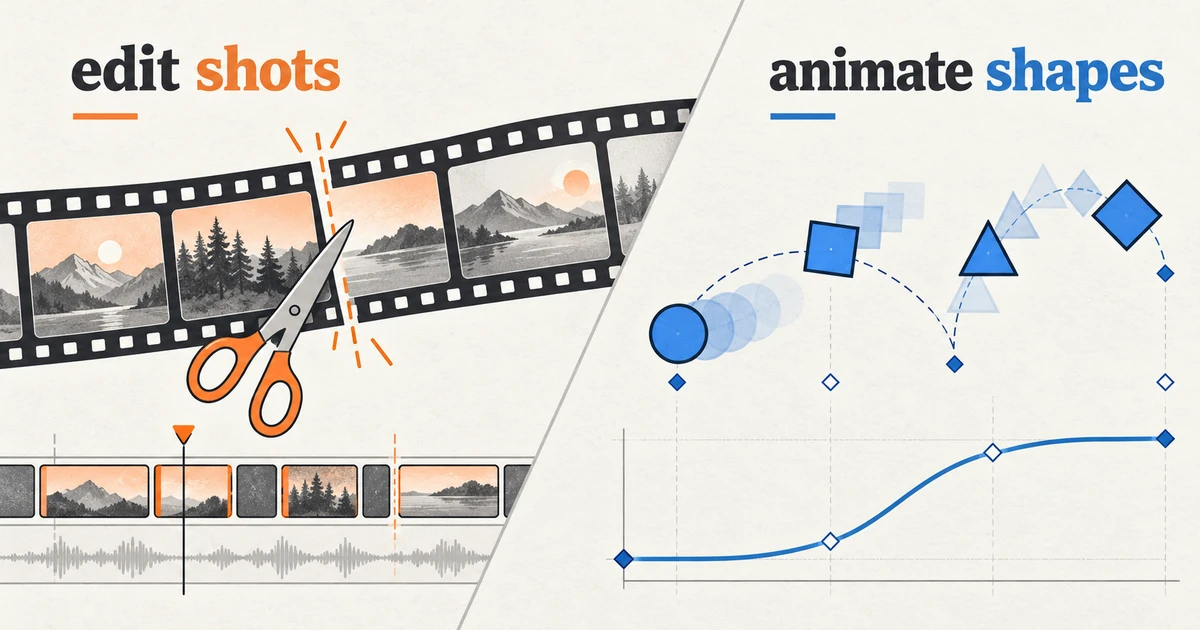
The line is intent, not software: motion graphics explains, labels or brands, while animation performs. Where the boundary blurs and what each asks of a tool.
Creative workflows Motion graphics Browser tools No signup 5 min read
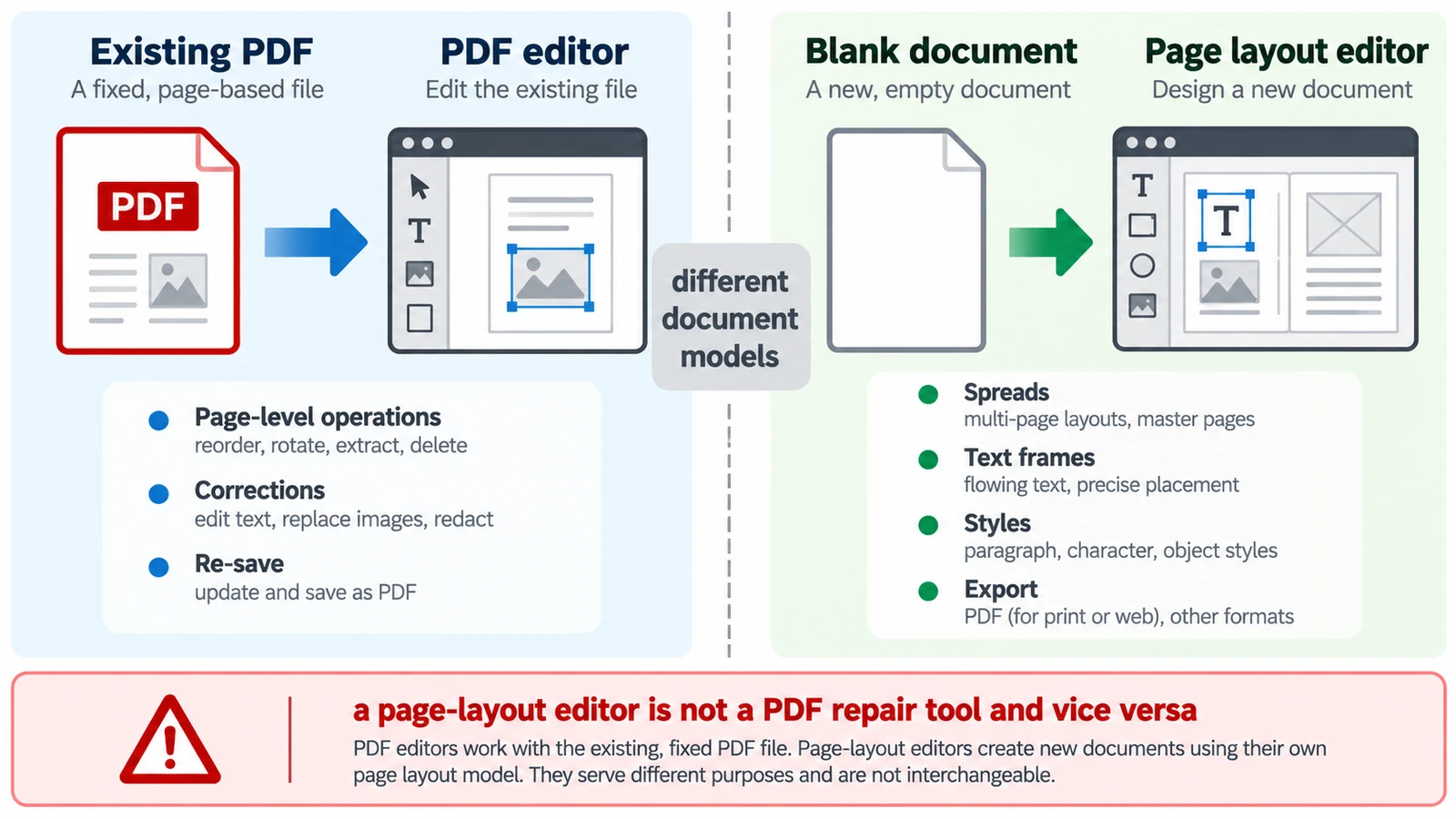
A PDF has no paragraphs to reflow, so a paragraph added mid-page does not behave as expected. Which tool belongs to which stage, and how the handoff between them works.
Documents & PDF PDF editing Page layout Workflow comparison Browser tools 5 min read
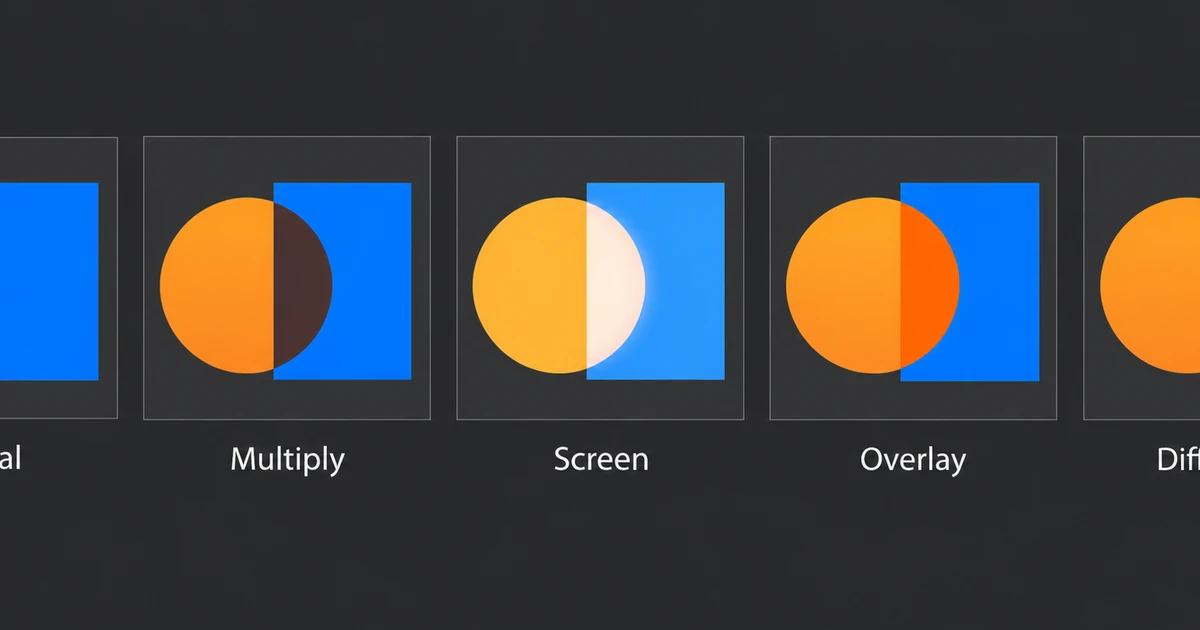
Multiply is arithmetic, not a mood. How base and blend values combine, the four modes worth knowing, why layer order changes the result, and why opacity is separate.
Creative workflows Photo editing Browser tools No signup Layers 4 min read
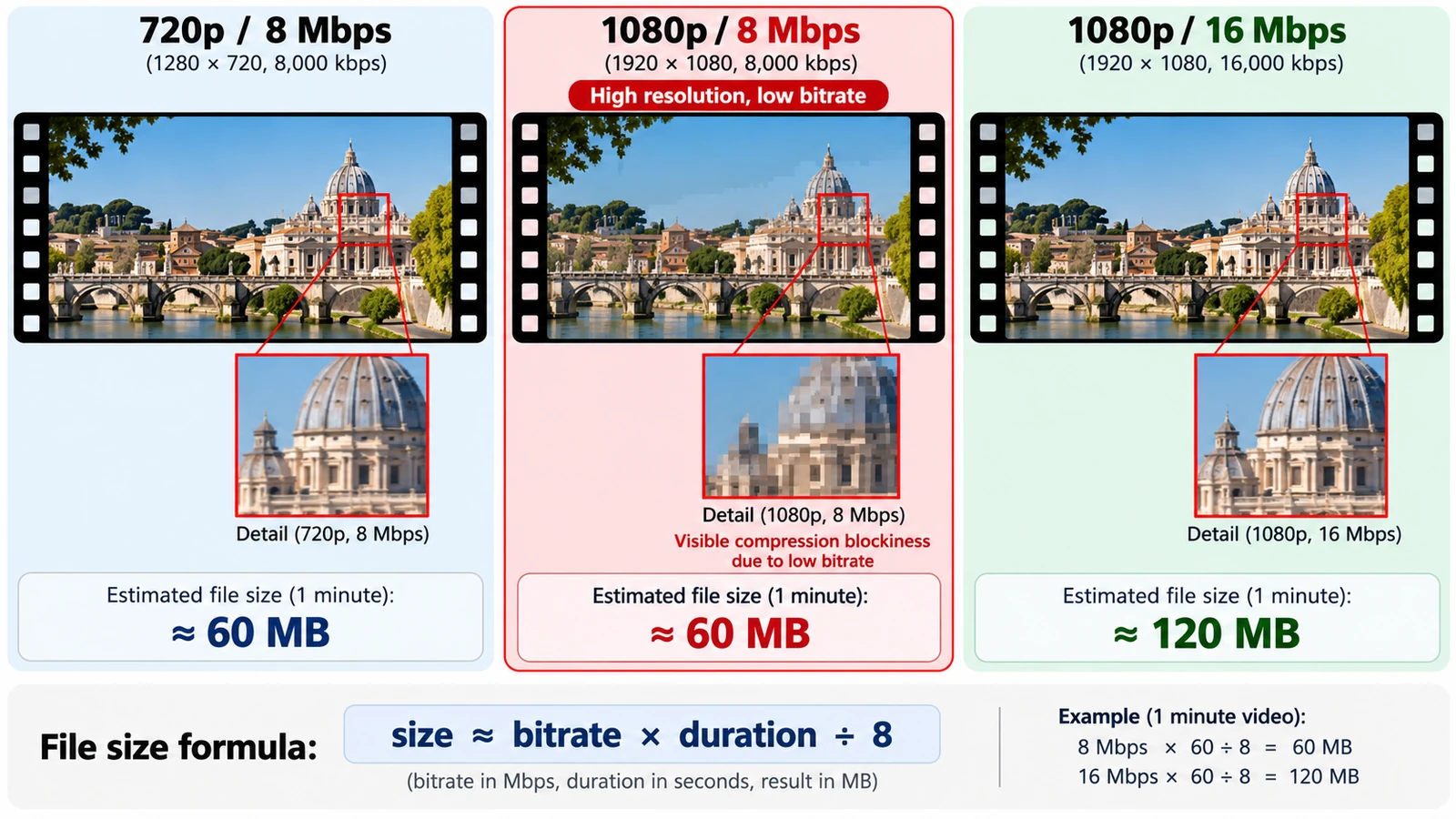
Bits per pixel per frame settles most arguments: divide bitrate by pixel count and frame rate. What each setting controls, and how to size a file before export.
Creative workflows Video editing Browser tools No signup Workflow comparison 4 min read
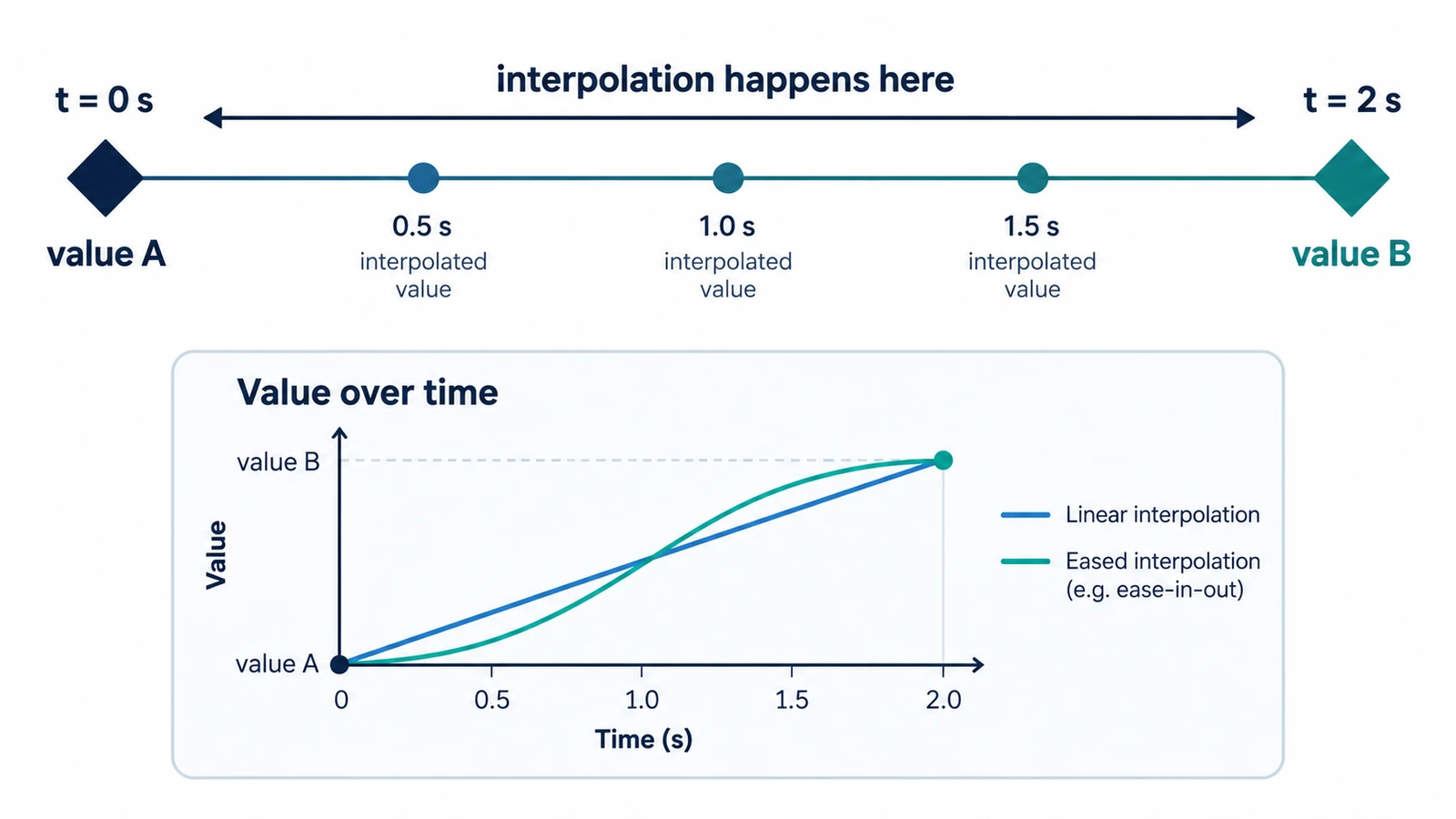
A keyframe holds a value at a moment; interpolation draws the path between two. How the arithmetic works, why easing is a curve, and four beliefs worth correcting.
Creative workflows Motion graphics Browser tools No signup 5 min read
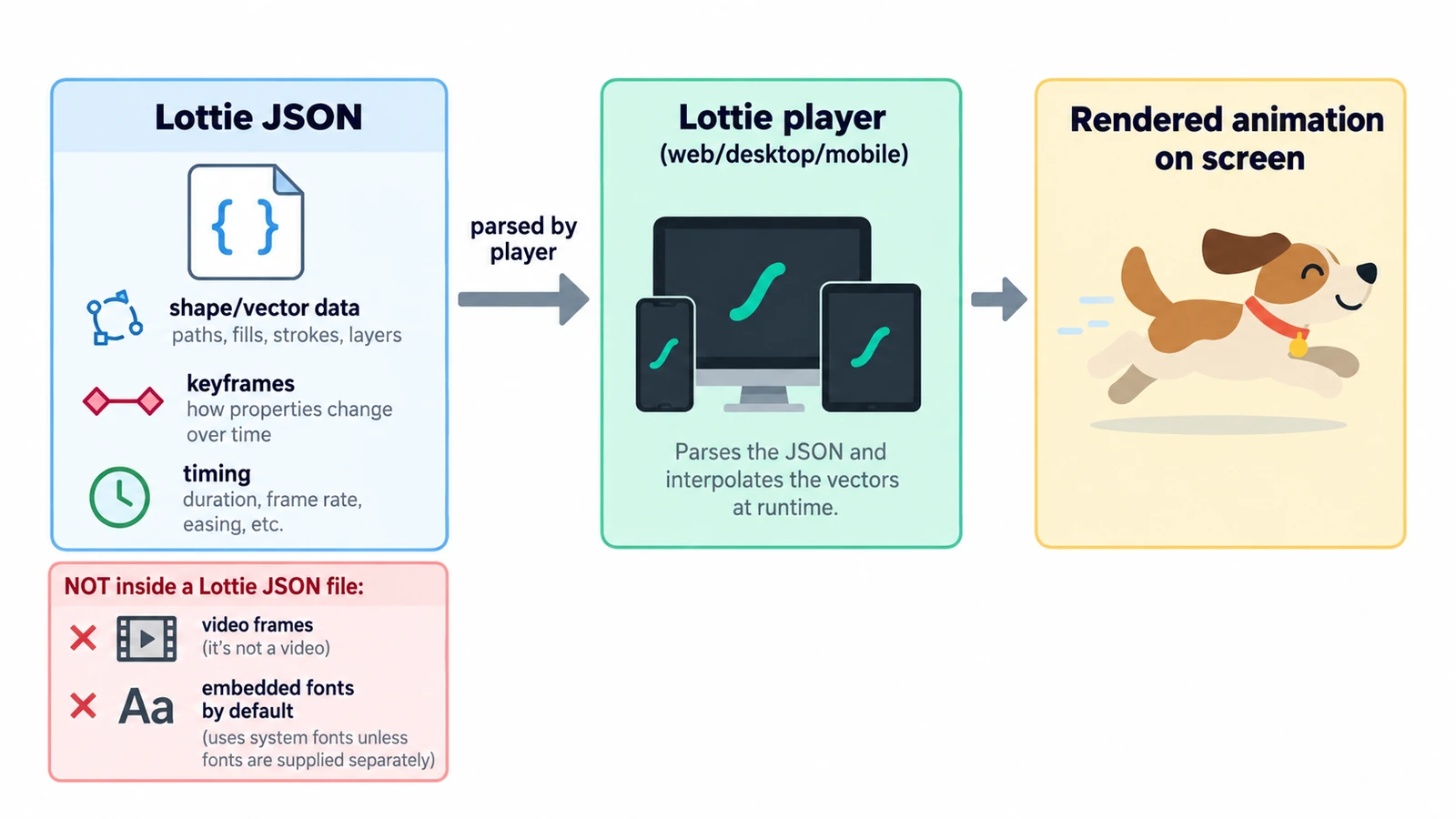
A Lottie file is readable JSON: a canvas, a frame rate and an array of layers. What the fields define, why text changes delivery, and what the format cannot carry.
Creative workflows Motion graphics Browser tools No signup Lottie 4 min read
Desktop publishing is production, not design: styles, parent pages and threaded frames that make decisions repeatable, and a PDF that is only the export.
Documents & PDF Page layout Browser tools No signup 5 min read
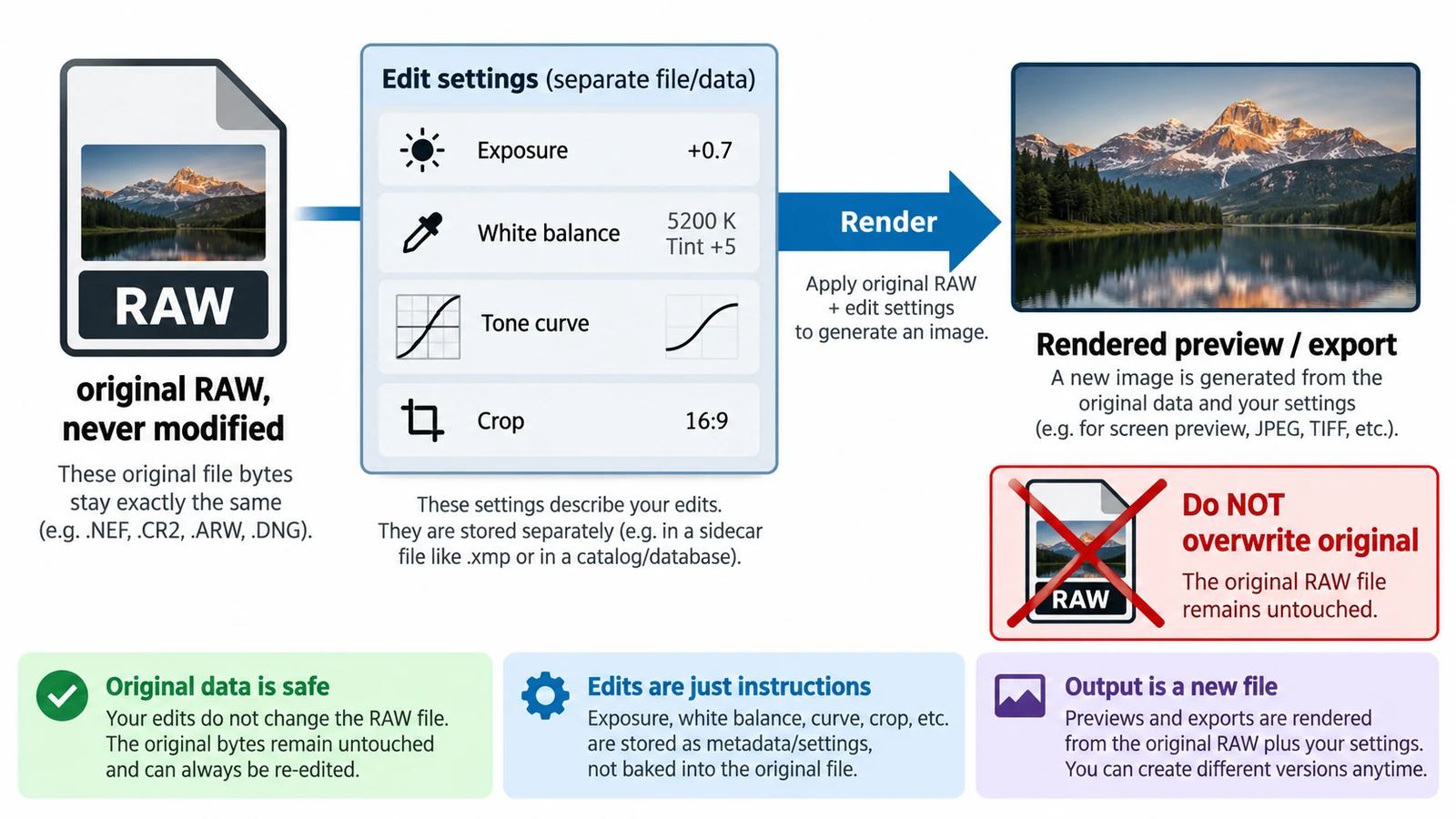
Non-destructive is an editing model, not a promise: the original stays and adjustments are stored as values. What survives a closed tab, and why a crop is not a deletion.
Creative workflows RAW editing Browser tools No signup File formats 4 min read
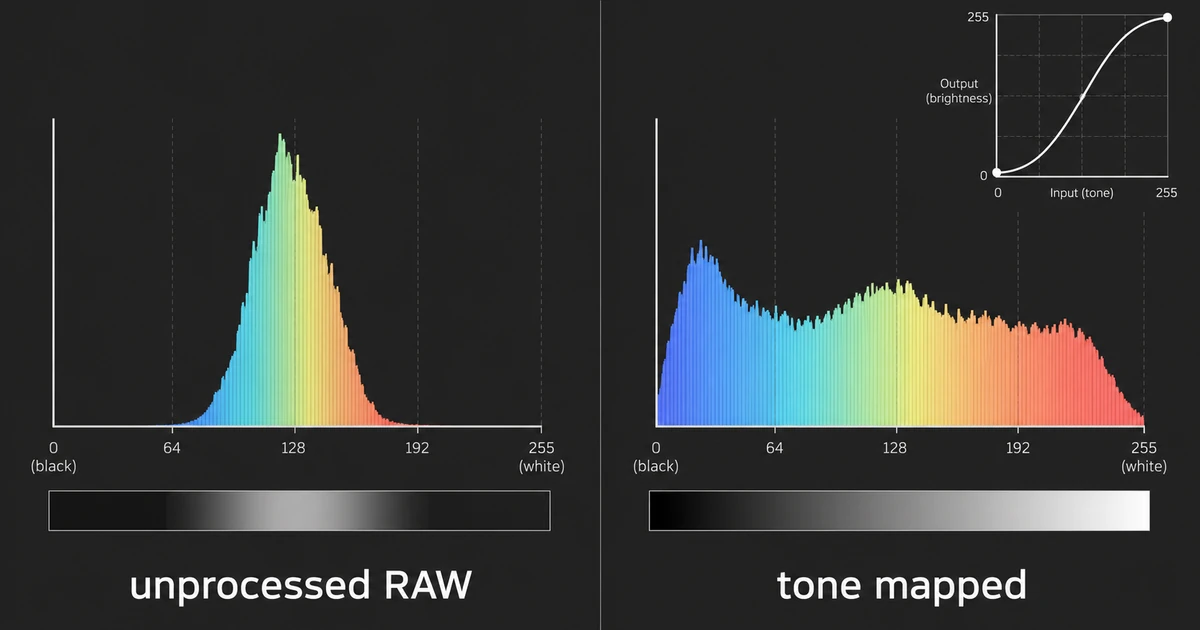
Nothing is wrong with the file: no tone curve has been applied yet. Why linear light looks pale, what the camera screen shows, and how flat differs from underexposed.
Creative workflows RAW editing Browser tools No signup 4 min read
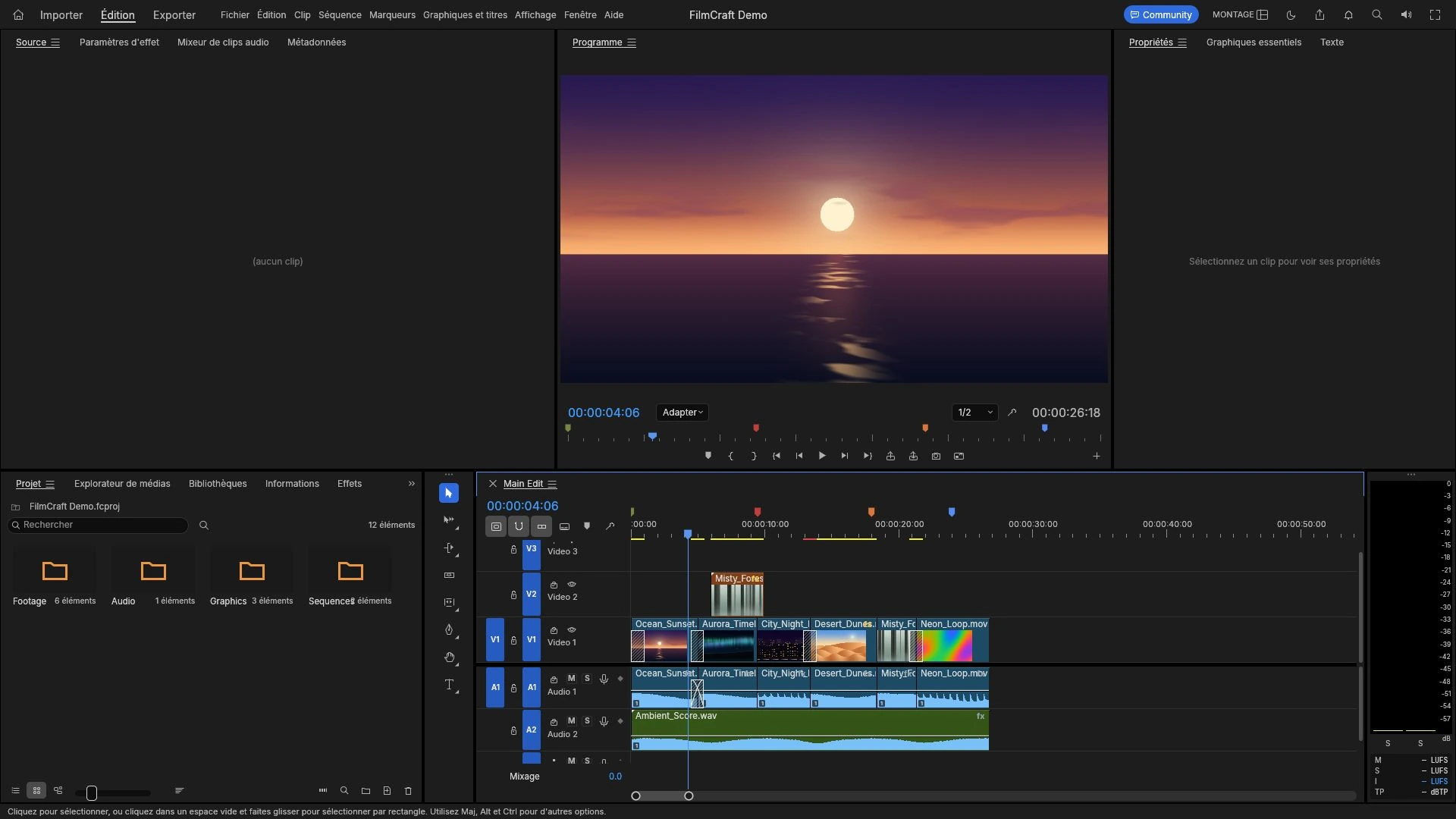
Lanes are read in parallel against one playhead, not clips parked end to end. Insert versus overwrite, the four trims, grading after the cut, and export last.
Creative workflows Video editing Browser tools No signup 4 min read