SVG editing

Guides about SVG editing and practical browser workflows.

Articles

  • How to Change SVG Colors, Text and Paths Online

    How to Change SVG Colors, Text and Paths Online

    Recolouring an SVG can leave a ring of the old colour behind: fill and stroke are different properties. Covers paint values, type, path geometry and export checks.

    Creative workflows Vector editing Browser tools No signup SVG editing 4 min read

    Published By Julia M. Gil

  • How to Edit SVG Files Online in Your Browser

    How to Edit SVG Files Online in Your Browser

    An SVG is geometry written as text. What opening one in the browser exposes, the order to work in, where the browser boundary sits, and the mistakes that cost time.

    Creative workflows Vector editing Browser tools No signup SVG editing 4 min read

    Published By Julia M. Gil

  • How to Prepare and Optimize SVG Files for the Web

    How to Prepare and Optimize SVG Files for the Web

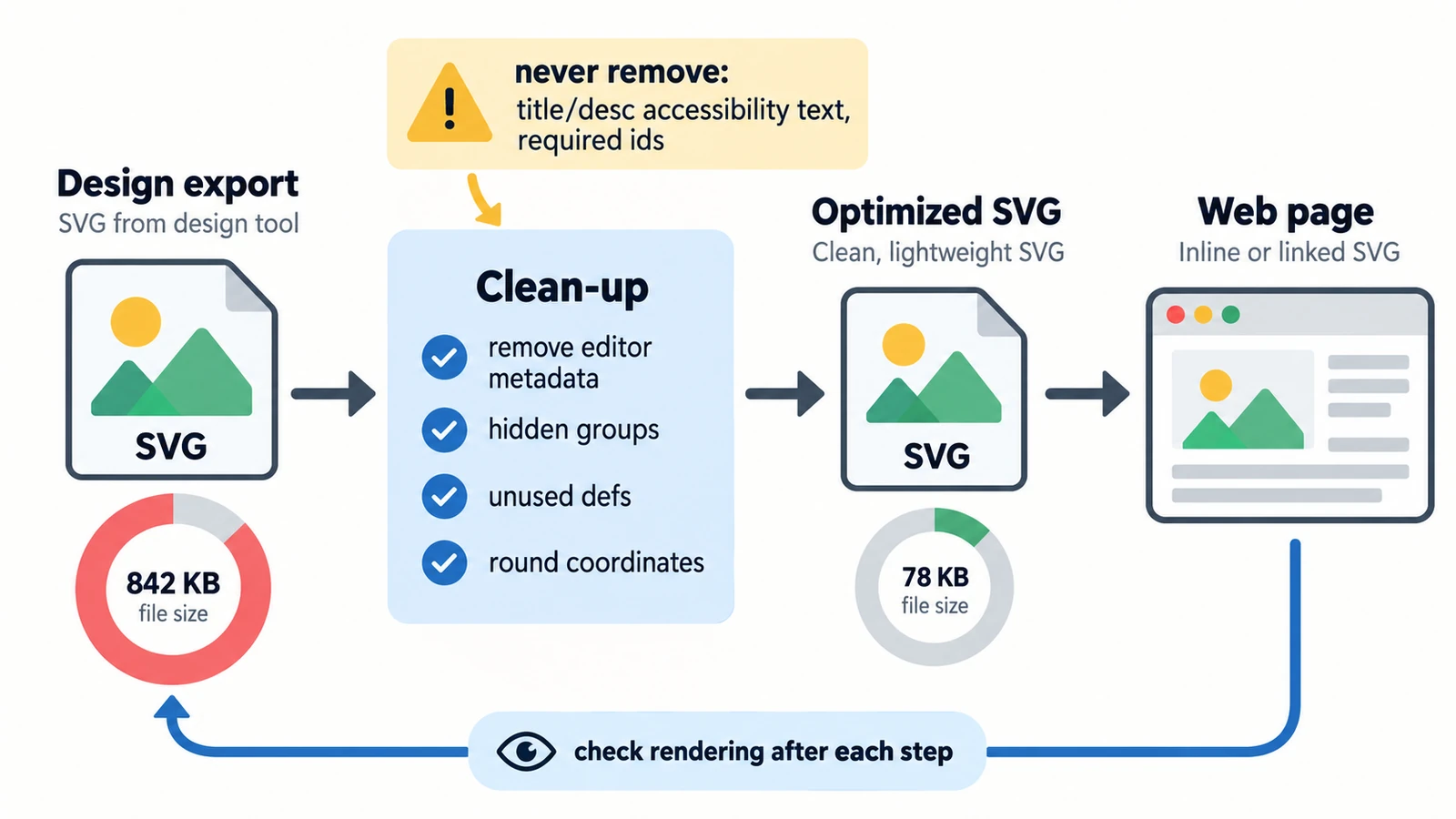
    Six kilobytes of nothing is usually excess precision. Separating what the file says from what the network carries, plus embedded rasters, serving and a visual check.

    Creative workflows Vector editing SVG editing Image optimization Import & export 3 min read

    Published By Julia M. Gil

  • How to Resize an SVG Without Losing Quality

    How to Resize an SVG Without Losing Quality

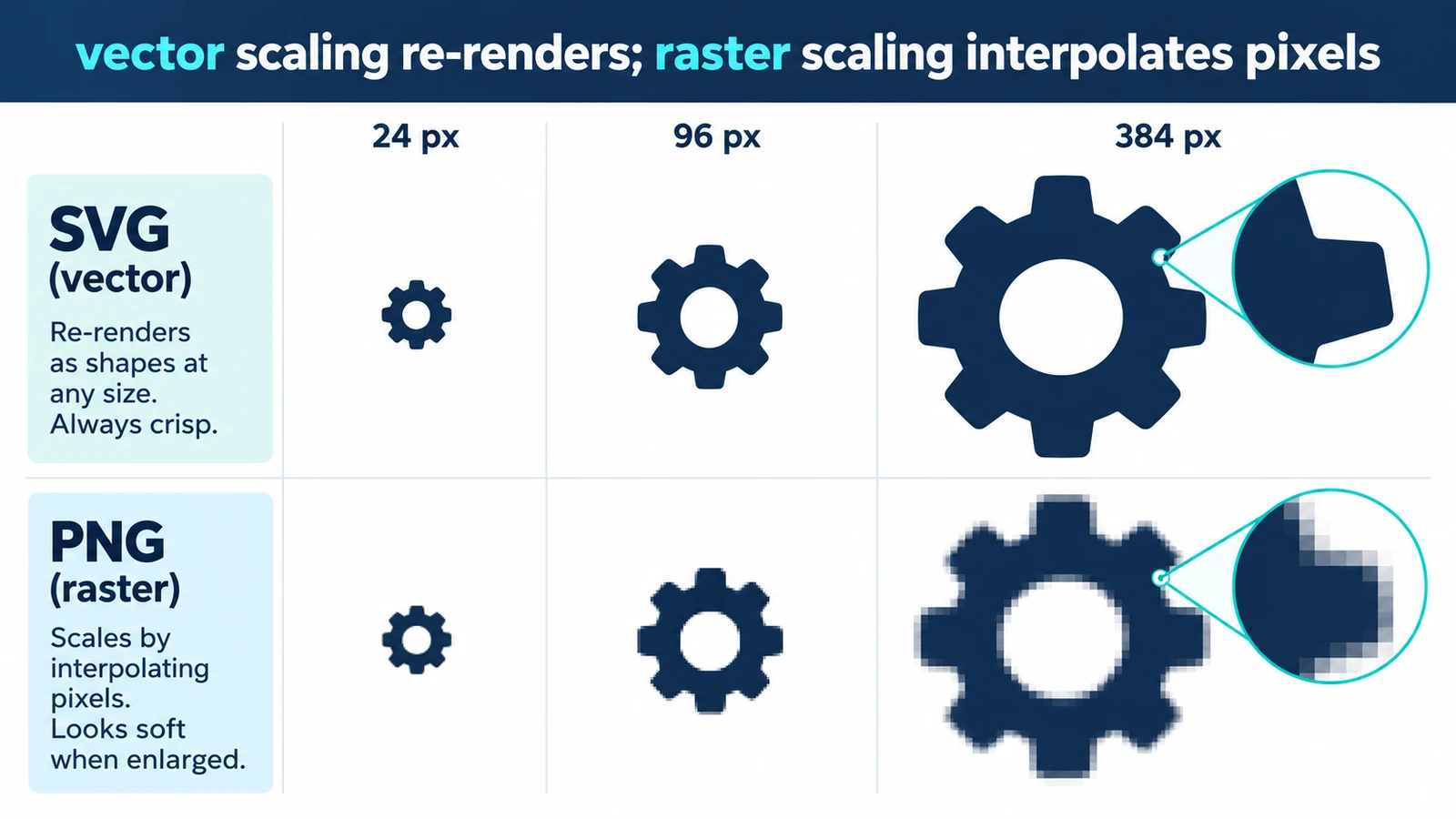
    Resizing a vector usually changes nothing in the drawing, because display size is set outside it. Where quality can still disappear, and a short check before you ship.

    Creative workflows Vector editing Browser tools No signup SVG editing 3 min read

    Published By Julia M. Gil

  • SVG vs AI vs EPS: Which Vector Format Should You Use?

    SVG vs AI vs EPS: Which Vector Format Should You Use?

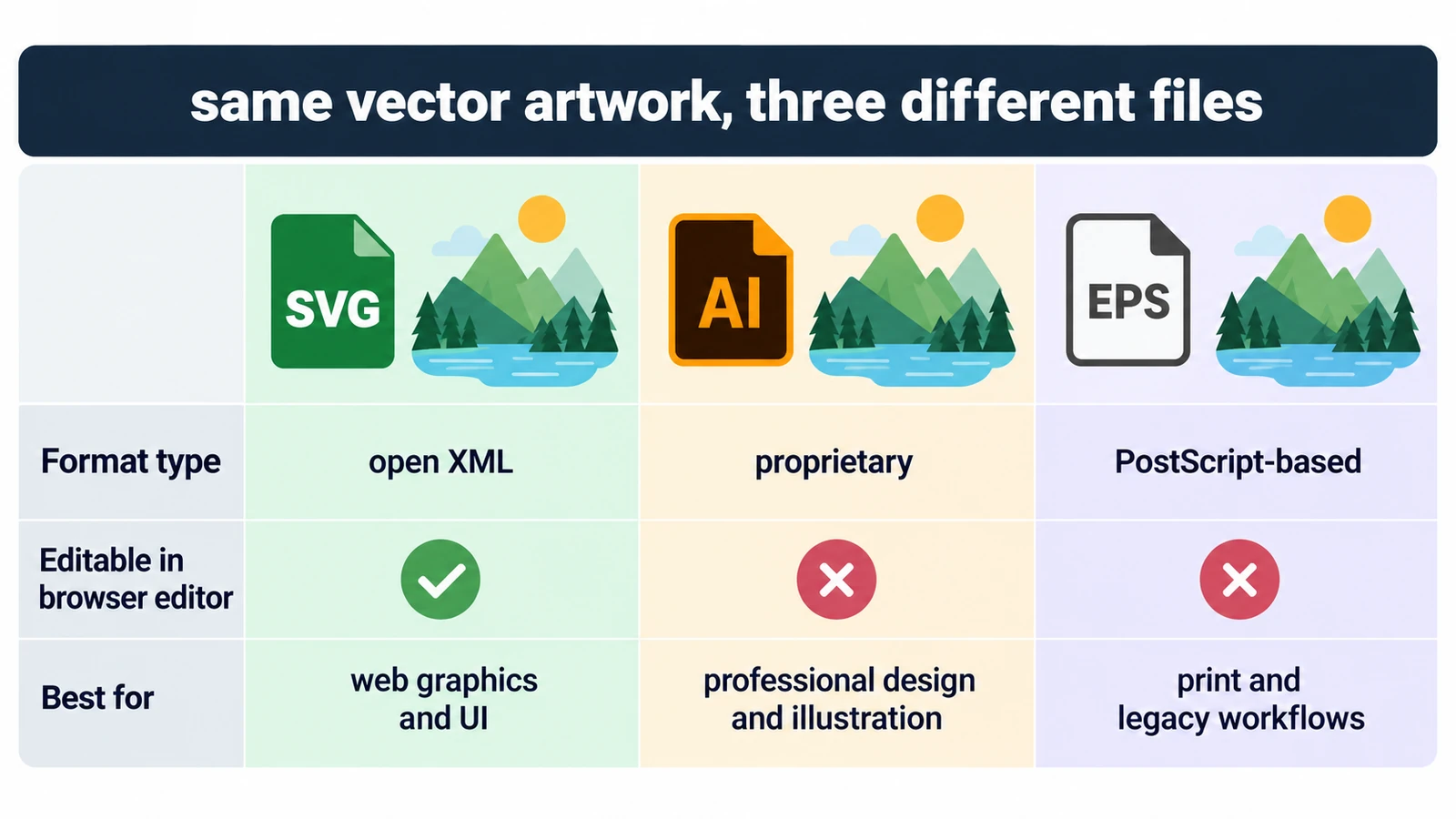
    All three can describe the same curves, so the question is who can open the file and what they can change inside it. Units, fonts, and a rule for each destination.

    Creative workflows Vector editing SVG editing File formats Workflow comparison 4 min read

    Published By Julia M. Gil

  • SVG vs PNG: Which Format Should You Use?

    SVG vs PNG: Which Format Should You Use?

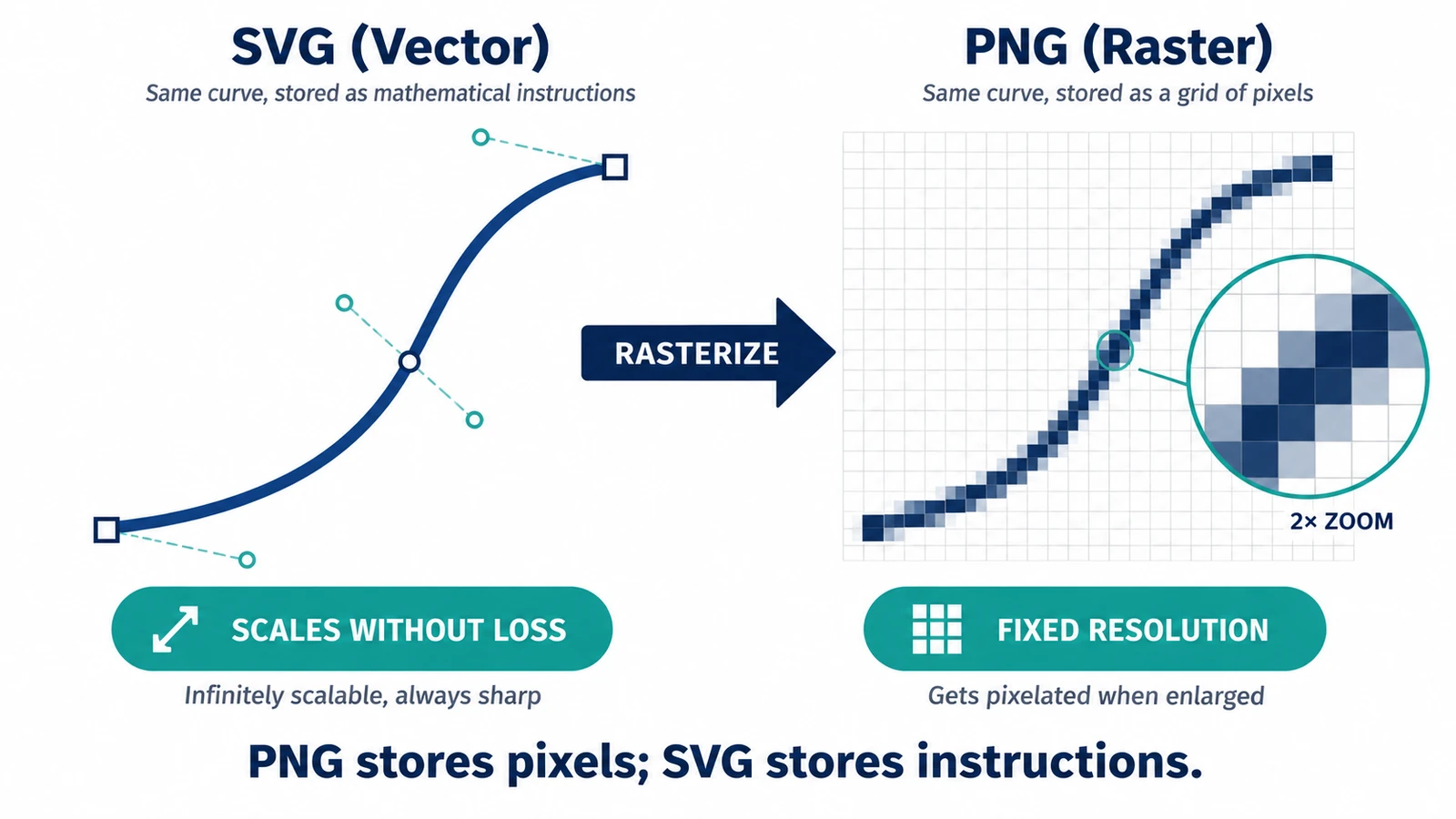
    A PNG covers exactly one size; an SVG is drawn again at each one. What that means for transparency, edges and editability after handoff, and when the PNG wins.
    Creative workflows Vector editing SVG editing File formats Workflow comparison 3 min read

    Published By Julia M. Gil

Back to the index