Lottie vs GIF vs MP4: Which Animation Format Should You Use?
GIF spends colour, Lottie spends structure, MP4 spends computing power. What each costs in transparency, size and editability, and which format earns its place where.
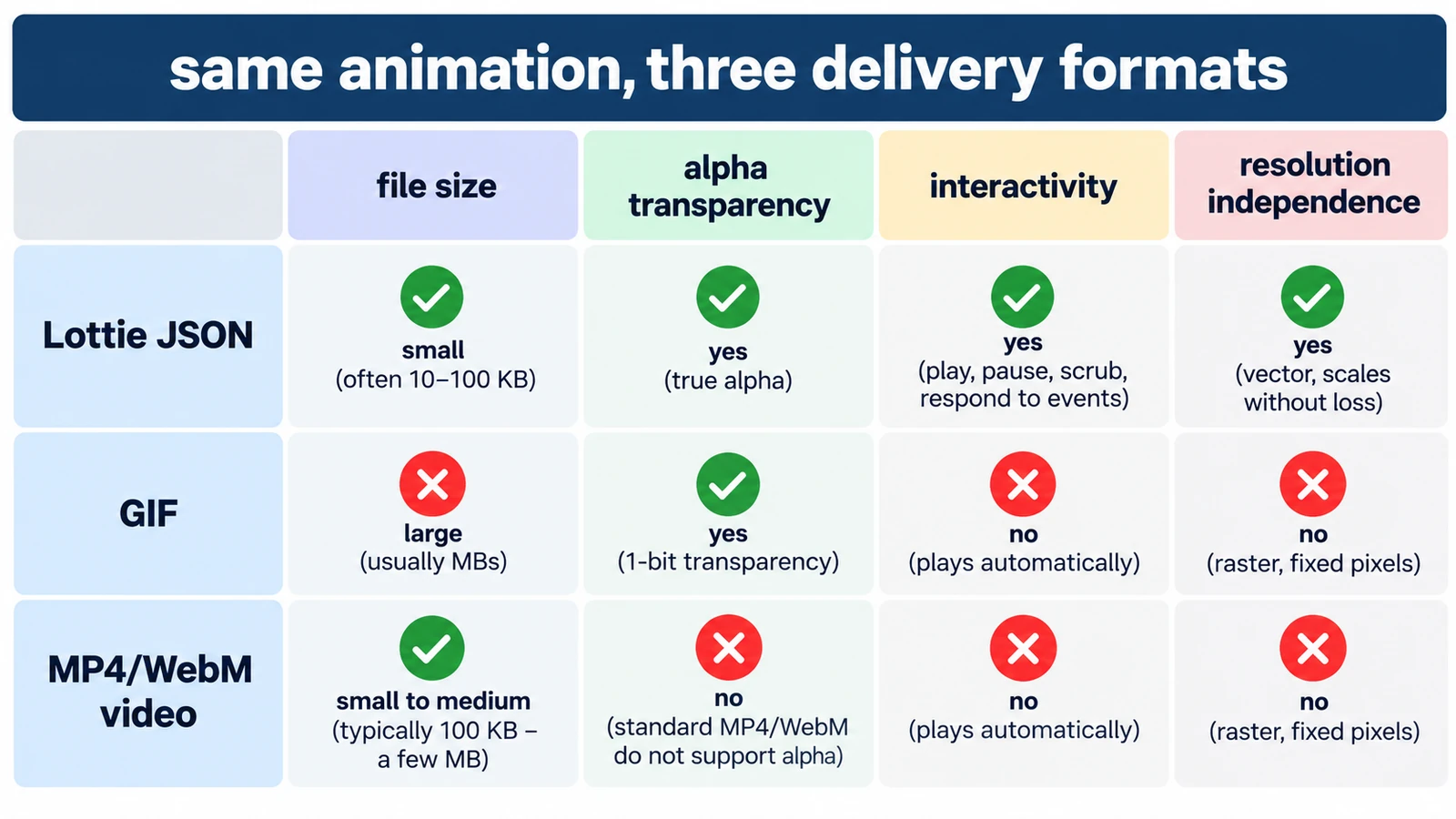
Three formats, three different economies. GIF spends colour. Lottie spends structure, because it stores shapes as numbers instead of pixels. MP4 spends computing power, predicting each frame from the ones before it. That is why the comparison of Lottie vs GIF vs MP4 is not a ranking: each format is cheap exactly where the others are expensive.
A few numbers make the trade-offs concrete, and the rest is a delivery decision. Ask where the animation has to run, how large it will be drawn, and whether the background behind it is known.
What each format is made of
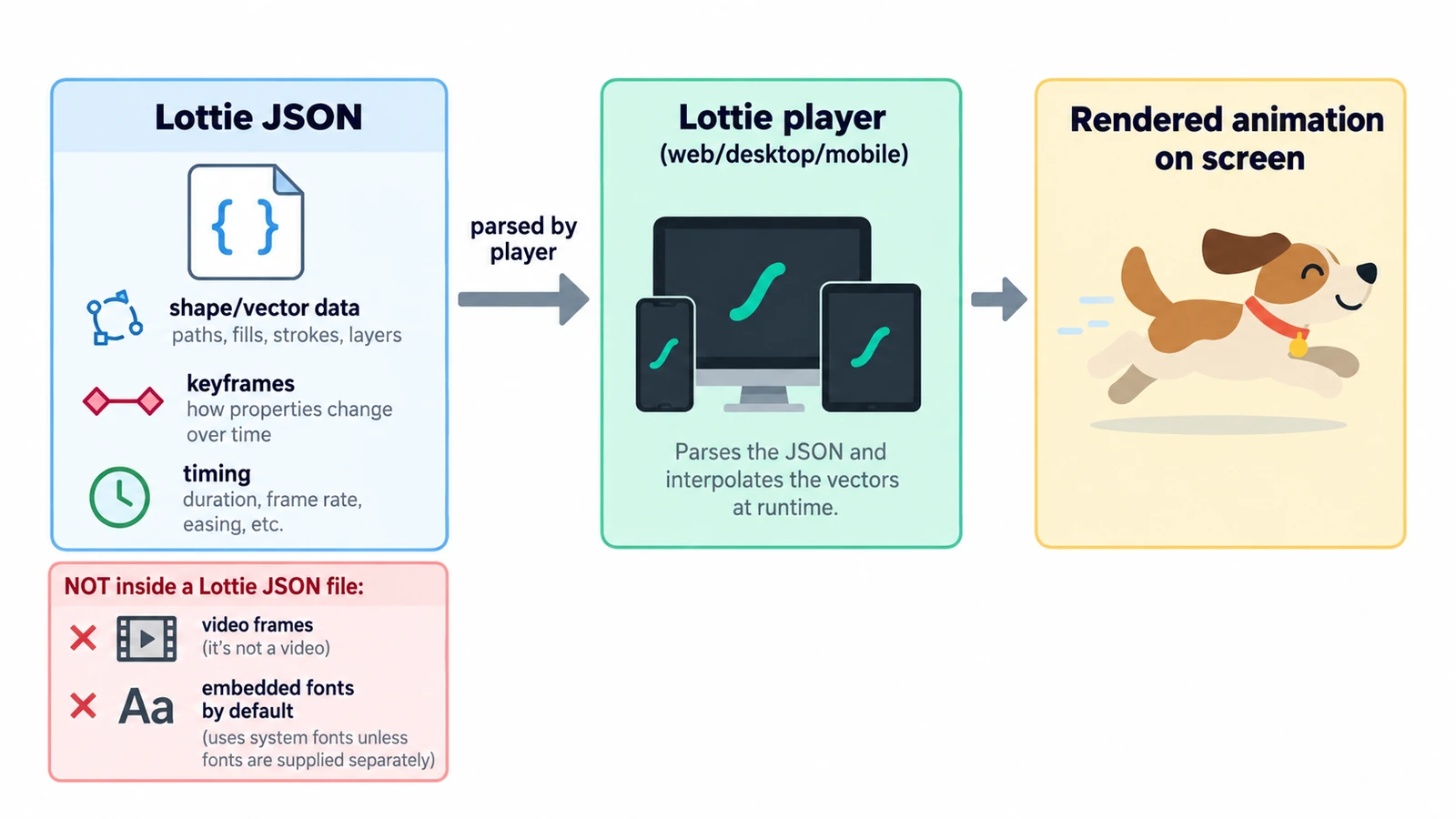
A Lottie file is JSON. It describes layers, shapes, transforms and keyframes, and it was popularised as the Bodymovin export from a motion-design tool; it is read by a player that draws the animation, not by a media player.
A GIF is a sequence of indexed images. Each frame carries a palette of at most 256 colours and a transparency flag that is either on or off for a given pixel. There is no audio track and no efficient inter-frame compression.
An MP4 holds video encoded with a codec such as H.264. Most frames are stored as differences from their neighbours, which is where the efficiency comes from.
Colour, transparency and what gets lost
GIF is the most constrained of the three. A palette of 256 colours against 256 cubed, or 16,777,216 possible colours, covers about one sixty-five-thousandth of the space. Smooth gradients band, photographs posterise, and a soft shadow becomes a hard edge. Because transparency is a binary flag, antialiased text on a transparent background keeps a fringe of pixels that cannot blend.
Lottie works the other way. Fills, strokes and gradients stay as geometry, so one file renders at any size without upscaling. That is also the format’s limit: it is a description of shapes and their animation, and anything that depends on pixel processing has to be approximated or dropped.
MP4 keeps photographic colour comfortably. Transparency is the problem. An alpha channel in an MP4 with H.264 is not portable in browsers, so plan a background rather than hoping for a cut-out.
Size, with the arithmetic
Take a 10-second animation at 10 frames per second, which is 100 frames.
As a GIF, those 100 frames each re-describe a palette-limited image. With no effective temporal compression, length is close to linear in file size, and dithering adds noise that compresses poorly.
As an MP4 at 2 Mbit/s, the same 10 seconds is 2,000,000 × 10 ÷ 8 = 2,500,000 bytes, or about 2.5 MB, and it carries full colour and audio if you add it.
As a Lottie, size follows complexity rather than duration: number of shapes, points and keyframes. A long hold on a simple shape costs almost nothing, while an elaborate illustration with many paths grows quickly. It also scales to any output size without re-exporting.
Where each one earns its place
Lottie suits interface work: icon states, loading indicators, onboarding sequences, anything that must appear at several sizes and be recoloured by the product. It also suits teams that want the animation as text in a repository rather than as a binary asset.
GIF still wins where a platform will play an image but not a video, or where a loop needs to be pasted into a chat and forgotten. Keep it short and keep the frame rate low, because every extra frame is another palette to store.
MP4 is the right answer for footage, camera moves, continuous tone, sound, or anything longer than a few seconds. It is also the format most players and platforms handle without argument.
| Format | Built from | Headline limit | Best delivery |
|---|---|---|---|
| Lottie | JSON shapes and keyframes | Needs a compatible player; pixel effects do not survive | In-product animation |
| GIF | Indexed images | 256 colours per frame, binary transparency, no audio | Short loops in chat and embeds |
| MP4 | Compressed video frames | No portable alpha, inter-frame artefacts under heavy truncation | Video, social, anything with sound |
What the editor offers here
The Motion Graphics & VFX Editor takes Lottie in and writes it out, and projects save as .ecproj. Its Render Queue lists MP4, WebM, GIF and image sequences as outputs. Treat that list as the menu of options to try on a short test of your own, rather than as four published guarantees: the safest workflow is to render one representative passage and inspect it before committing to a format.
Two choices make that easier. Build the animation with vector shapes if Lottie is the likely target, and decide the target before you polish the motion, because each format constrains something different. The keyframe model and its frame arithmetic are worth understanding before you commit either way, and what a Lottie file is and how it works opens the JSON itself. For the discipline question underneath all of this, motion graphics versus animation draws the line between designed movement and performance.
The short version
If the animation has to live inside an interface and scale cleanly, choose Lottie. If it has to play where video cannot, choose GIF and accept a small canvas and a short duration. If it has footage, sound or length, choose MP4. When a request needs transparent video at full length, none of the three is a clean answer, and the honest move is to design around a background instead of promising a cut-out.
Frequently asked questions
Is GIF a lossless format?
No. The compression itself is lossless, but reducing every frame to a 256-colour palette discards colour before compression begins, so the result is visibly approximate.
Can an MP4 keep a transparent background?
Not portably in a browser. The H.264 in MP4 combination does not carry alpha reliably, so design with a background in mind.
Why is a Lottie file smaller than a GIF of the same animation?
Lottie stores shapes, paths and keyframes rather than frames of pixels, so file size follows complexity instead of duration and resolution.
Try these FreeAIGeneration tools
Related articles
-
MP4 vs MOV vs WebM: Which Video Format Should You Use?
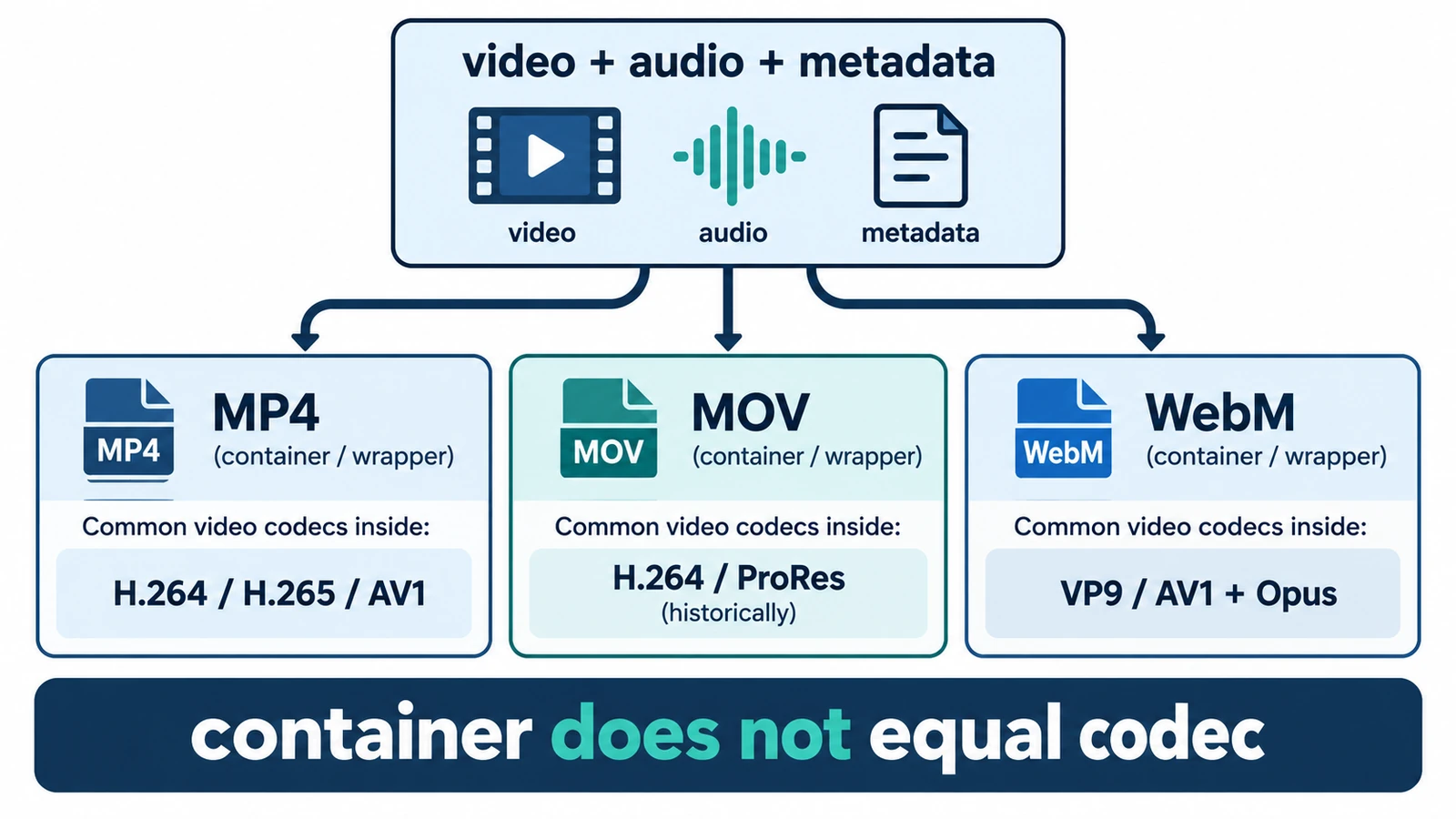
MP4, MOV and WebM are containers, not codecs, so the wrapper does not decide quality. What each is for, where quality is actually decided, and how an editor handles them.
Creative workflows Video editing File formats Workflow comparison Import & export 4 min read
Published By Julia M. Gil
-
What Is a Lottie File and How Does It Work?
A Lottie file is readable JSON: a canvas, a frame rate and an array of layers. What the fields define, why text changes delivery, and what the format cannot carry.
Creative workflows Motion graphics Browser tools No signup Lottie 4 min read
Published By Julia M. Gil
-
How to Create and Export Lottie Animations Online
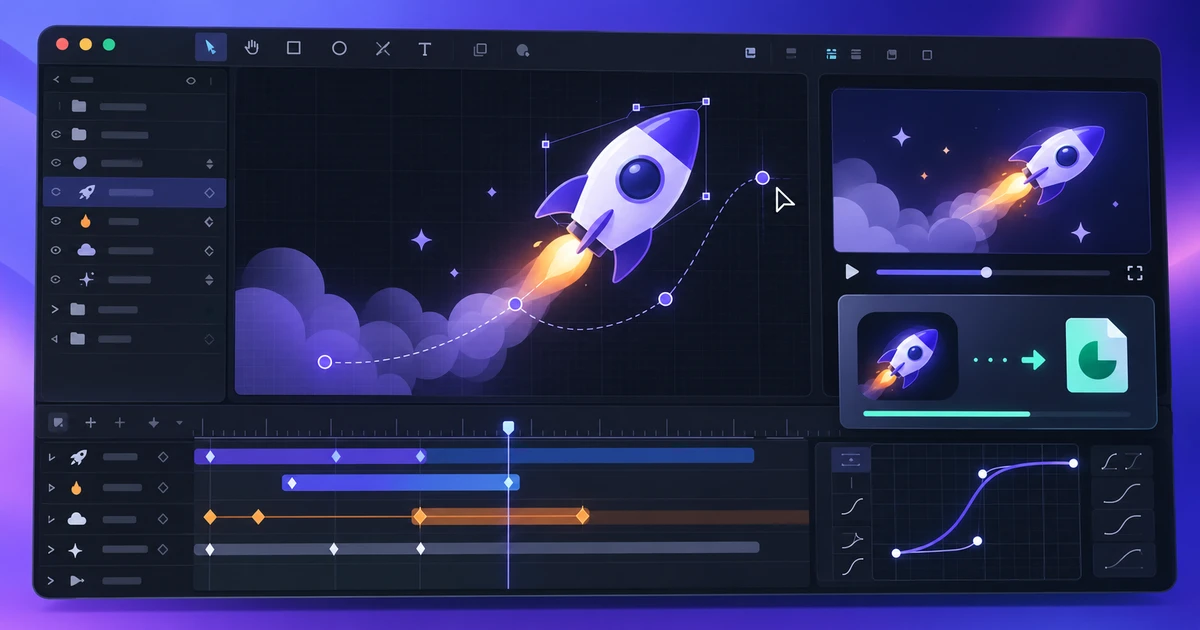
Compose a Lottie animation the format can carry, export the JSON from a browser editor, and validate one short test file before committing the long one.
Creative workflows Lottie Motion graphics Web animation 4 min read
Published By Julia M. Gil
Keep exploring
FreeAIGeneration is more than this article. The editors and calculators below are real, free and run in your browser.