Workflow comparison

Guides about Workflow comparison and practical browser workflows.

Articles

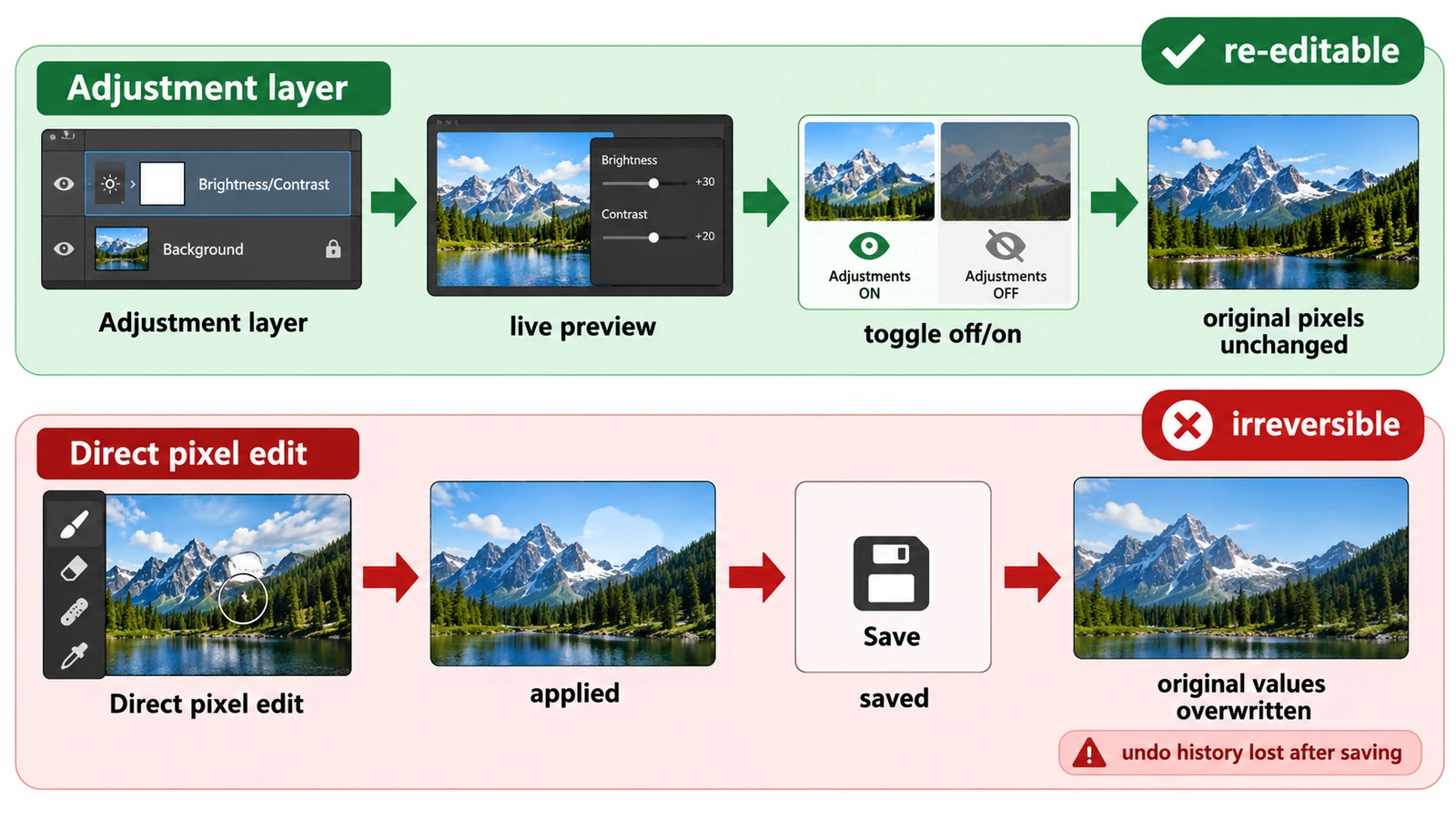
  • Adjustment Layers vs Direct Edits: Which Should You Use?

    Adjustment Layers vs Direct Edits: Which Should You Use?

    Both methods can produce identical pixels; the difference is what the file can still change later. What each costs, and how to choose when the brief is hazy.

    Creative workflows Photo editing Layers Non-destructive editing Workflow comparison 3 min read

    Published By Julia M. Gil

  • Browser-Based Creative Editors vs Desktop Software

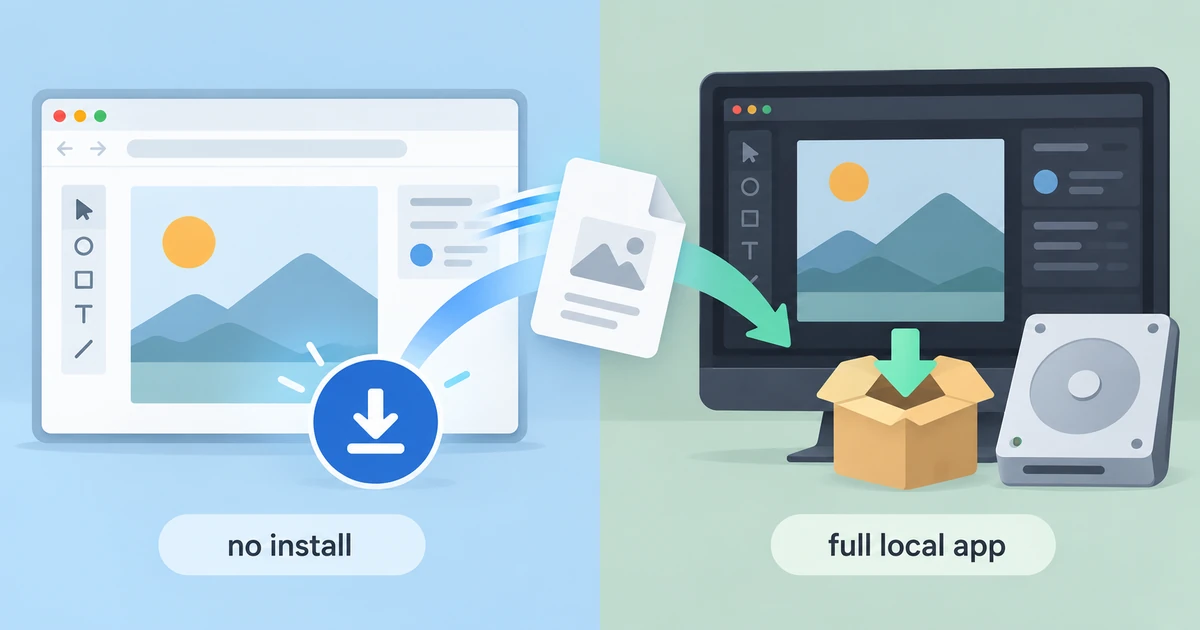
    Browser-Based Creative Editors vs Desktop Software

    Installing nothing is not the same as downloading nothing. What a browser editor gains, where it gives ground to desktop software, and a decision rule beyond loyalty.

    Creative workflows Browser tools Workflow comparison Local processing No signup 5 min read

    Published By Julia M. Gil

  • DPI vs PPI: What's the Difference?

    DPI vs PPI: What's the Difference?

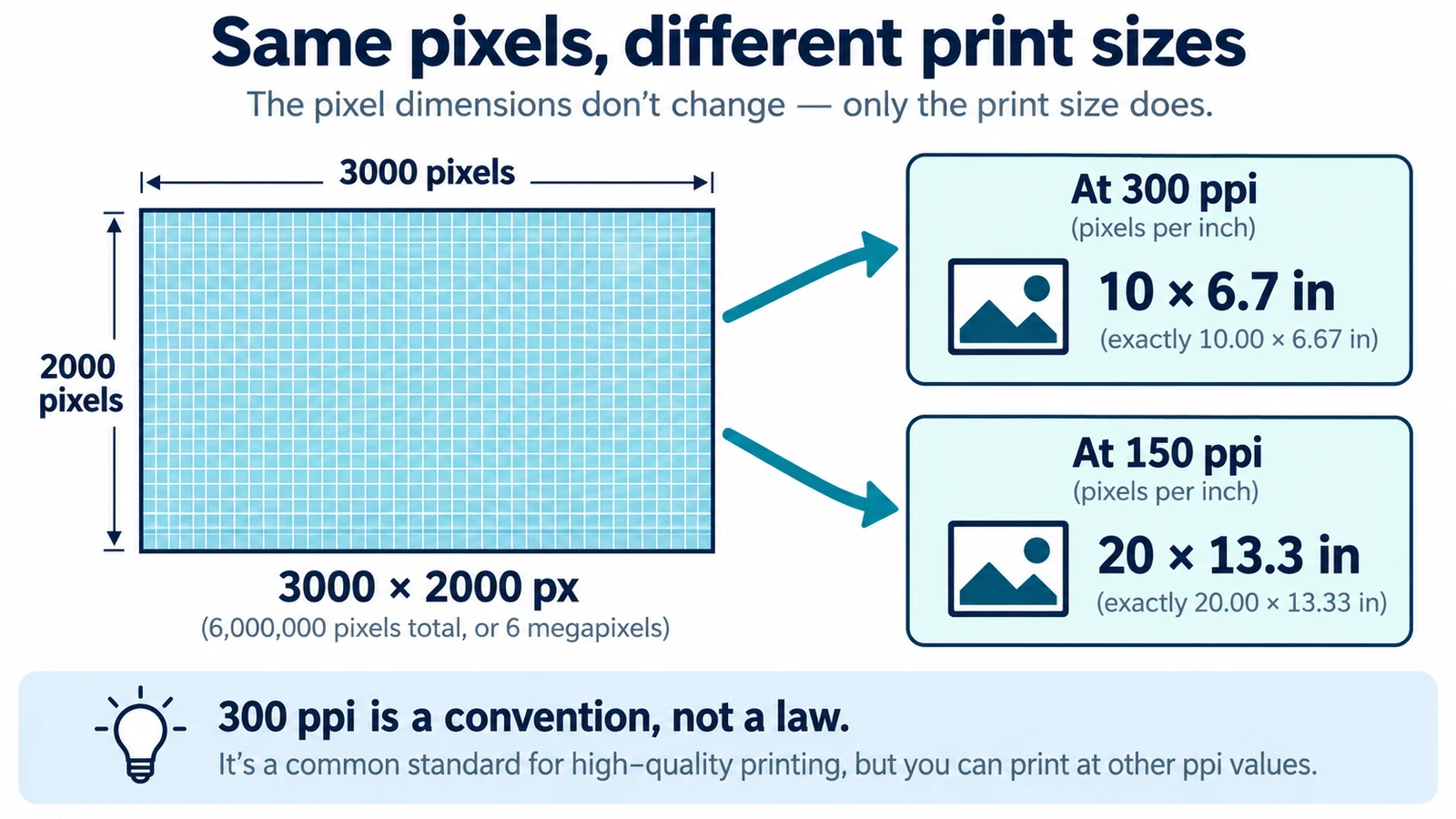
    DPI and PPI describe different machines, and neither means much without a physical print size. The formula, why 300 is a habit, and what to note before placing an image.

    Documents & PDF Page layout Browser tools No signup Image optimization 5 min read

    Published By Julia M. Gil

  • Lottie vs GIF vs MP4: Which Animation Format Should You Use?

    Lottie vs GIF vs MP4: Which Animation Format Should You Use?

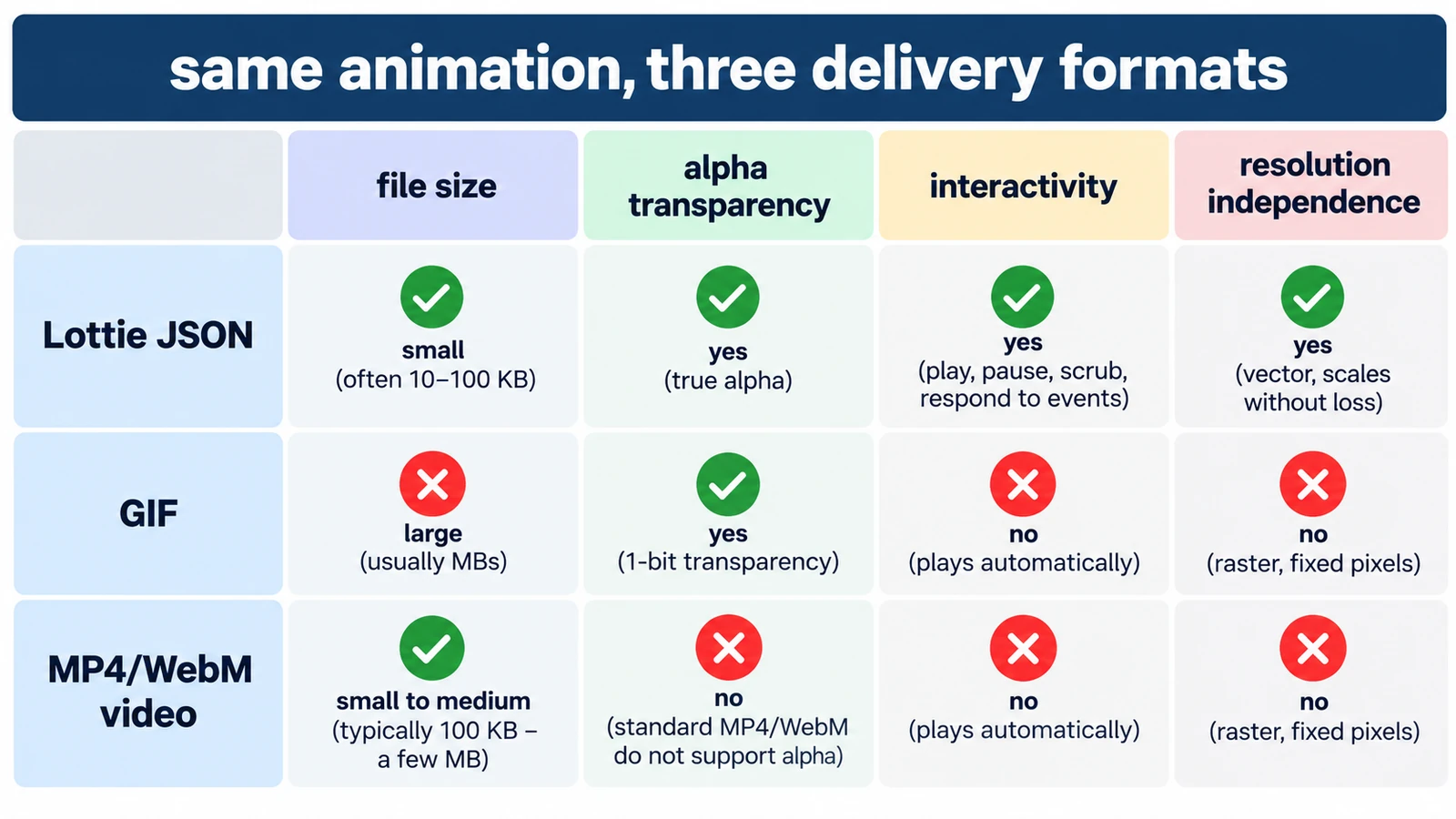
    GIF spends colour, Lottie spends structure, MP4 spends computing power. What each costs in transparency, size and editability, and which format earns its place where.

    Creative workflows Motion graphics Lottie File formats Workflow comparison 5 min read

    Published By Julia M. Gil

  • MP4 vs MOV vs WebM: Which Video Format Should You Use?

    MP4 vs MOV vs WebM: Which Video Format Should You Use?

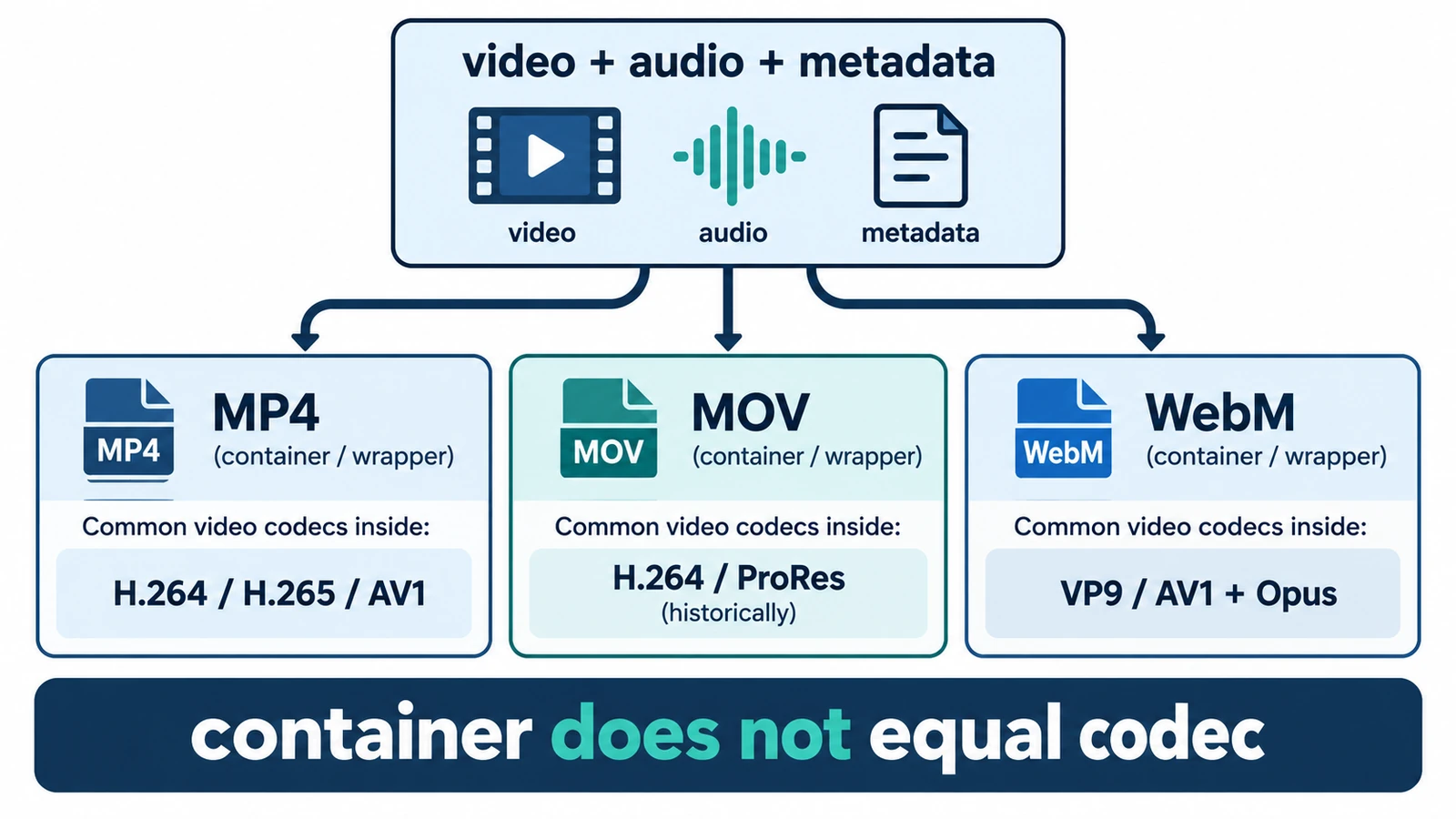
    MP4, MOV and WebM are containers, not codecs, so the wrapper does not decide quality. What each is for, where quality is actually decided, and how an editor handles them.

    Creative workflows Video editing File formats Workflow comparison Import & export 4 min read

    Published By Julia M. Gil

  • PDF Editor vs Page Layout Editor: Which Do You Need?

    PDF Editor vs Page Layout Editor: Which Do You Need?

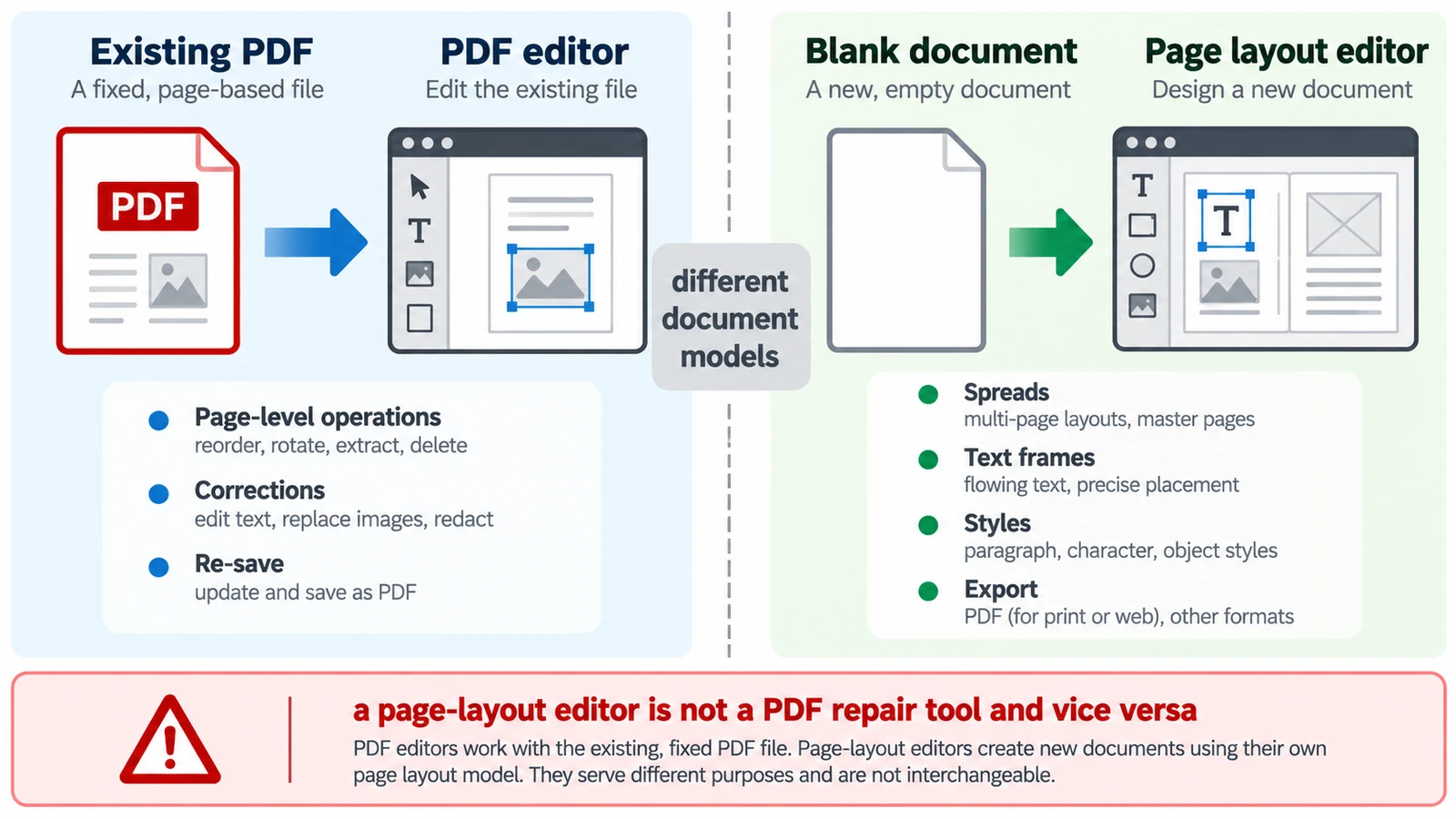
    A PDF has no paragraphs to reflow, so a paragraph added mid-page does not behave as expected. Which tool belongs to which stage, and how the handoff between them works.

    Documents & PDF PDF editing Page layout Workflow comparison Browser tools 5 min read

    Published By Julia M. Gil

  • PSD vs PSB: What's the Difference?

    PSD vs PSB: What's the Difference?

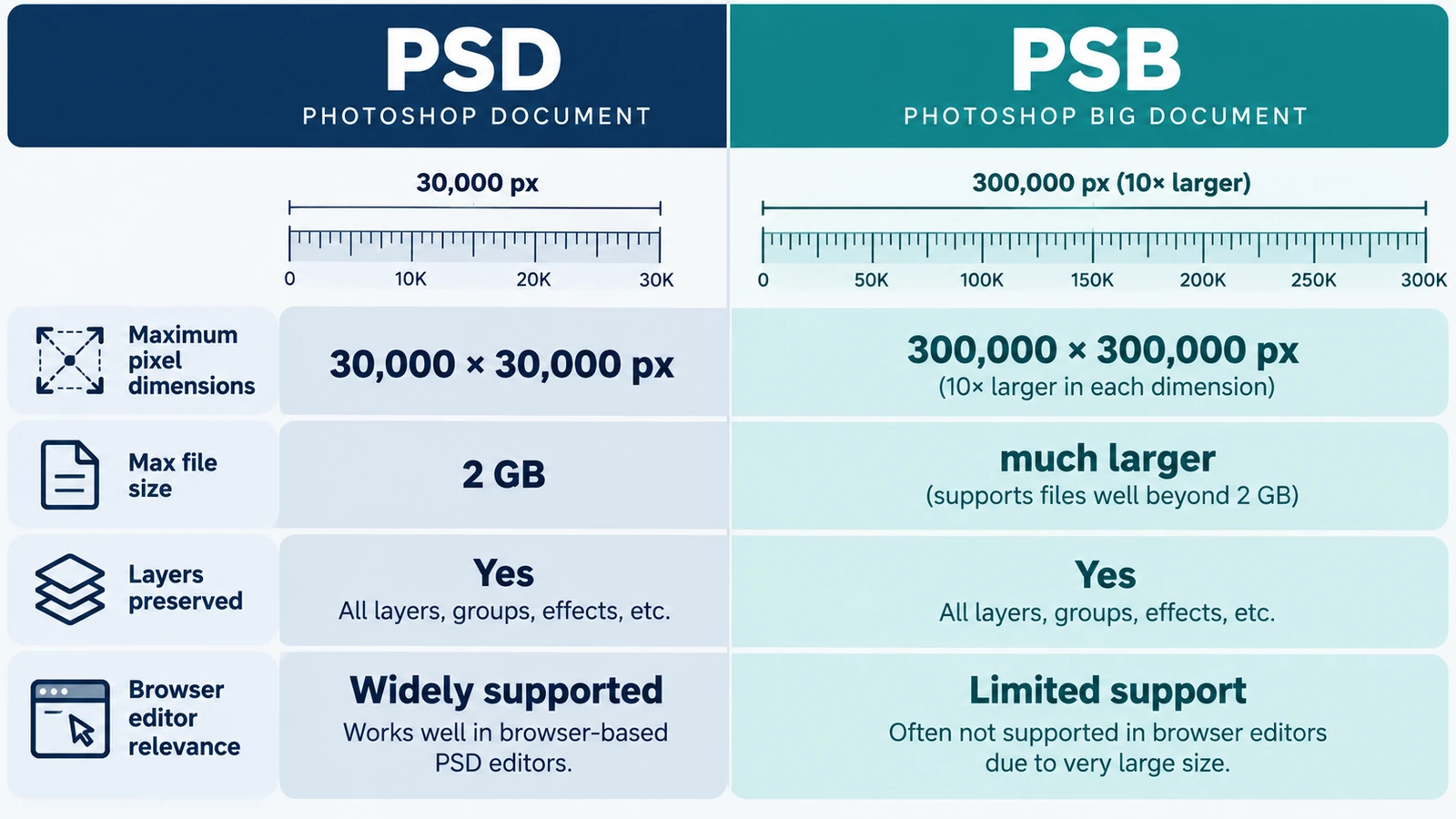
    The choice comes down to a ceiling: 30,000 pixels per side against 300,000. When one dimension forces PSB, memory is the tighter limit, and a file picker proves nothing.

    Creative workflows Photo editing PSD editing File formats Workflow comparison 4 min read

    Published By Julia M. Gil

  • Raster vs Vector Images: What's the Difference?

    Raster vs Vector Images: What's the Difference?

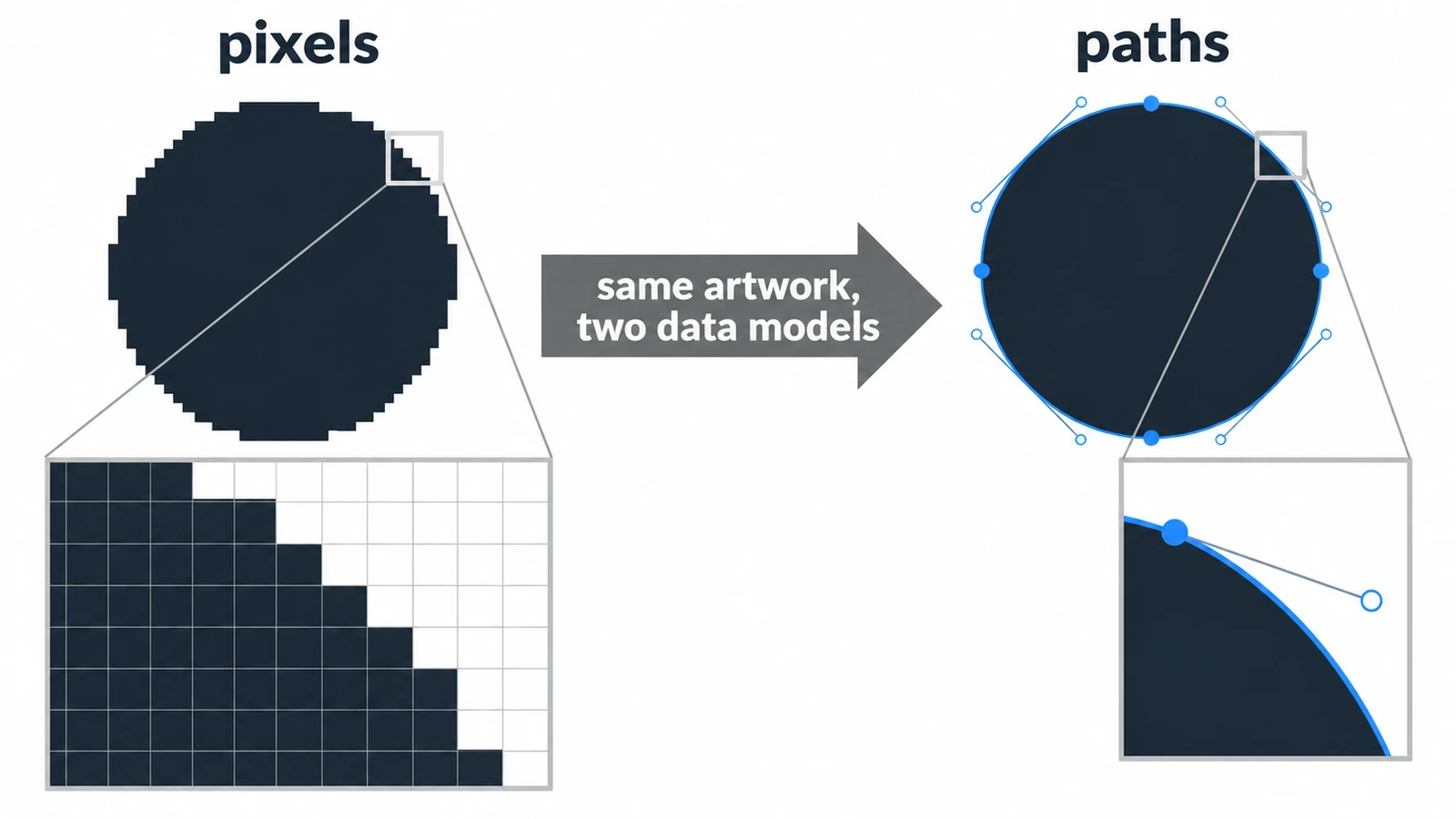
    A raster circle is a mosaic of squares; a vector circle is a centre point and a radius. What that choice changes for scaling, file size, editing and mixed documents.

    Creative workflows Photo editing Vector editing File formats Workflow comparison 4 min read

    Published By Julia M. Gil

  • RAW vs JPEG: Which Format Should You Edit?

    RAW vs JPEG: Which Format Should You Edit?

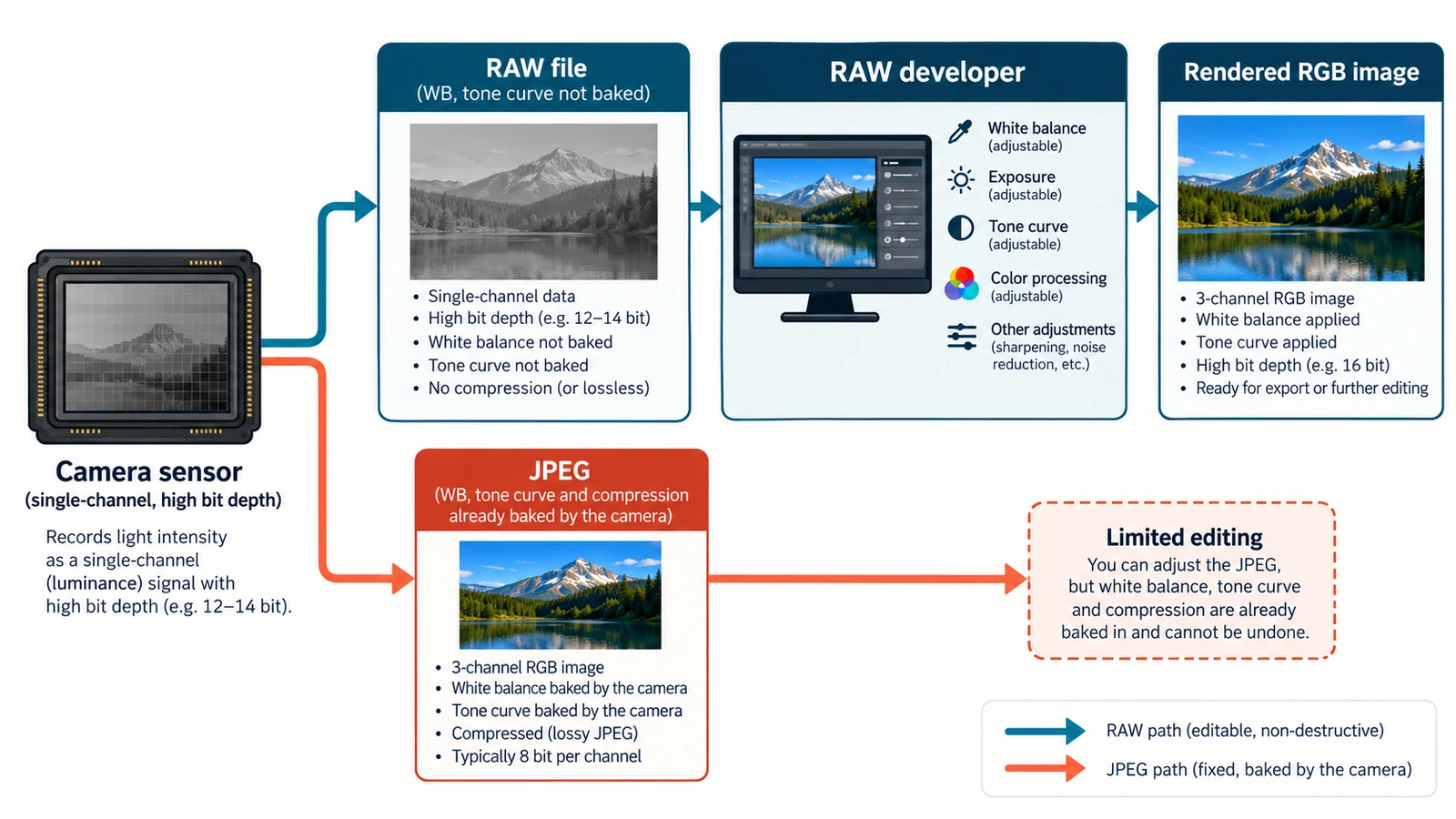
    One exposure, two records: sensor readings and a finished rendering. The gain is bit depth rather than resolution, and the trade-offs decide what stays fixable later.

    Creative workflows RAW editing File formats Non-destructive editing Workflow comparison 4 min read

    Published By Julia M. Gil

  • RGB vs CMYK: Which Color Mode Should You Use?

    RGB vs CMYK: Which Color Mode Should You Use?

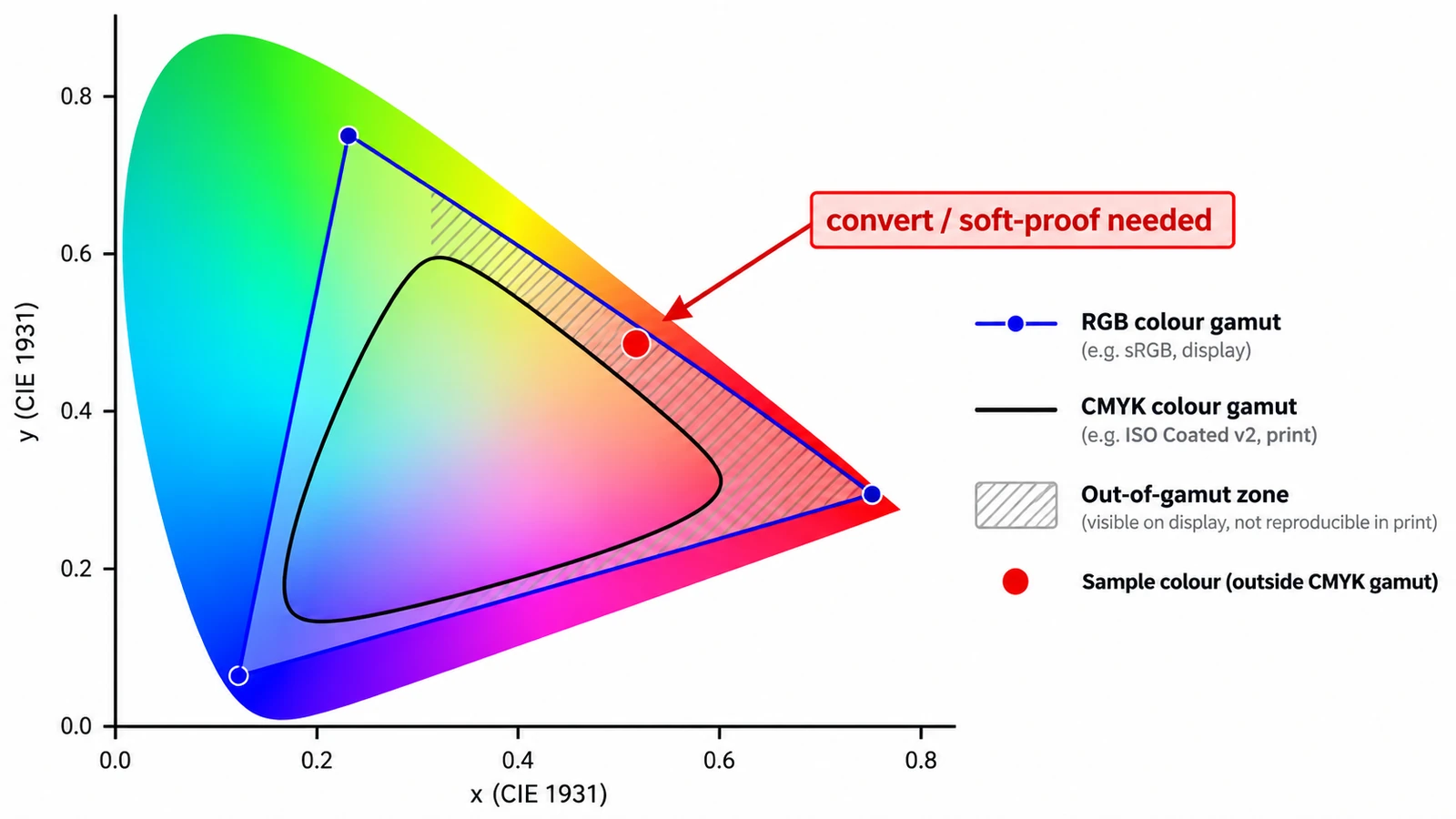
    A screen adds light; a press subtracts ink. Those two sentences explain why a vivid green returns as olive, what each mode is for, and why CMYK resists screen judgement.

    Documents & PDF Page layout Photo editing Workflow comparison File formats 4 min read

    Published By Julia M. Gil

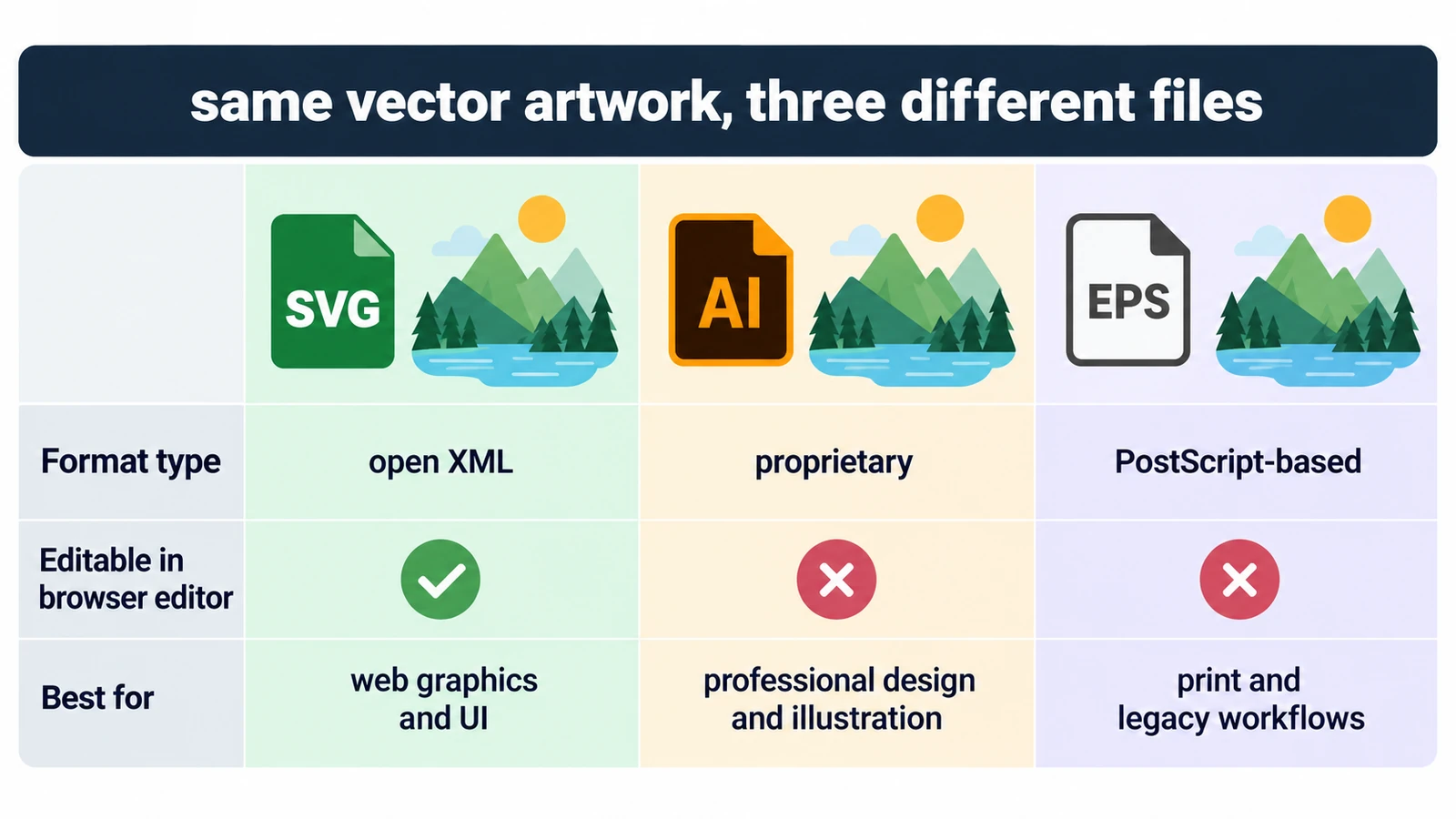
  • SVG vs AI vs EPS: Which Vector Format Should You Use?

    SVG vs AI vs EPS: Which Vector Format Should You Use?

    All three can describe the same curves, so the question is who can open the file and what they can change inside it. Units, fonts, and a rule for each destination.

    Creative workflows Vector editing SVG editing File formats Workflow comparison 4 min read

    Published By Julia M. Gil

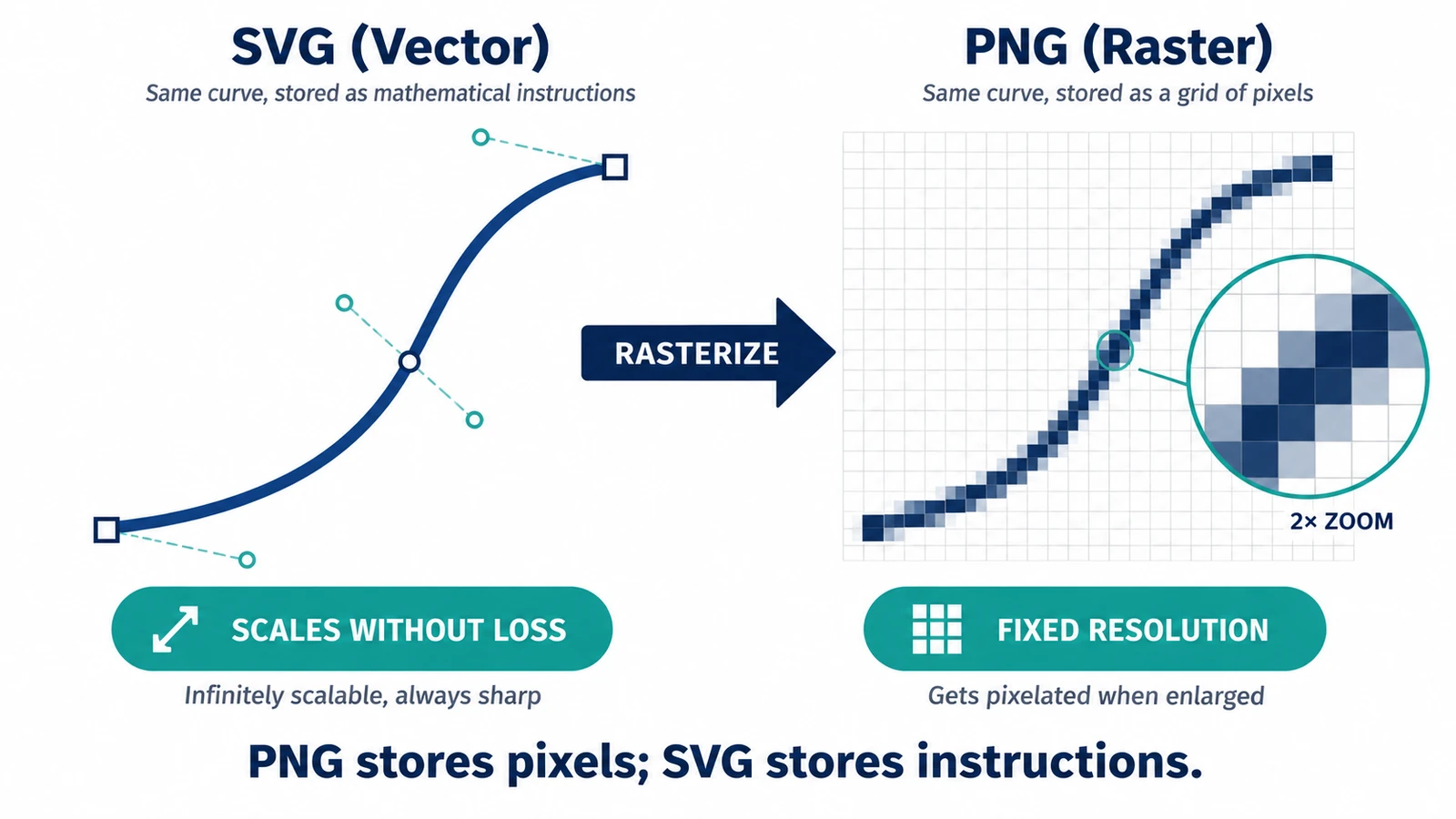
  • SVG vs PNG: Which Format Should You Use?

    SVG vs PNG: Which Format Should You Use?

    A PNG covers exactly one size; an SVG is drawn again at each one. What that means for transparency, edges and editability after handoff, and when the PNG wins.

    Creative workflows Vector editing SVG editing File formats Workflow comparison 3 min read

    Published By Julia M. Gil

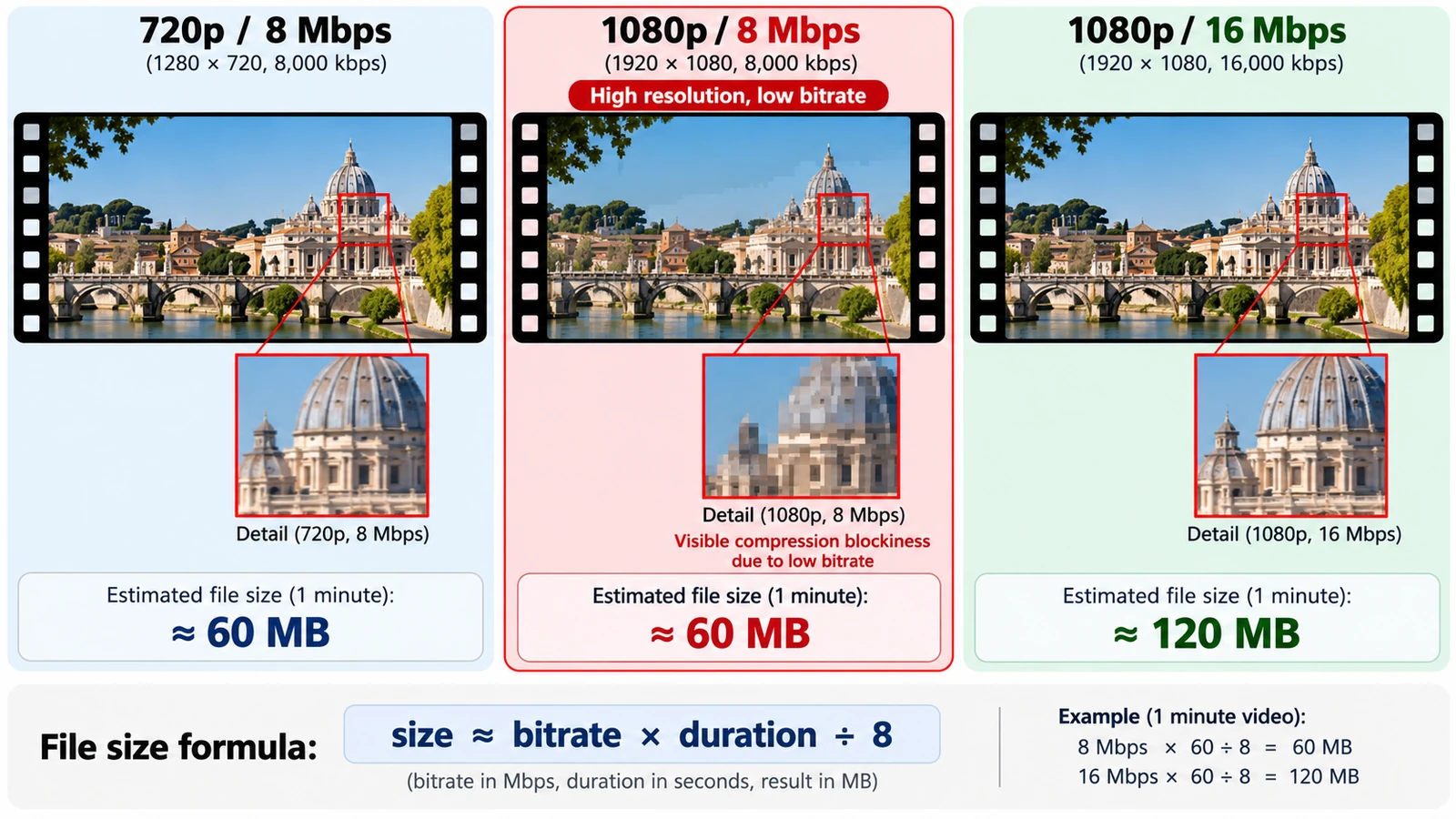
  • Video Resolution vs Bitrate: What Actually Affects Quality?

    Video Resolution vs Bitrate: What Actually Affects Quality?

    Bits per pixel per frame settles most arguments: divide bitrate by pixel count and frame rate. What each setting controls, and how to size a file before export.

    Creative workflows Video editing Browser tools No signup Workflow comparison 4 min read
    Published By Julia M. Gil

  • How to Rearrange PDF Pages Without Uploading Your File

    How to Rearrange PDF Pages Without Uploading Your File

    Rearrange, rotate, delete and insert PDF pages in your browser while keeping the file local, then extract, split or combine pages when needed.

    Documents & PDF PDF editing Browser tools No signup Workflow comparison 4 min read
    Published Updated By Julia M. Gil

Back to the index