How to Fix White Balance in RAW Photos
Find the neutral a frame should have had, follow the channel ratios behind the cast, and use curves or the colour mixer where this browser build stops short.
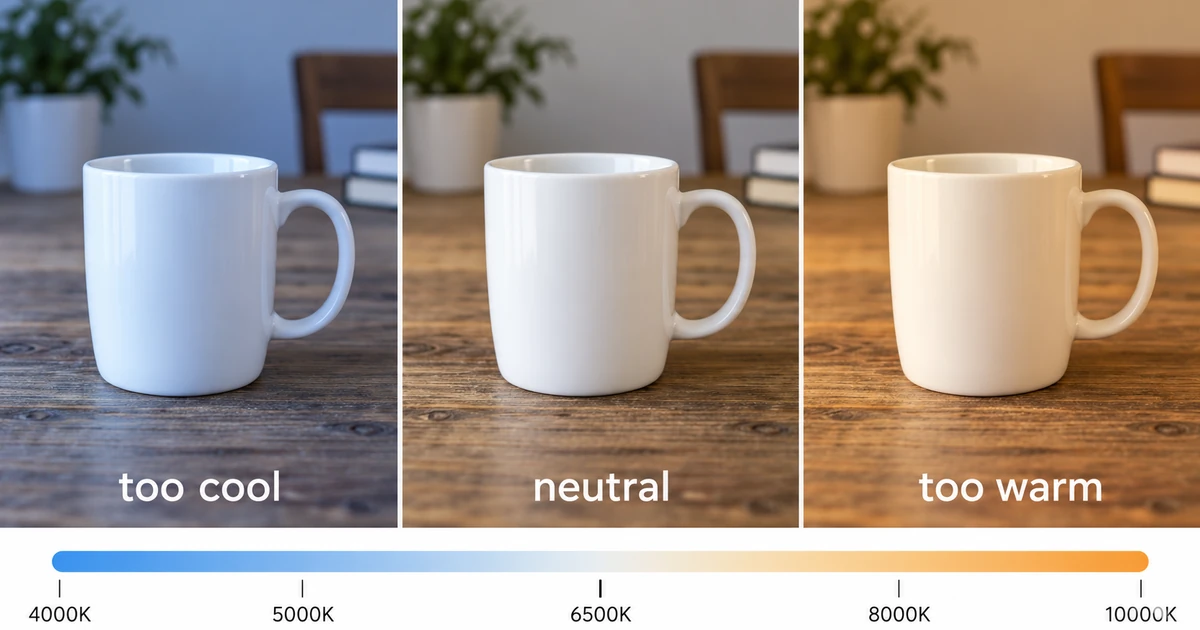
A colour cast is a decision recorded in the file, not a defect in it. The camera sampled the scene under a particular light and wrote its reading of that light into the file. Fixing white balance means choosing the neutral point the picture should have had, then making the three channels agree there. The RAW Photo Editor is the browser build used here; this version has no temperature or tint control, and the method below works around that limit.
RAW keeps the decision, JPEG bakes it in
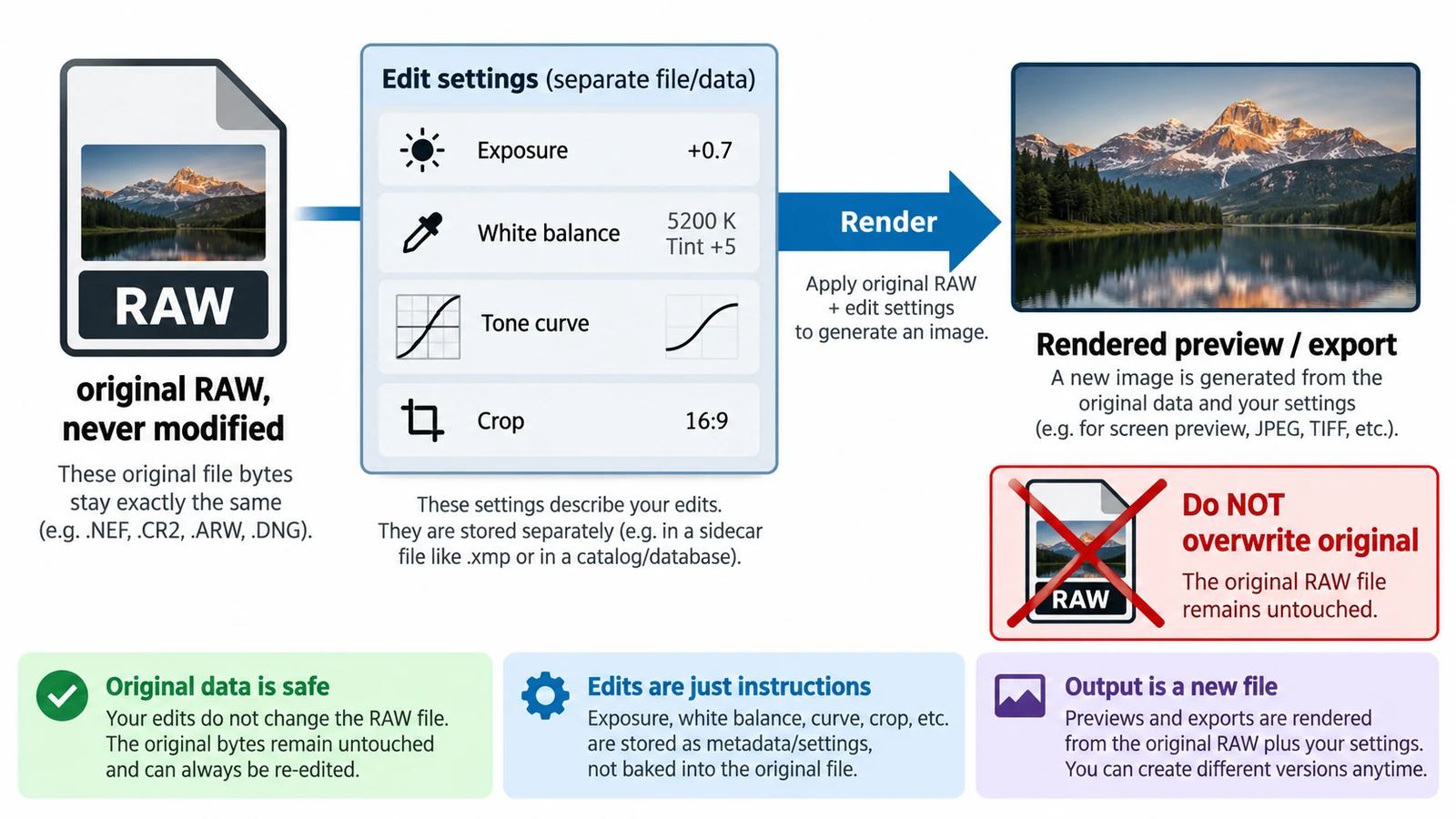
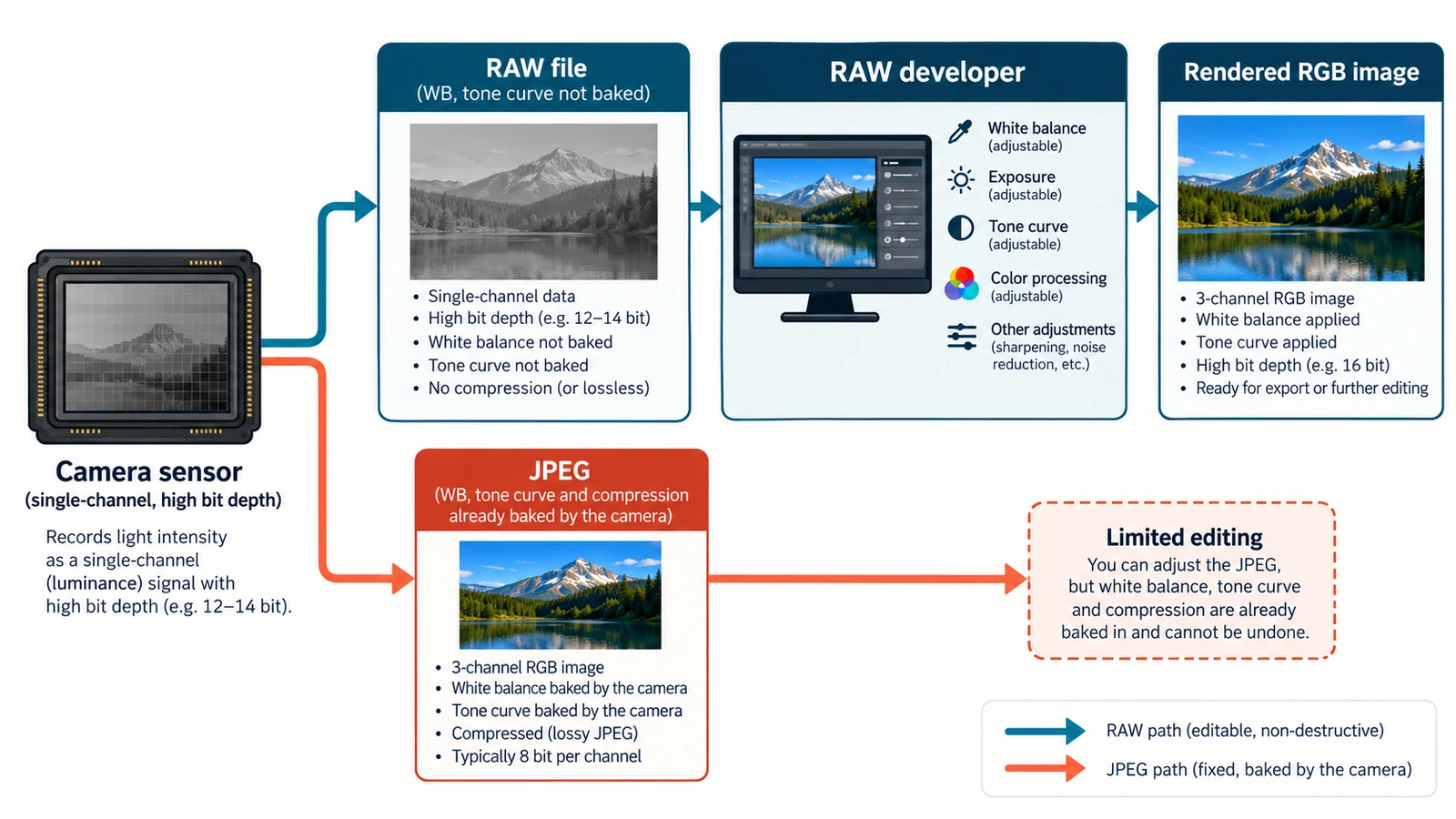
A raw file holds sensor data and metadata: white balance is stored as an instruction rather than applied to the pixels. The camera’s setting is a proposal a converter can replace, so the same frame renders under a different assumption without destroying anything.
A JPEG has run the instruction. Demosaicing, white balance, a tone curve and sharpening happened in the camera, and the result was quantised to 8 bits per channel. The decision sits in the pixels now, and moving it spends precision that is gone. The RAW vs JPEG comparison covers the rest.
Find the neutral the scene should have had
Choose something that should be grey or white: paper, a painted wall, a shirt that is genuinely white, a grey card if the shoot had one. Leave specular highlights out, because the reflection on glass or metal can clip all three channels and a clipped highlight carries no ratio to measure. Leave off-white surfaces out too: cream paper teaches the correction a false target.
Then name the direction before touching a control: a neutral that reads too blue needs warming, one that reads too yellow needs cooling. Write the object down; your eye adapts within minutes.
The channel arithmetic behind every correction
Every converter applies three multipliers, one per channel, chosen so the neutral reference comes out equal. If the reference already reads equally in red, green and blue, the multipliers are 1, 1 and 1. If blue sits above red and green, the blue multiplier comes down and the other two rise.
White balance therefore changes colour, not brightness: a change applied equally to all three channels is exposure. The reference decides the result too, so two people who choose different objects solve the same frame to different neutrals.
What this browser build can and cannot do
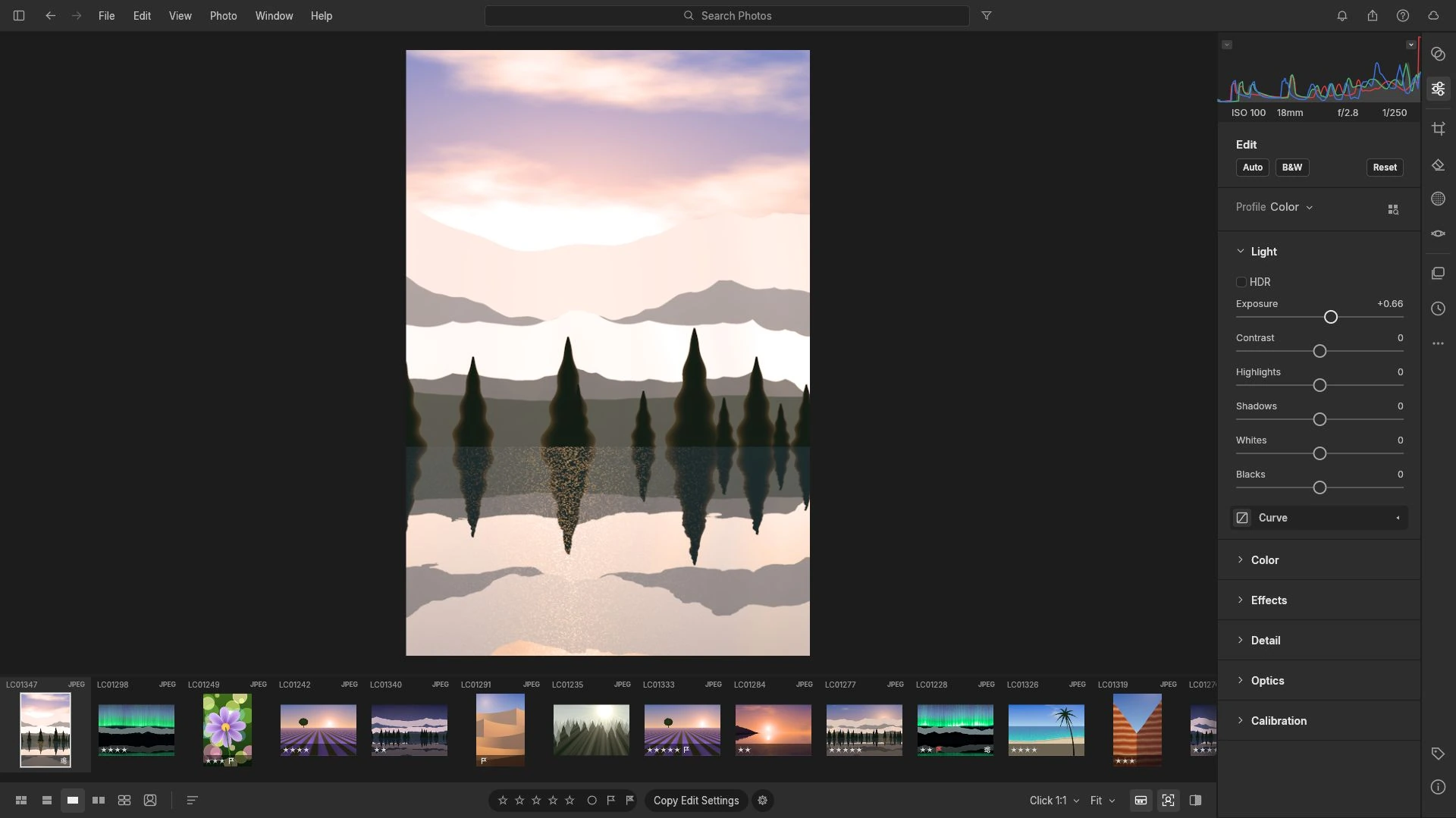
In the audited build the develop surface is documented as an Edit panel with Auto, B&W and Reset, a Light panel with HDR, Exposure and Contrast, an RGB histogram above them, tone curves, a colour mixer, masks, crop and export. This version has no temperature or tint control. There is no neutral point to set and no control that names a colour temperature, so the classic correction, where you pick the grey and the converter solves the multipliers, cannot happen here.
The interface needs WebGL2, rendering runs on CPU workers so a large raw takes a moment, and the library lives in this browser profile for this exact address, where a second tab is refused and backups above 4 GB are unsupported.
Reduce a mild cast on a copy
Settle exposure first. It scales all three channels together, so brightness alters how a cast reads without changing the ratio underneath, and colour fixed before brightness has to be fixed twice.
Then work one channel at a time in the tone curves, if the curve can move a single channel. Raising the channel that reads low at the reference, or lowering the one that reads high, moves the three closer together. Curves that act on all three channels at once redistribute brightness and leave the ratio untouched.
The colour mixer suits a mild cast concentrated in one region, such as a sky gone too blue in the shade. Both routes are approximations made by eye, not a solved neutral. Develop a copy, leave the original untouched, and export when the reference and the rest agree.
Verify the result, and know when to stop
Compare before and after at the same zoom on a neutral screen. Look at the reference first, then at a second neutral if the frame has one: a cast corrected at the wall can still be wrong in the shadows. Watch the RGB histogram while you push: when one channel clips, the ratio at those tones is gone.
Stop when the reference agrees and the rest looks plausible; chasing a perfect grey card usually takes the skin tones along.
Mixed light is the harder limit: daylight through a window and a warm lamp on the same wall leave two neutrals that disagree. Masks can treat them separately, though the frame may need a converter that exposes white balance.
What to carry into the next shoot
Set the white balance in the camera when the light is mixed or the colour matters, and put something neutral in the frame so a later correction has a target. The order stays the same: correct exposure in raw photos first, the neutral second, one channel at a time third, with non-destructive editing the reason the original decision stays reversible. Beyond a mild cast, the work belongs in a converter with a white balance control.
Frequently asked questions
Can the tone curves or the colour mixer replace a white balance control?
Partly. A curve that moves one channel changes the ratio between channels and can reduce a mild cast on a developed copy, and the colour mixer can pull a colour range toward neutral. Neither can set a neutral point, so a strong cast stays wrong.
How do I know the object I chose is really neutral?
Choose something that should be grey or white, avoid specular highlights that clip all three channels, and avoid cream paper or warm wood that only look neutral. Then check that the three channels agree at that point before and after an adjustment.
What should I change at capture so this is easier later?
Set the white balance in the camera when the light is mixed or the colour matters, and include a neutral object in the frame. A raw file keeps the camera's value as a proposal, and a correct reference makes the correction measurable.
Try these FreeAIGeneration tools
Related articles
-
How to Correct Exposure in RAW Photos
Exposure is multiplicative in a raw file: one stop doubles the signal. Read the histogram first, work in an order that protects highlights, and avoid a dark export.
Creative workflows RAW editing Browser tools No signup Non-destructive editing 4 min read
Published By Julia M. Gil
-
What Is Non-Destructive RAW Editing?
Non-destructive is an editing model, not a promise: the original stays and adjustments are stored as values. What survives a closed tab, and why a crop is not a deletion.
Creative workflows RAW editing Browser tools No signup File formats 4 min read
Published By Julia M. Gil
-
RAW vs JPEG: Which Format Should You Edit?
One exposure, two records: sensor readings and a finished rendering. The gain is bit depth rather than resolution, and the trade-offs decide what stays fixable later.
Creative workflows RAW editing File formats Non-destructive editing Workflow comparison 4 min read
Published By Julia M. Gil
Keep exploring
FreeAIGeneration is more than this article. The editors and calculators below are real, free and run in your browser.