RAW vs JPEG: Which Format Should You Edit?
One exposure, two records: sensor readings and a finished rendering. The gain is bit depth rather than resolution, and the trade-offs decide what stays fixable later.
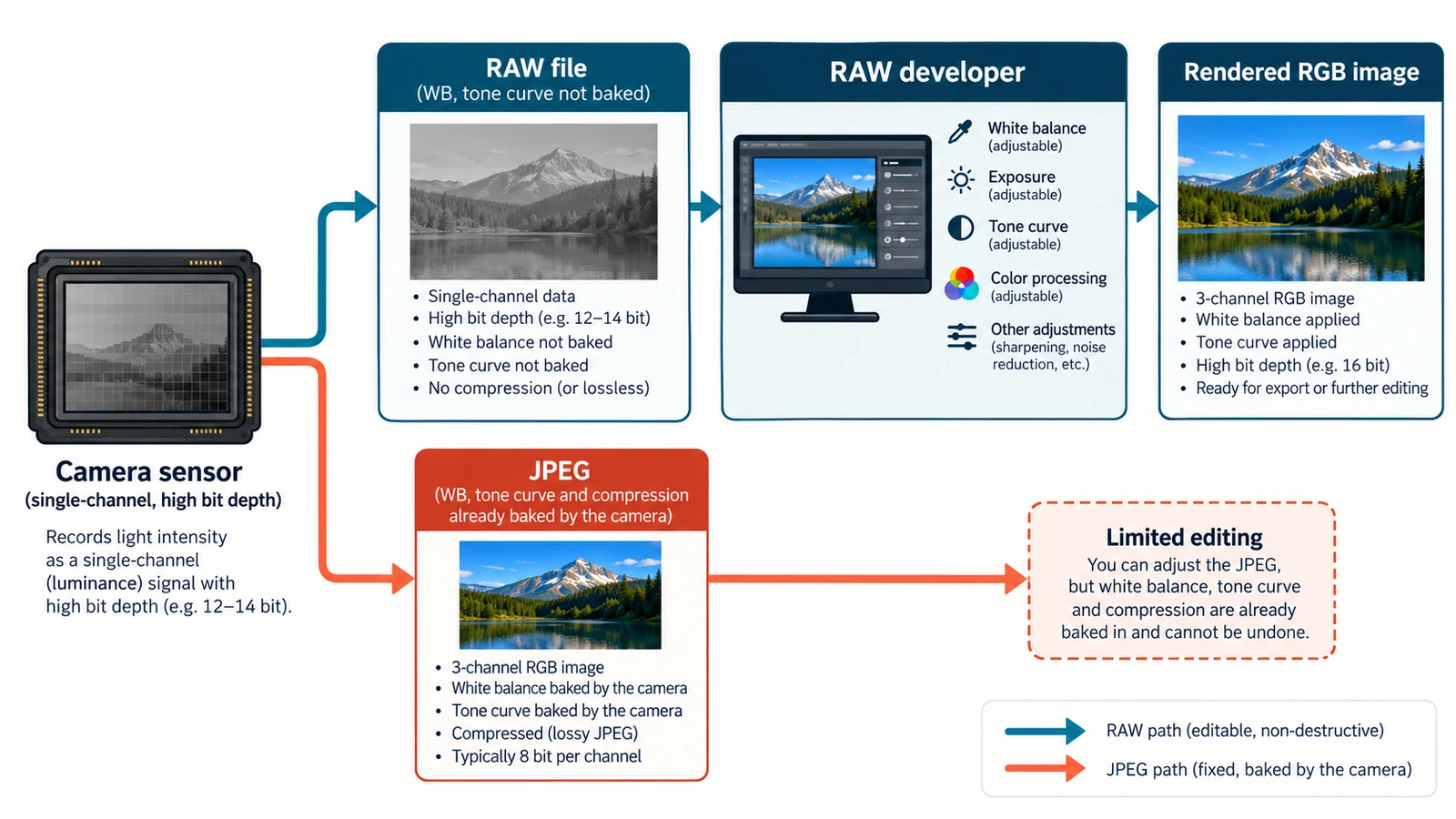
If your camera hands you a raw file and a JPEG of the same frame, they are not two rival versions of one picture. They are two different records of one exposure: the sensor readings, and a finished rendering made from them. Editing one is not like editing the other, and the choice changes what you can still change later.
RAW vs JPEG usually turns into an argument about quality. The more useful question is headroom: how much of the original signal reaches the moment you sit down to work, and how many decisions the camera has already made on your behalf.
What each file actually keeps
A raw file is sensor data plus metadata, not something a viewer can display as-is. Each photosite recorded one brightness value through a colour filter, at 12, 14 or 16 bits of precision, and colour only appears after demosaicing, when neighbouring photosites are combined into RGB pixels. No tone curve has been applied at that stage, which is why a raw frame often opens looking darker and flatter than the JPEG beside it. White balance is stored as metadata, so the camera’s value is a proposal that a converter can replace.
A JPEG has already run that entire pipeline. Demosaic, white balance, a tone curve and sharpening all happened inside the camera, and the result was quantised to 8 bits per channel. None of those steps can be undone by opening the file, which is why a badly balanced JPEG stays that way.
The gain is bit depth, not resolution
Fourteen bits gives 16,384 levels per photosite; an 8-bit channel holds 256. That is 64 times more steps between black and white, and those steps are what an aggressive shadow lift or highlight pull actually consumes. The pixel count does not change: a 24-megapixel camera produces 24-megapixel files in either format.
Storage behaves less intuitively than people expect. A 24 MP frame (6,000 × 4,000) at 14 bits is 336,000,000 bits, so about 42 MB. The same frame as uncompressed 8-bit RGB would be 576,000,000 bits, or 72 MB. A camera JPEG is smaller than both because it discards information within each channel and then compresses what remains. Raw is not automatically the larger file on disk.
Where each one is the better tool
Reach for the raw file when the light was wrong or mixed, when the frame needs two different renditions for different destinations, when you expect to revisit the edit months later, or when the highlight and shadow detail has to survive a strong grade. The parameters stay adjustable, which is the whole point of the format.
Reach for the JPEG when the camera got the exposure and colour right, when you need many files quickly at a manageable size, or when the destination will re-encode the file anyway. A correctly exposed JPEG developed in camera is a legitimate delivery format, not a failure of nerve.
Trade-offs that catch people out
The first is compatibility. An extension names a vendor format, not a supported one: .cr2 and .cr3 are Canon raw files, .nef is Nikon, .arw is Sony, and .cr2 is a different format from .cr3. No camera-by-camera compatibility list is published for the RAW Photo Editor, so the honest advice is to open one frame from your camera before you commit a shoot. The walkthrough on opening CR2, CR3, NEF and ARW files covers the extension map and the ordering of that test.
The second is the preview trap. The image on the camera’s rear screen is a JPEG rendering, produced with the camera’s own curve, sharpening and white balance. Judging a raw file by that thumbnail leads to disappointment in both directions: it can look flat when the data is fine, or vivid when the data is thin.
The third is what no format can fix. A photosite that reached saturation recorded no detail, and no amount of exposure reduction invents it. Raw buys you steps, not resurrection.
The fourth is the editing model. Developing a raw frame means writing a set of adjustments and re-rendering them, rather than painting over pixels; the difference matters most when you reopen a project a month later. Non-destructive RAW editing explains what that means for storage and for what survives a closed tab.
Deciding in practice
Use raw whenever the frame may need reinterpretation: difficult light, mixed sources, a subject that will be graded, an image with a long life ahead. Use JPEG when the frame is finished at capture and speed matters more than latitude. If you are unsure, keep both for the shoot and decide per frame after you see the histogram, not the rear-screen preview.
To put the raw side of that decision into practice, open a frame in the free RAW Photo Editor, develop it and export the result. It imports raw and JPEG files, and it runs in the browser with no account. The rest of the practical guides cover the individual steps.
Frequently asked questions
Does a raw file contain more pixels than a JPEG?
No. The pixel count comes from the sensor and is the same in both files; the raw advantage is precision, with 12, 14 or 16 bits per photosite against 8 bits per channel in a JPEG.
Can I recover a blown highlight by pulling exposure down?
No. A photosite that reached saturation recorded no usable detail, so the area stays flat whatever the converter does with the rest of the frame.
Why does the raw file look darker than the JPEG on the same shoot?
Because no tone curve has been applied to the raw data yet, while the camera applied its own curve before writing the JPEG.
Try these FreeAIGeneration tools
Related articles
-
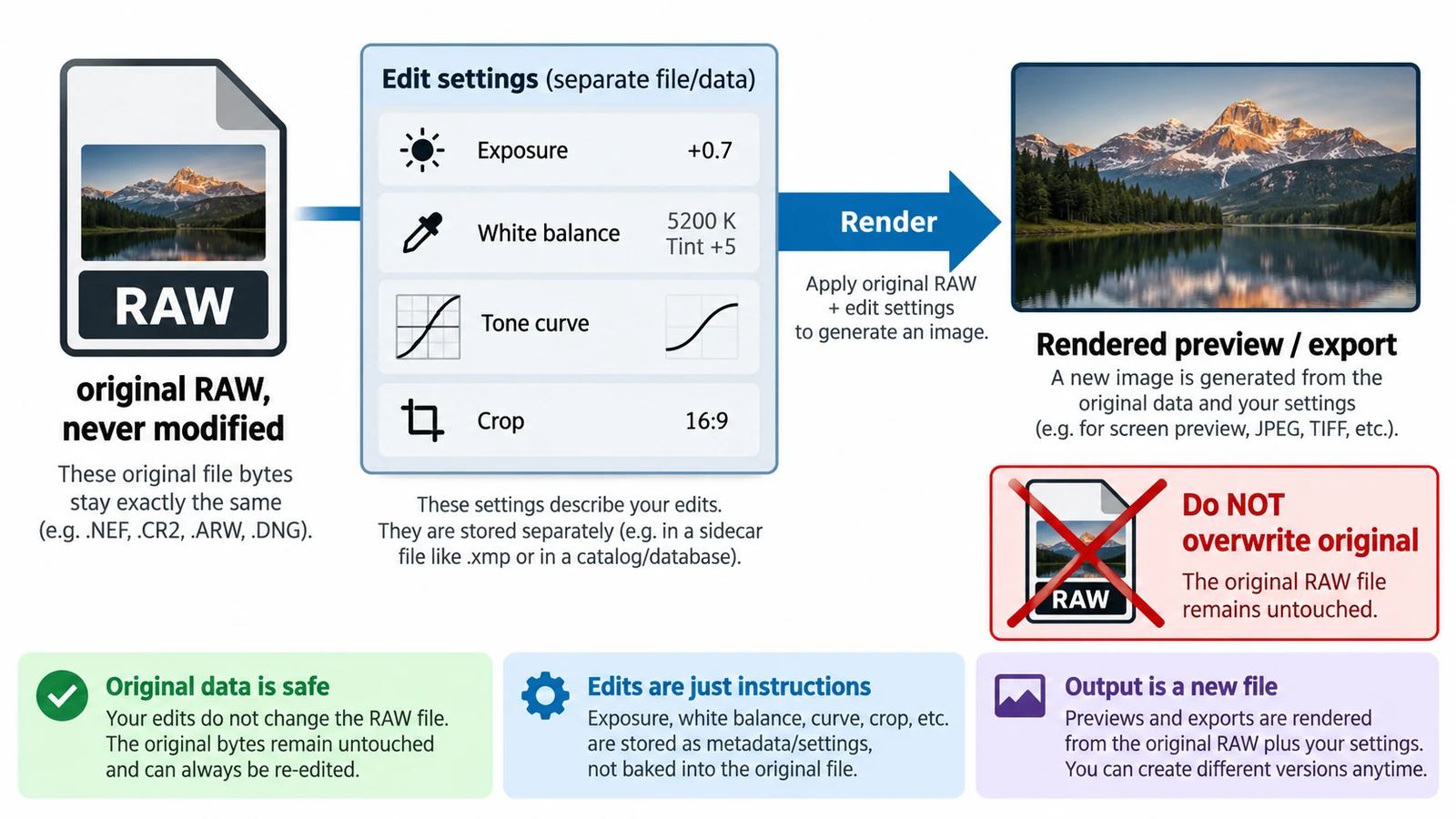
What Is Non-Destructive RAW Editing?
Non-destructive is an editing model, not a promise: the original stays and adjustments are stored as values. What survives a closed tab, and why a crop is not a deletion.
Creative workflows RAW editing Browser tools No signup File formats 4 min read
Published By Julia M. Gil
-
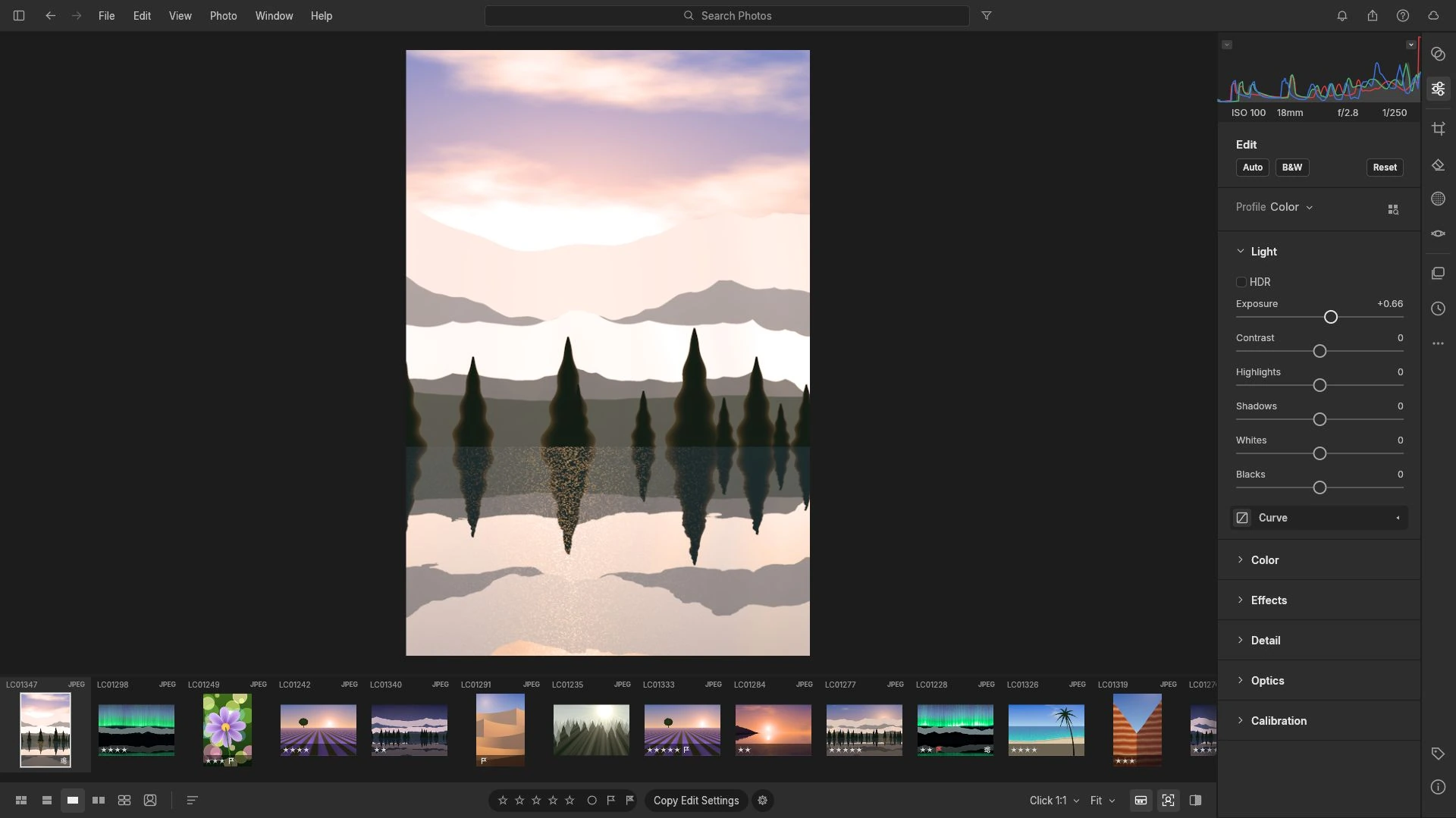
How to Correct Exposure in RAW Photos
Exposure is multiplicative in a raw file: one stop doubles the signal. Read the histogram first, work in an order that protects highlights, and avoid a dark export.
Creative workflows RAW editing Browser tools No signup Non-destructive editing 4 min read
Published By Julia M. Gil
-
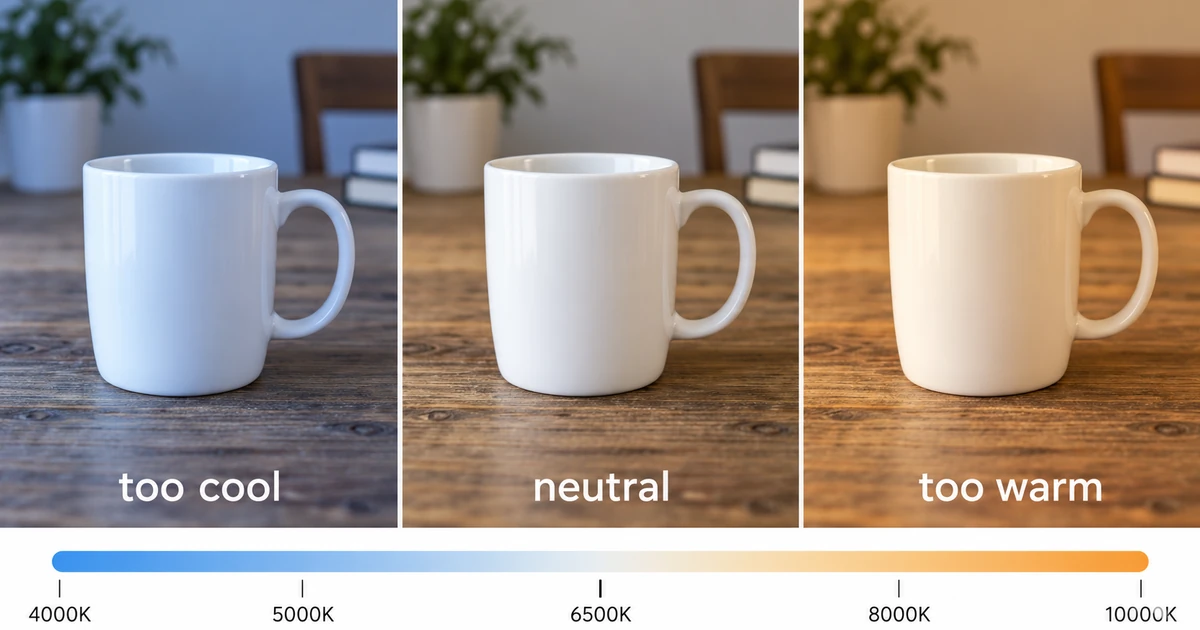
How to Fix White Balance in RAW Photos
Find the neutral a frame should have had, follow the channel ratios behind the cast, and use curves or the colour mixer where this browser build stops short.
Creative workflows RAW editing Browser tools No signup Non-destructive editing 4 min read
Published By Julia M. Gil
Keep exploring
FreeAIGeneration is more than this article. The editors and calculators below are real, free and run in your browser.