What Is Desktop Publishing and When Should You Use It?
Desktop publishing is production, not design: styles, parent pages and threaded frames that make decisions repeatable, and a PDF that is only the export.
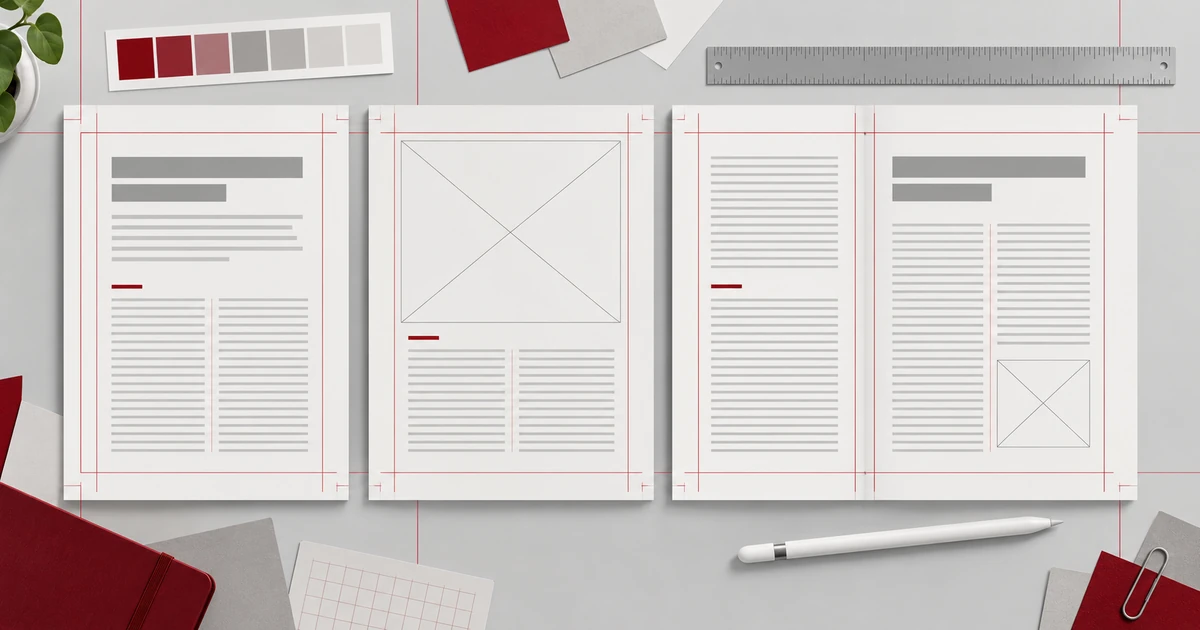
Desktop publishing is the part of publishing that composes the page rather than deciding what goes on it. The writing is finished, the photographs are chosen, and the work becomes a grid, a set of styles and frames of text that flow from one page to the next.
The phrase “desktop publishing and when should you use it” hides two questions behind one piece of jargon. The first is what the discipline actually produces. The second is which deliverable you owe at the end, because desktop publishing is one of the few activities where the editable file and the finished file are genuinely different objects.
Production, not design
Design makes decisions. Production makes those decisions repeatable. A designer chooses a typeface and a tone; production decides that body text carries a named paragraph style, that captions carry a second one, that a chapter opening always breaks to a new page.
That distinction explains the tooling. Page layout software is full of mechanisms for repetition, because a magazine or a catalogue is the same decisions applied forty times without drifting. When the decision changes, you change it once and the document follows.
What composed pages contain
A composed document holds more than boxes of text. Parent pages supply elements that repeat on every page — a running head, a folio, a background rule — so you edit one place rather than forty. Paragraph and character styles store type decisions and apply them by name. Threaded text frames pour a single story through several pages, so an edit on page two can push a line onto page three. Colour swatches let a named colour be changed everywhere at once. Text wrap keeps type clear of images without manual nudging.
None of that survives in a PDF. A PDF is a page description format standardised as ISO 32000, arranged as a page tree of content streams and resources. It records where marks fall on a fixed canvas. Parent pages, styles and text links exist only in the source document.
Why the file you keep is the layout file
If the deliverable will be revised, the layout file is the one that matters. A reprint with a corrected price, a translation into another language, a new edition with two extra pages — each of those is a change to the structure, and structure lives in the source.
The PDF is the export. It is what goes to a printer, a client or a reader, and it is deliberately fixed so that nobody’s copy silently reflows. That fixity is a feature for the recipient and a dead end for the author, which is the whole reason the two files exist.
PDF/X, the print-exchange family standardised as ISO 15930, belongs to the export side too. It constrains what a PDF may contain so a press can consume it predictably. It is not a format you compose in.
A pica is twelve points
Measurements in page layout are not in millimetres by default. A pica is 12 points, a sixth of an inch, or 4.233 mm. An A4 page is 49.6 × 70.2 picas, which is why a layout application will happily ask for a margin of 12p rather than 50.8 mm.
Facing pages change the arithmetic in a useful way. A 16-page document set as facing pages is 8 spreads, not 16 individual pages, because the unit of work becomes the pair of pages a reader sees at once. A 32-page booklet imposed in eight-page signatures is 4 signatures, and that number comes from paper and folding rather than from design preference.
Knowing the count early matters, because signatures are decided before the document is finished and they constrain the page count you can add later.
Where the browser editor fits
The Page Layout Editor implements the composition model rather than a simplified sketch of it: multi-page documents, spreads, parent pages, threaded text frames, paragraph and character styles, colour swatches and text wrap. Geometry is entered in picas, with Facing Pages and Adjust Layout governing how frames respond when the page changes size. Save writes a .designcraft file and exporting a page produces a PNG, both through the browser’s download.
The edges are equally specific. Upstream describes the project as pre-alpha with a published gap list, the interface is English only, and it is built for desktop browsers rather than phones or tablets. There are no cloud documents, so a tab closed without saving loses unsaved work. The upstream project documents PDF/X-4, PDF/A-2b, EPUB and IDML, but none of those was verified in this build, and there is no evidence at all for bleed, crop marks, CMYK or preflight. This is not a professional page-layout replacement.
What that leaves is a genuine place to learn and to work: compose the pages, set the styles, thread the text, and treat the layout file as the source.
Two assumptions worth dropping
The first is that desktop publishing means graphic design. It means production, and plenty of people who can produce a clean 32-page document could not draw a poster, and the reverse is just as true.
The second is that the PDF is the source. Once that idea takes hold, every correction becomes a patch on a fixed page and the document slowly loses its structure.
The distinction is worked through in PDF editor versus page layout editor, and the handoff side of it sits in preparing a print-ready PDF. Both are part of the guides hub if you are building a document from first page to press.
Frequently asked questions
Is desktop publishing the same as graphic design?
No. Desktop publishing is the production work of composing pages with styles, parent pages and linked frames, while design decides how the piece should look. The two roles overlap in practice but they are different jobs.
Why keep the layout file when a PDF already exists?
The layout file holds the parent pages, styles and text links that a revision needs, and a PDF records only where marks fall on a fixed page. A correction to structure has to happen in the source.
How many spreads does a 16-page document have?
Eight, because facing pages pair the pages into spreads and 16 ÷ 2 = 8. A 32-page booklet imposed in eight-page signatures becomes 4 signatures, a count driven by paper and folding.
Try these FreeAIGeneration tools
Related articles
-
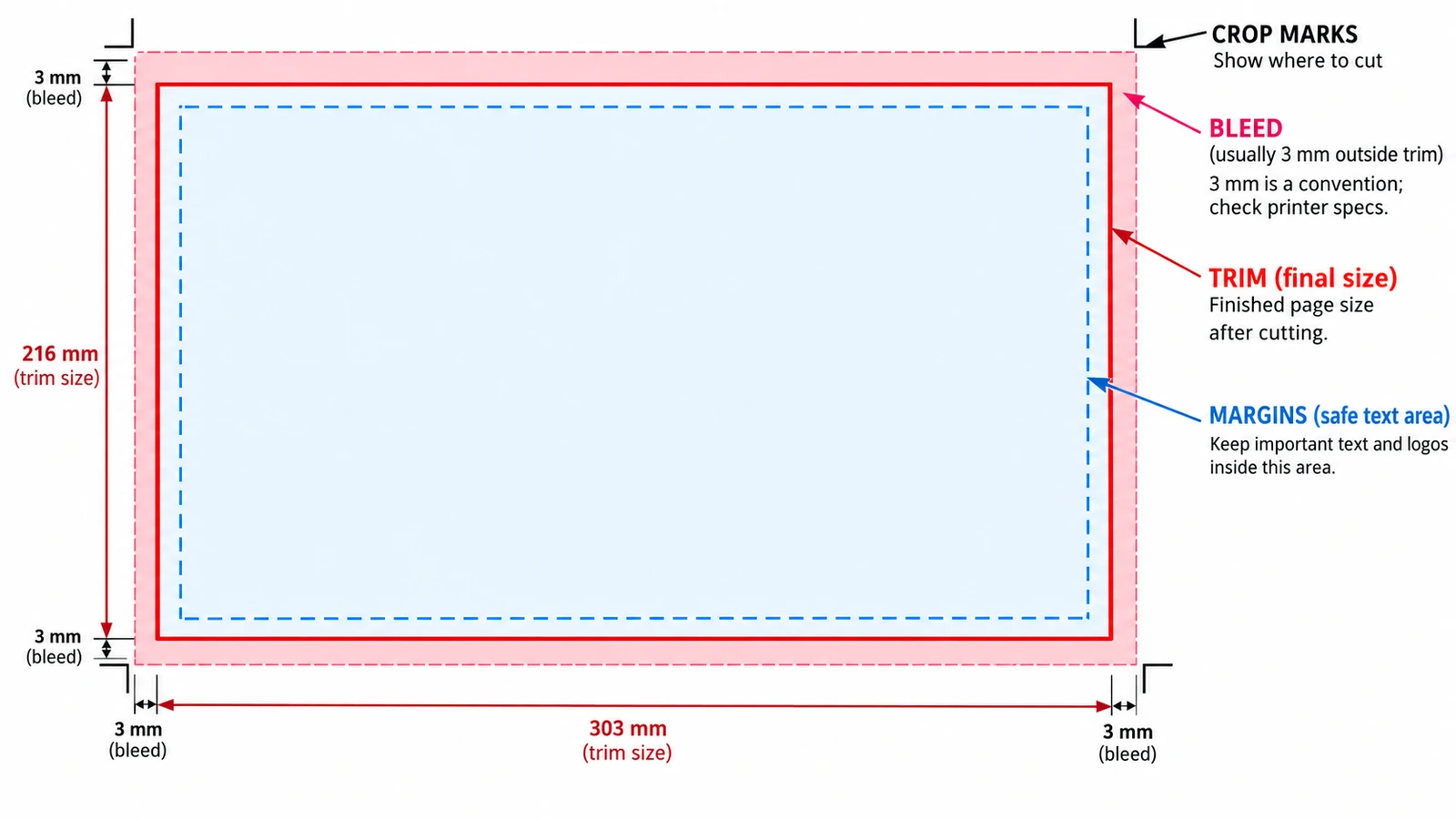
Bleed, Margins and Crop Marks Explained
Trim, bleed and margins are three rectangles pushing opposite ways. Where each value belongs, why crop marks sit outside the trim, and what the browser tool cannot do.
Documents & PDF Page layout Browser tools No signup Image optimization 5 min read
Published By Julia M. Gil
-
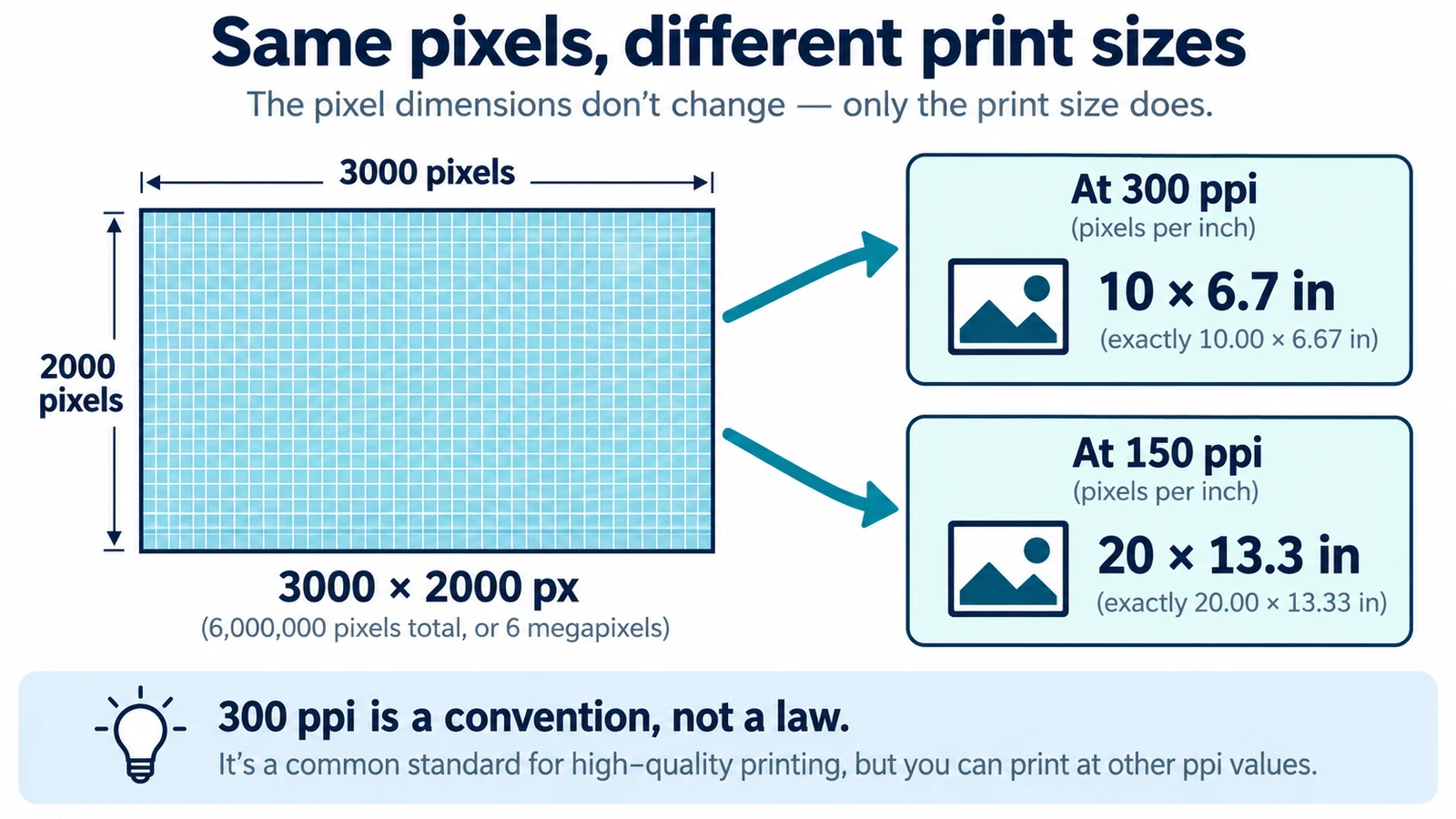
DPI vs PPI: What's the Difference?
DPI and PPI describe different machines, and neither means much without a physical print size. The formula, why 300 is a habit, and what to note before placing an image.
Documents & PDF Page layout Browser tools No signup Image optimization 5 min read
Published By Julia M. Gil
-
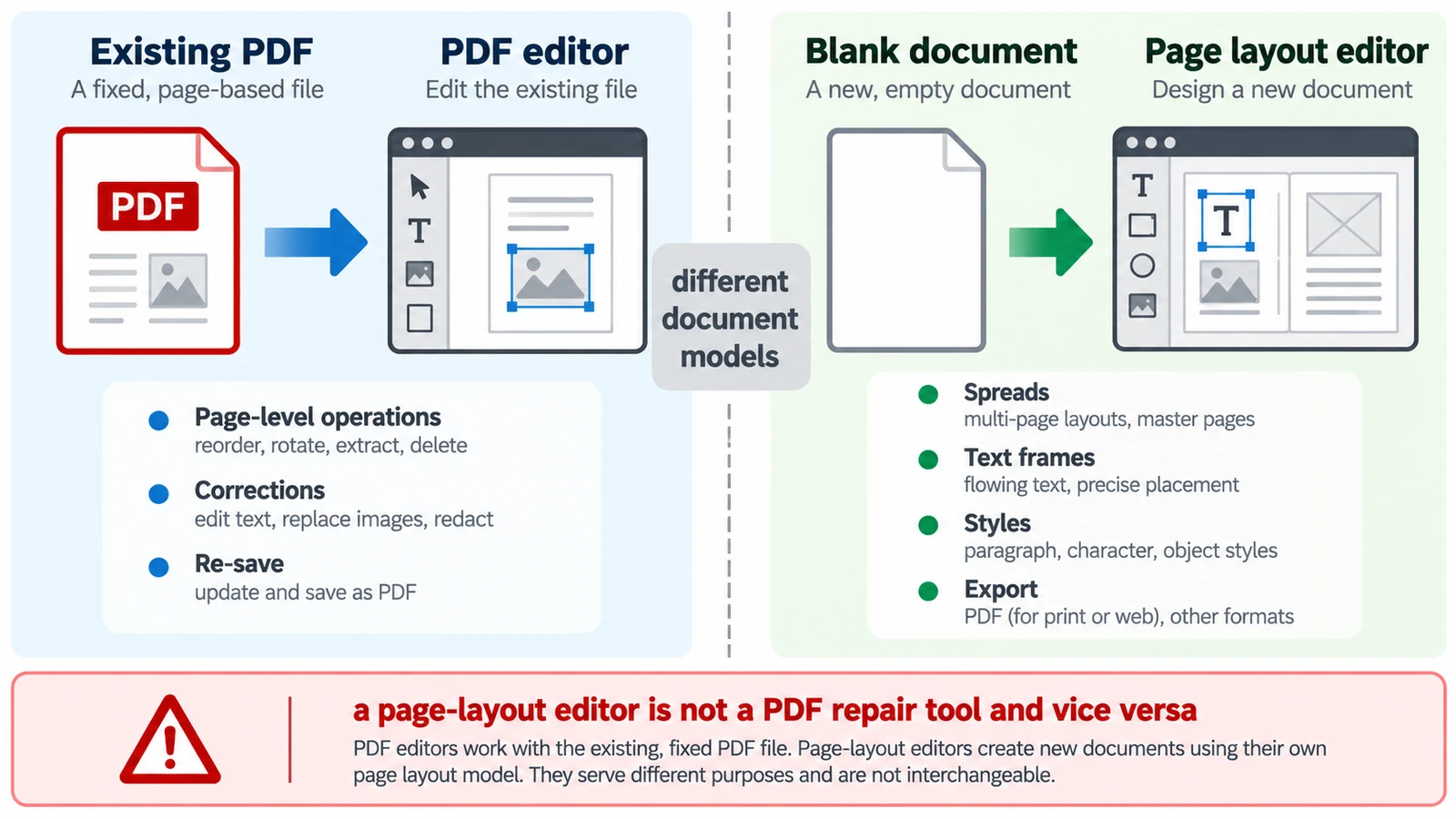
PDF Editor vs Page Layout Editor: Which Do You Need?
A PDF has no paragraphs to reflow, so a paragraph added mid-page does not behave as expected. Which tool belongs to which stage, and how the handoff between them works.
Documents & PDF PDF editing Page layout Workflow comparison Browser tools 5 min read
Published By Julia M. Gil
Keep exploring
FreeAIGeneration is more than this article. The editors and calculators below are real, free and run in your browser.