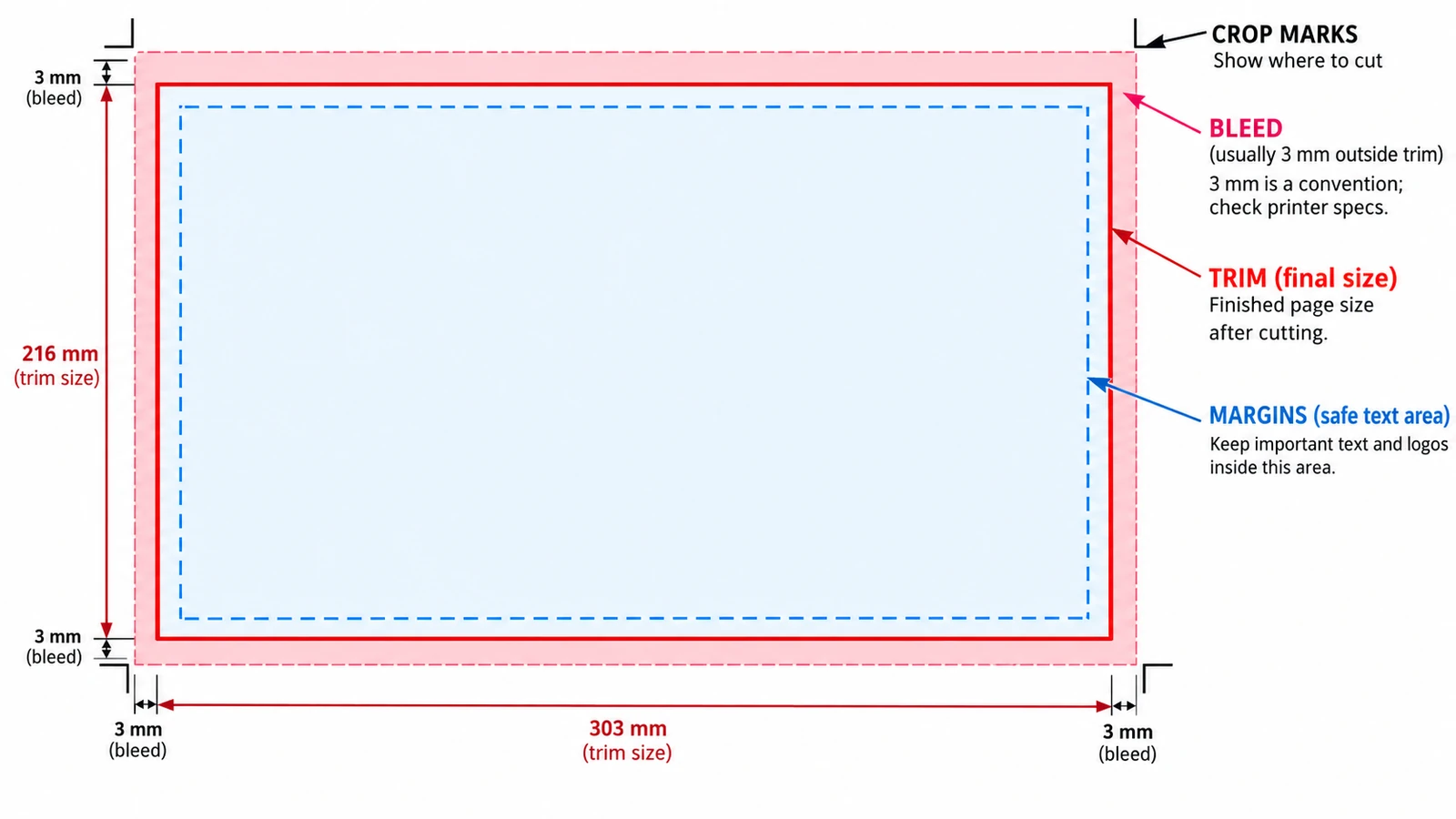
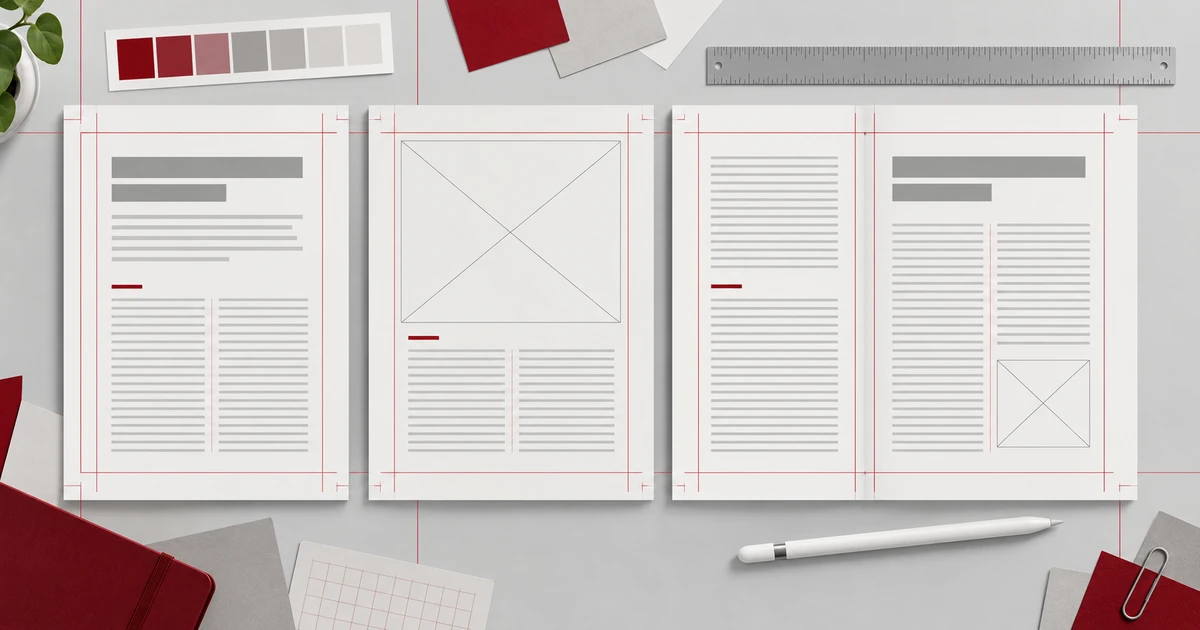
Trim, bleed and margins are three rectangles pushing opposite ways. Where each value belongs, why crop marks sit outside the trim, and what the browser tool cannot do.
Documents & PDF Page layout Browser tools No signup Image optimization 5 min read
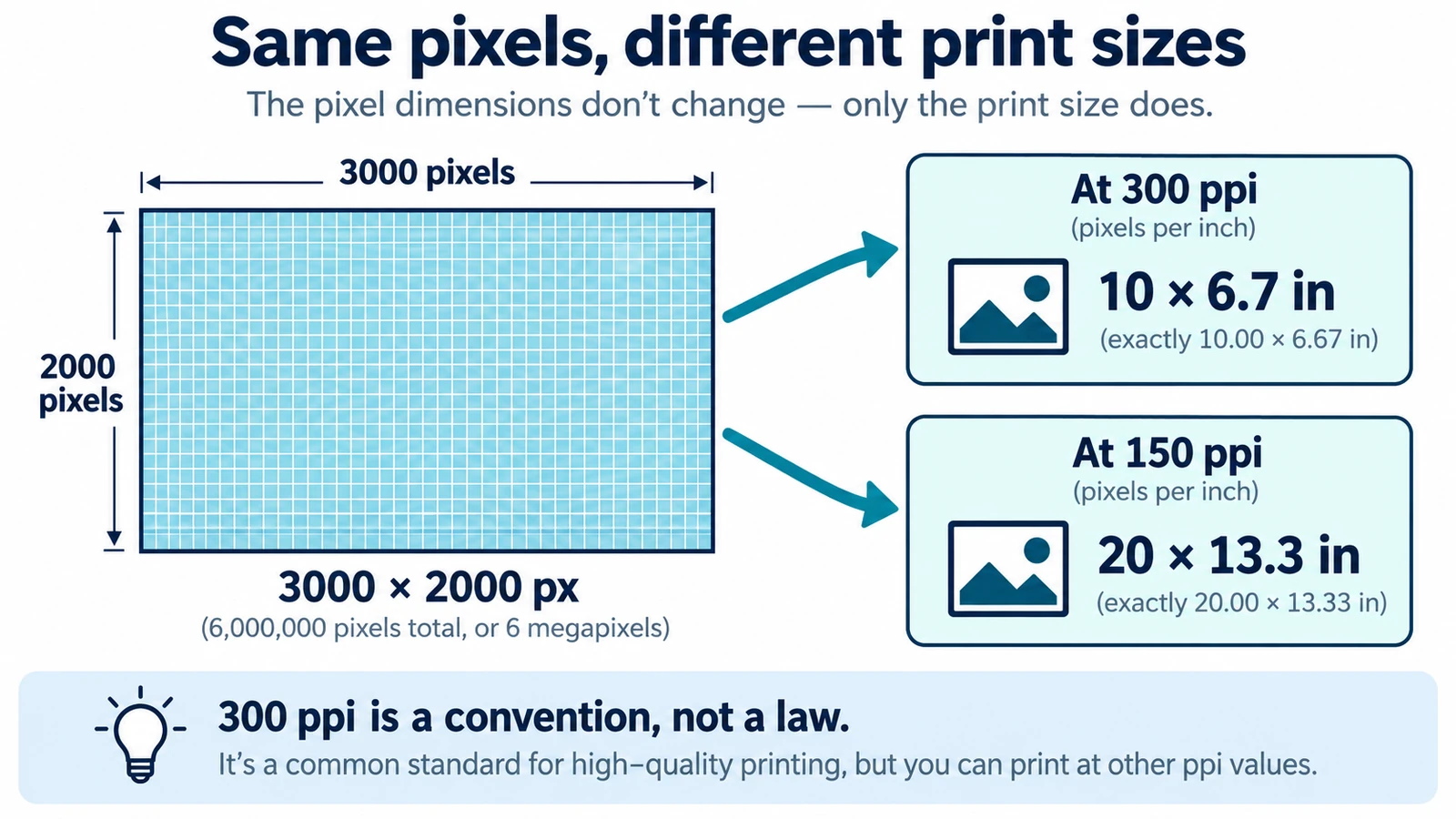
DPI and PPI describe different machines, and neither means much without a physical print size. The formula, why 300 is a habit, and what to note before placing an image.
Documents & PDF Page layout Browser tools No signup Image optimization 5 min read
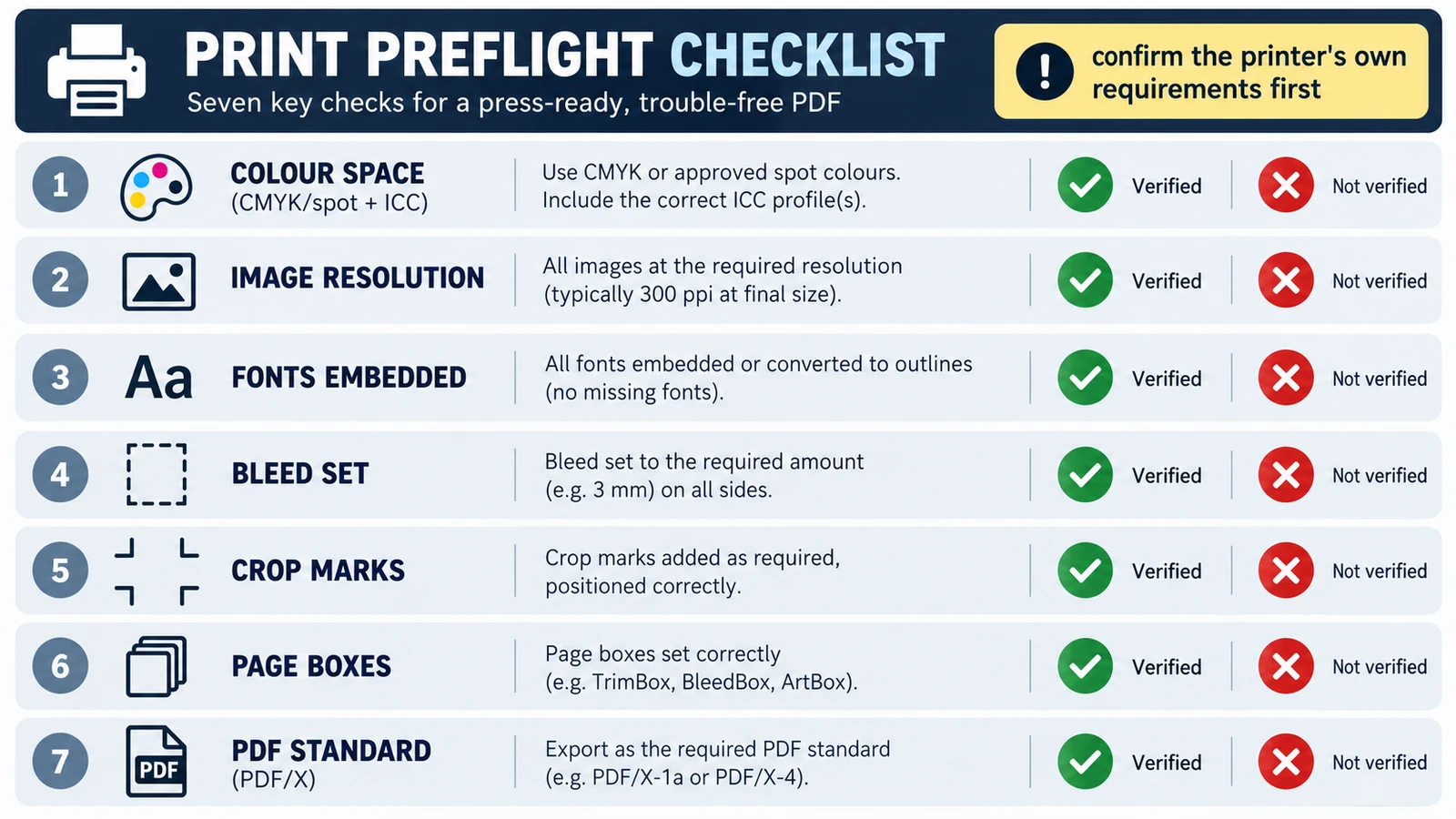
Printers reject a file for its trim size, short bleed, colour space or a substituted font, not because it is a PDF. Five checks, and where the browser stops.
Documents & PDF Page layout PDF editing File formats Import & export 5 min read
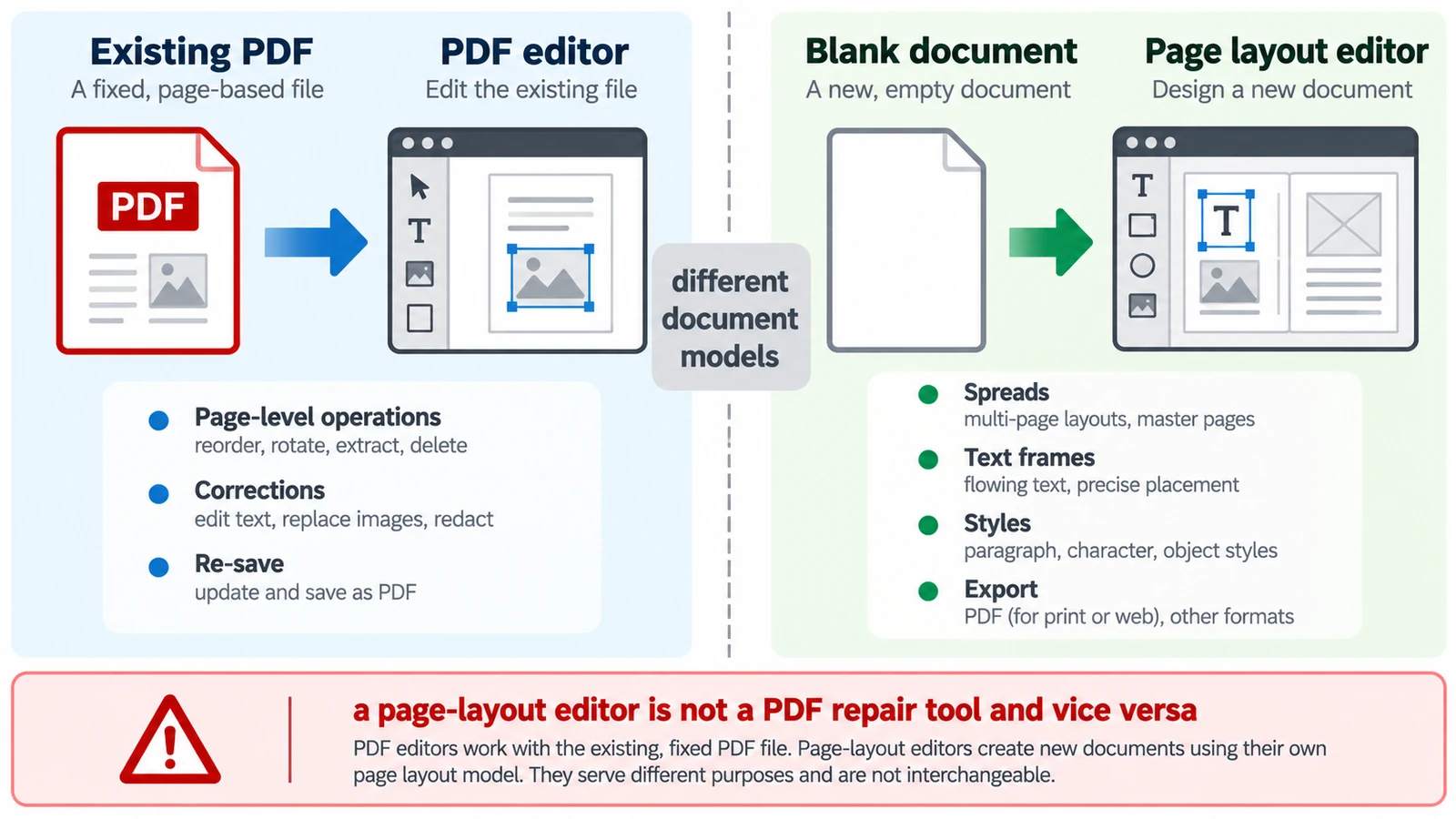
A PDF has no paragraphs to reflow, so a paragraph added mid-page does not behave as expected. Which tool belongs to which stage, and how the handoff between them works.
Documents & PDF PDF editing Page layout Workflow comparison Browser tools 5 min read
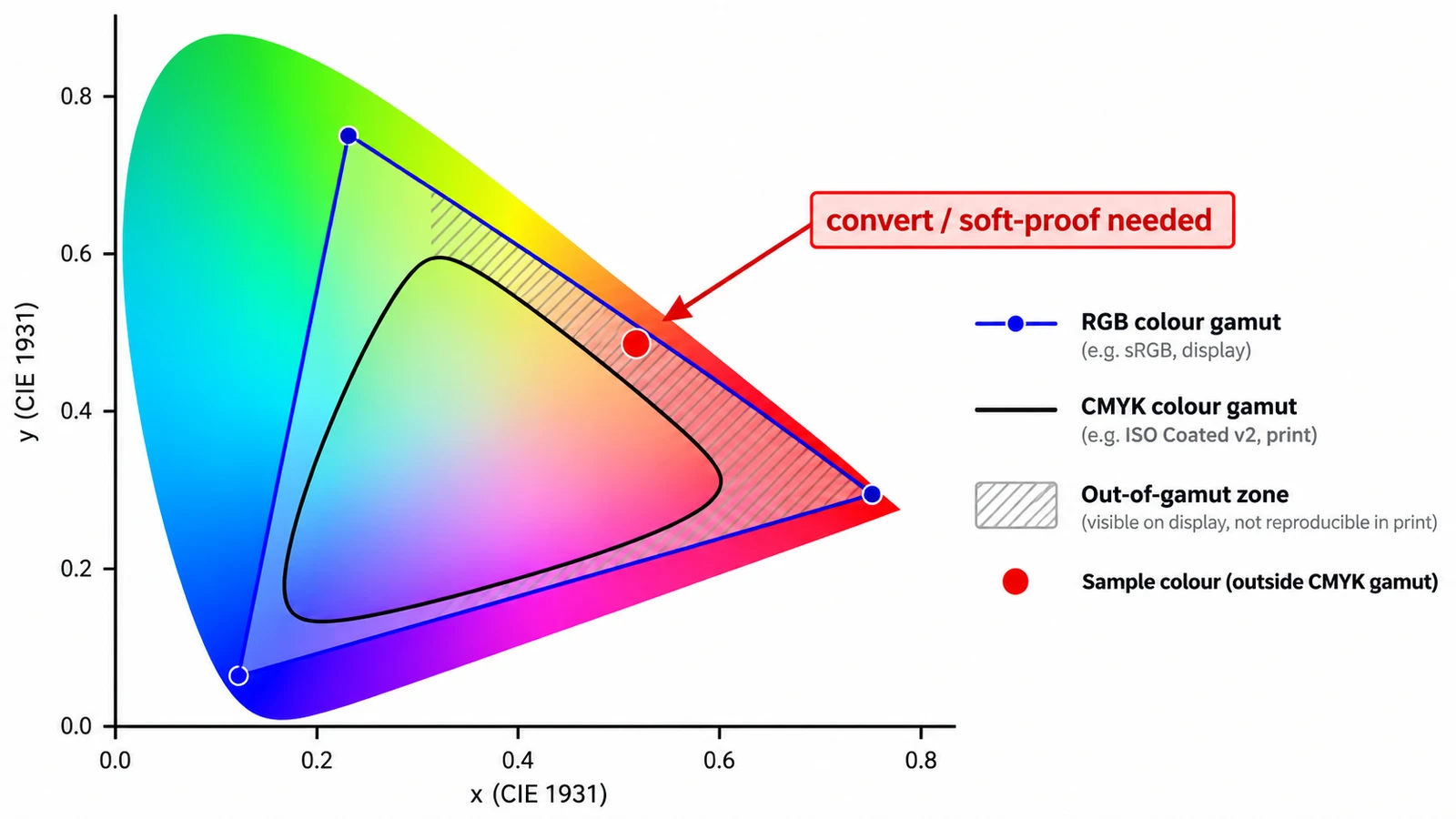
A screen adds light; a press subtracts ink. Those two sentences explain why a vivid green returns as olive, what each mode is for, and why CMYK resists screen judgement.
Documents & PDF Page layout Photo editing Workflow comparison File formats 4 min read
Desktop publishing is production, not design: styles, parent pages and threaded frames that make decisions repeatable, and a PDF that is only the export.
Documents & PDF Page layout Browser tools No signup 5 min read
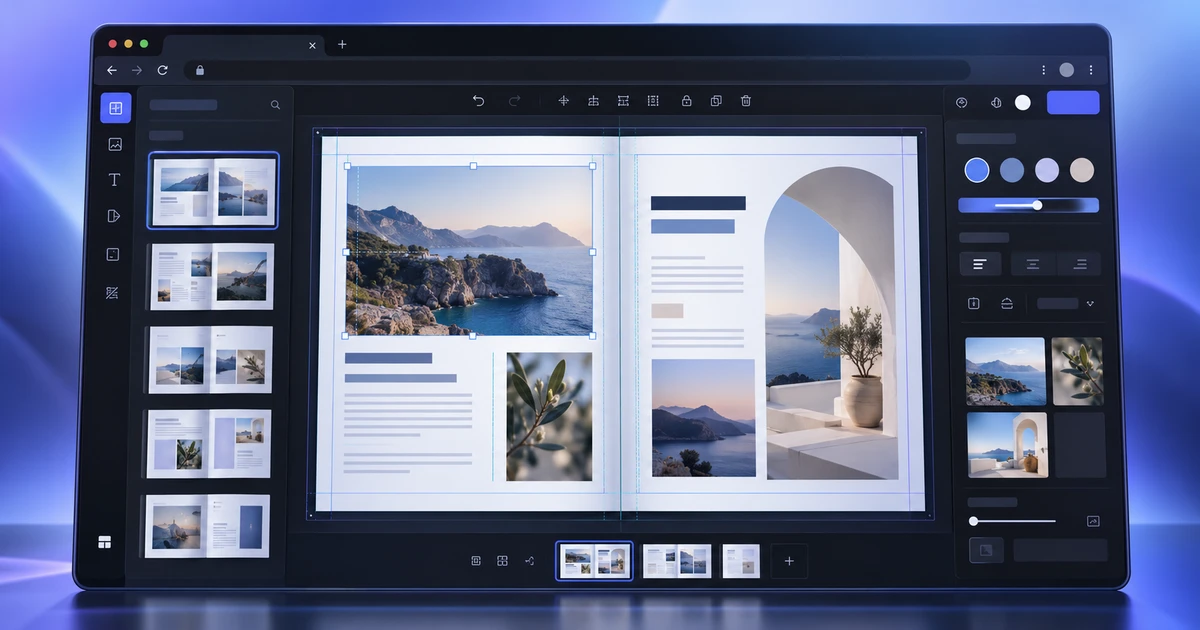
Create a brochure online with a real page-layout workflow: document setup, master pages, threaded text, styles, placed images and print-ready PDF export.
Creative workflows Page layout Brochure design Publishing 5 min read